May 2026 Release Notes
Dear users of whitson+,
We’re happy to share the latest release of whitson+, fresh out of the coding oven. There is a lot of new functionality in this release, the whole overview can be seen below.
Make sure to CTRL + SHIFT + R in the browser to fetch the latest version!
ARIES Mode: Ratio Forecasting in DCA and Type Well
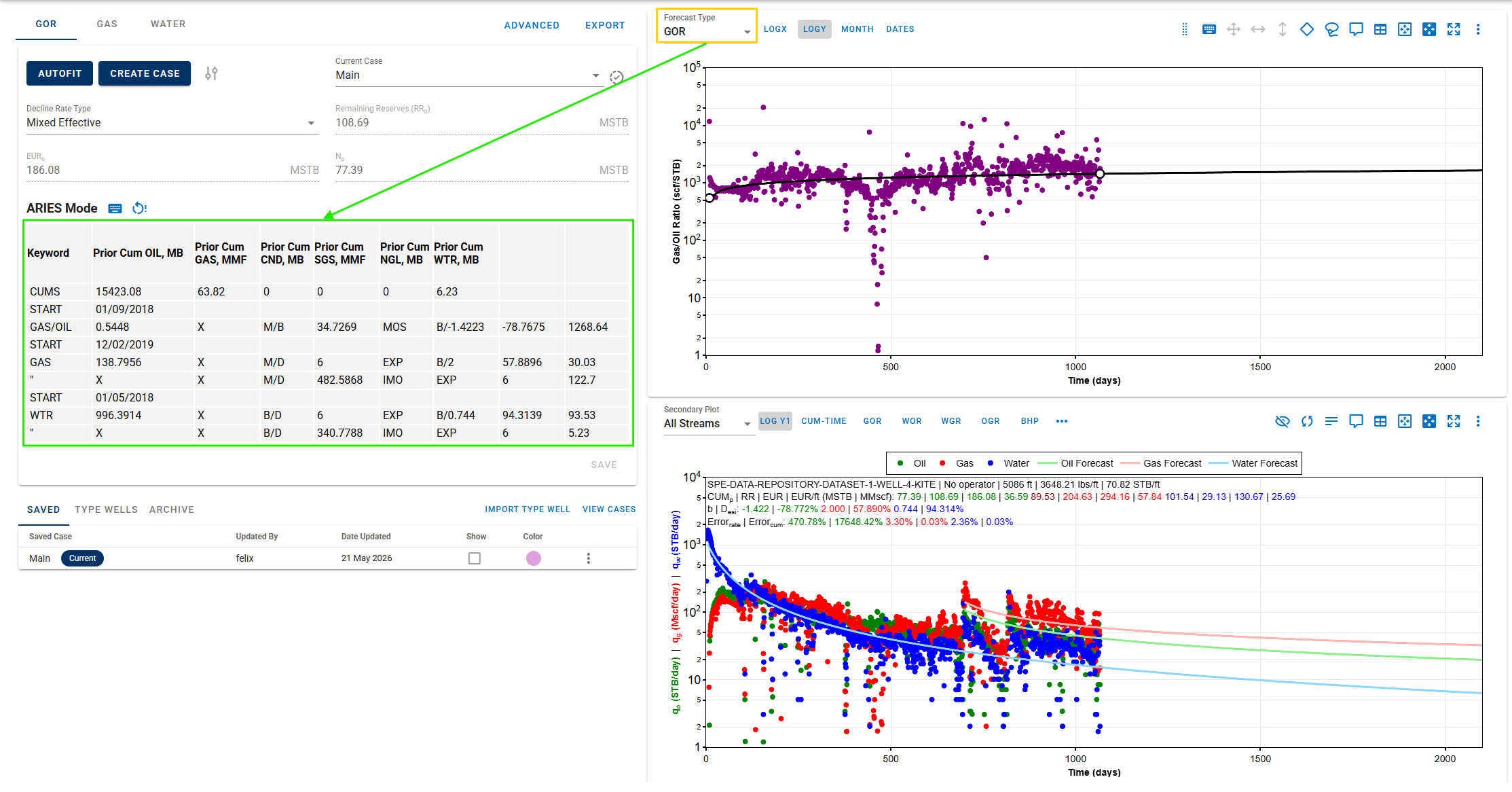
whitson+ now supports ratio forecasting of ARIES mode in both the DCA and Type Well modules, further expanding forecasting flexibility within the platform. With this enhancement, users can enter and manage ratio forecast parameters using the familiar ARIES table format, making it easier to align technical ratio forecasts with economic evaluations. This allows ratio segments, forecast time, and phase handling to be structured in standard ARIES formats.
PVT
Add an option for the NGL fraction to the oil sales oil stream. NGL recovery efficiencies are first applied to split wellhead gas production into sales gas and NGLs, after which all components in the NGL stream are added to the oil stream.
Production Data
-
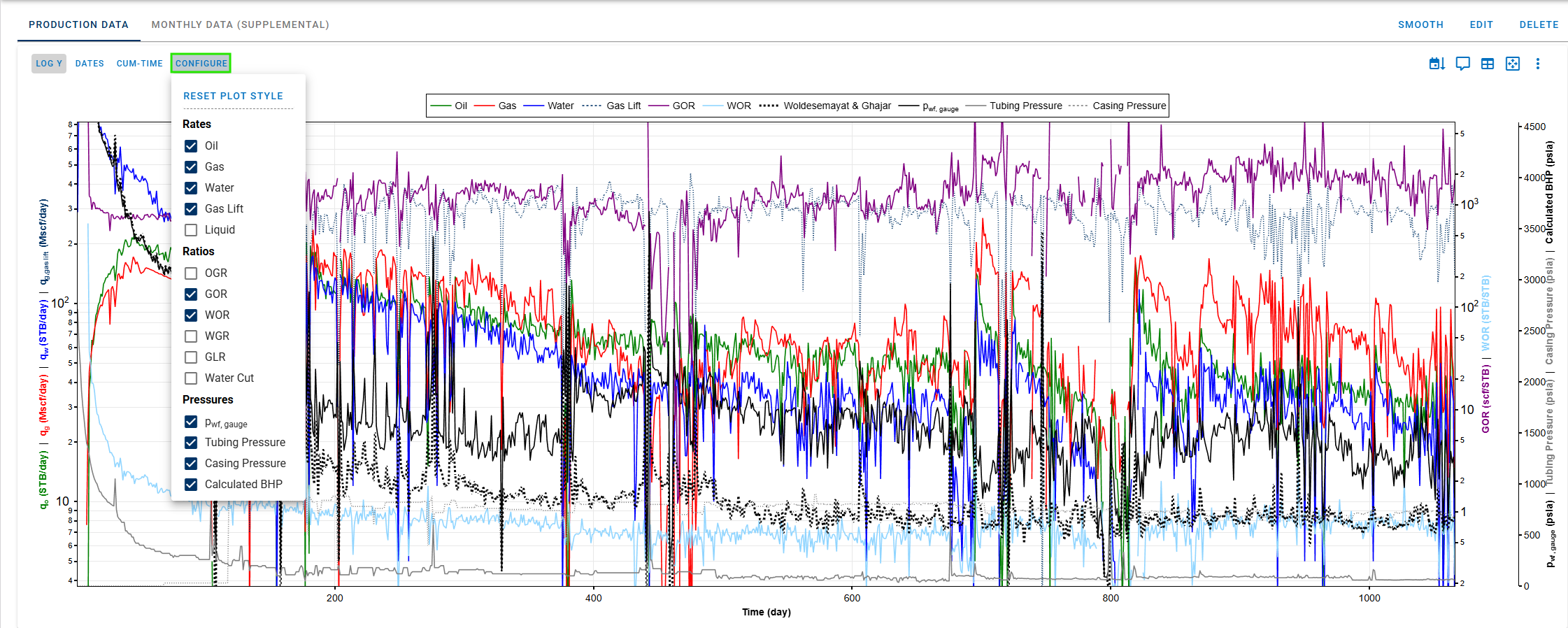
New configurable plot settings in the Production Data: Rates, Ratios, and Pressures.
-
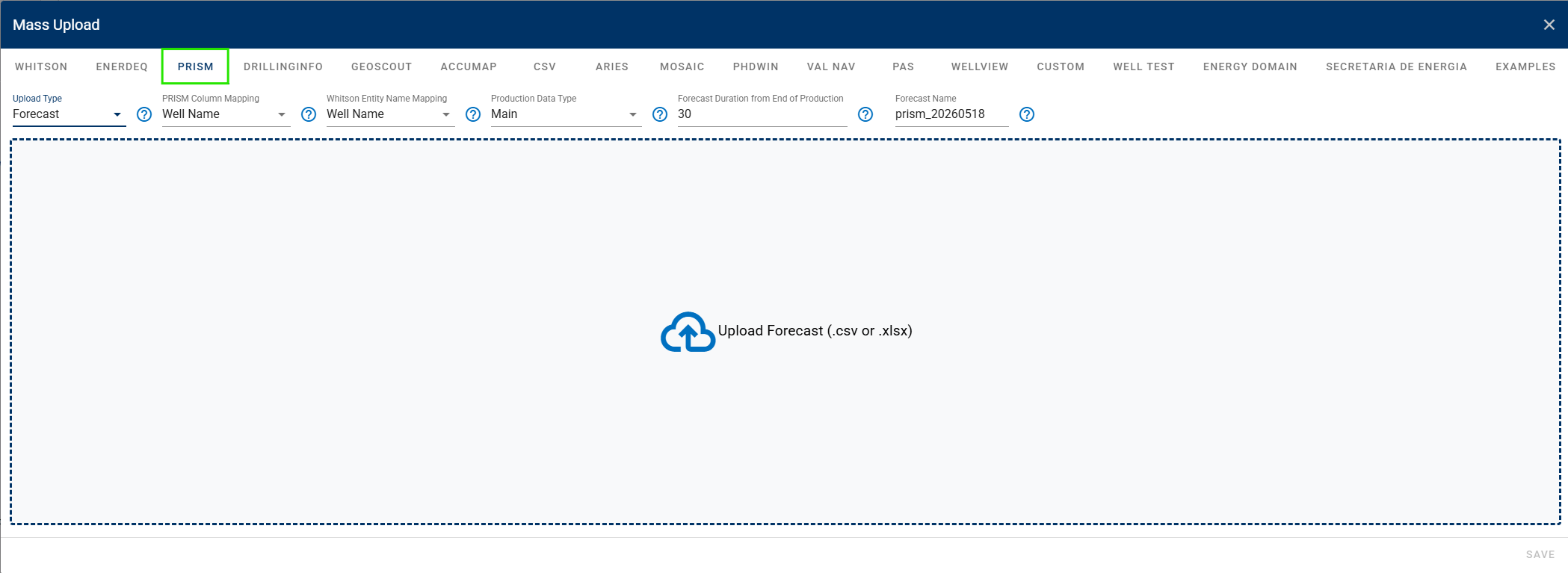
Enable PRISM mass upload forecasts. Users can now bring multiple forecasts from PRISM in CSV or Excel format and upload them to whitson+ in a single workflow.
-
Bulk Plot Settings for Production Data now support configurable Rates, Ratios, and Pressures, making it easier to apply consistent plot setups across multiple wells.
-
Add Tubing and Casing columns to the Well Test uploader resampling workflow. Users can include tubing and casing data in the Excel file and have them resampled.
-
Add the Sand Rate series data to the generated file when exporting BHP and Production Data.
DCA, PNR DCA, and Auto-Forecast
-
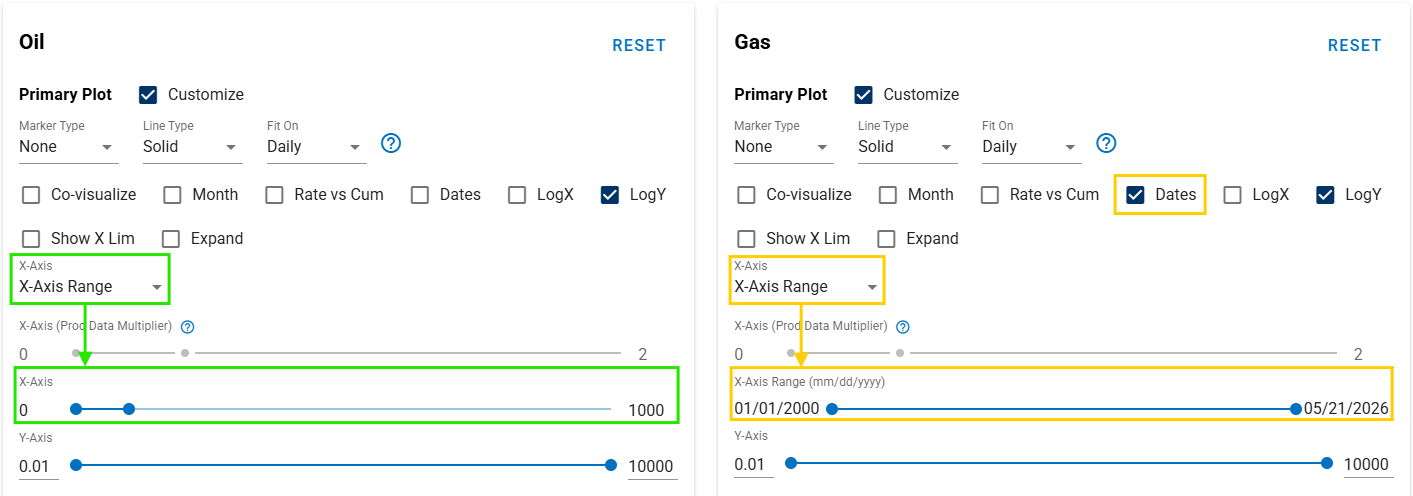
Add x-axis limit controls in both day and date formats to the DCA plot and AutoForecast for improved plotting flexibility.
-
PNR DCA:
- Improved Send To algorithm that re-fits the segments to better match traditional DCA.
-
Auto-Forecast:
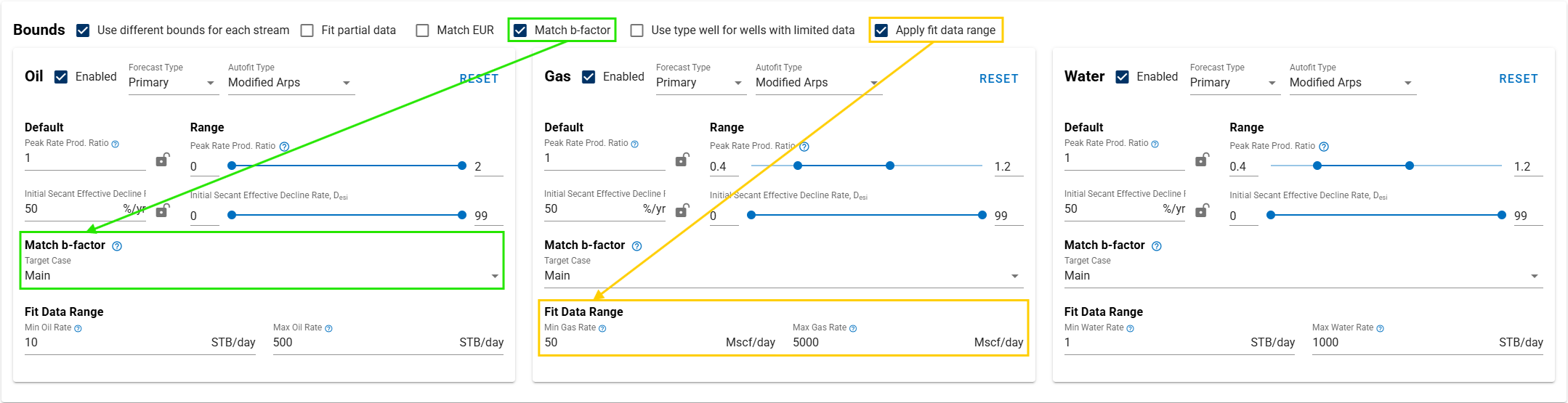
- Introduce a match b-factor option where it will use the last segment -factor from the selected saved case as the locked -factor for fitting (only applicable for Modified Arps decline rate type).
- Add a fit data range function that filters out rate or ratio data points below/above the inputs.
- Enable Quick Select in Bulk View, allowing users to select wells and perform actions such as: select/clear all wells, show/hide selected wells, or apply quality checks.
-
Bulk View:
- Enable Fast Fit for the ratio forecast.
- Customizable plot styling and axis ranges, making large-scale analysis faster and easier to visualize.
-
DCA export:
- ARIES:
- Customizable settings: Segment Units, Time Duration Units, Forecast Start Point, Ending Condition.
- Option to export the START line as MM/DD/YYYY for newer ARIES versions. The START line can be output as a full date, including the day, resulting in potential partial months.
- Excel:
- Include columns for Terminal GOR and Terminal WOR.
- MOSAIC:
- Option for MOSAIC (> 2025.6) export version (latest).
- Option to combine the limiting segment or export it as a separate exponential segment.
- Option to link cutoff rates or export them as unlinked.
- ARIES:
BHP and Nodal Analysis
-
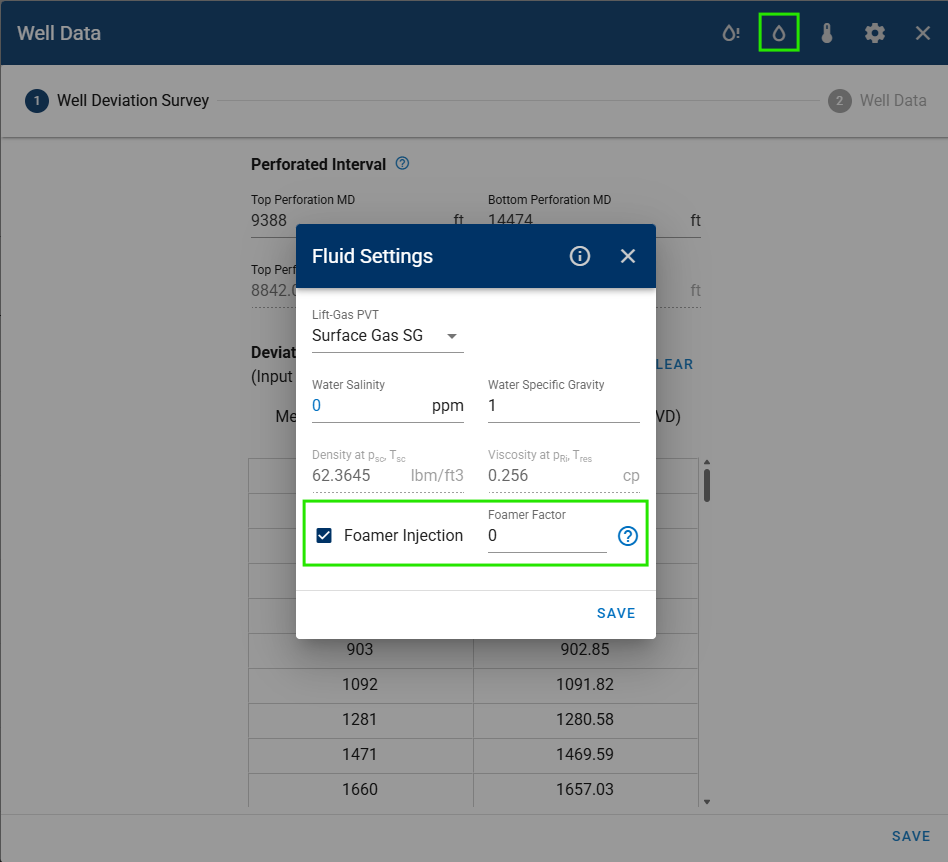
Introduce new BHP functionality: Foamer Injection. When active, the foamer factor is applied to alpha, the liquid hold-up correction factor, across all correlations.
- F = 1 represents the optimal foamer homogenizing effect, where alpha = 0 and no slip occurs between gas and liquid.
- F = 0 represents no foamer homogenizing effect, where alpha = 1 or the original input value is used, allowing slip between gas and liquid.
-
New input column to the Gradient feature in Nodal Analysis: Perforated Interval Inflow.
- Exclude: compute the pressure gradient at the top and bottom perforation inflow.
- Include: compute the pressure gradient at each perforation inflow, based on lateral length and number of fractures.
FMB / RTA / NRTA
-
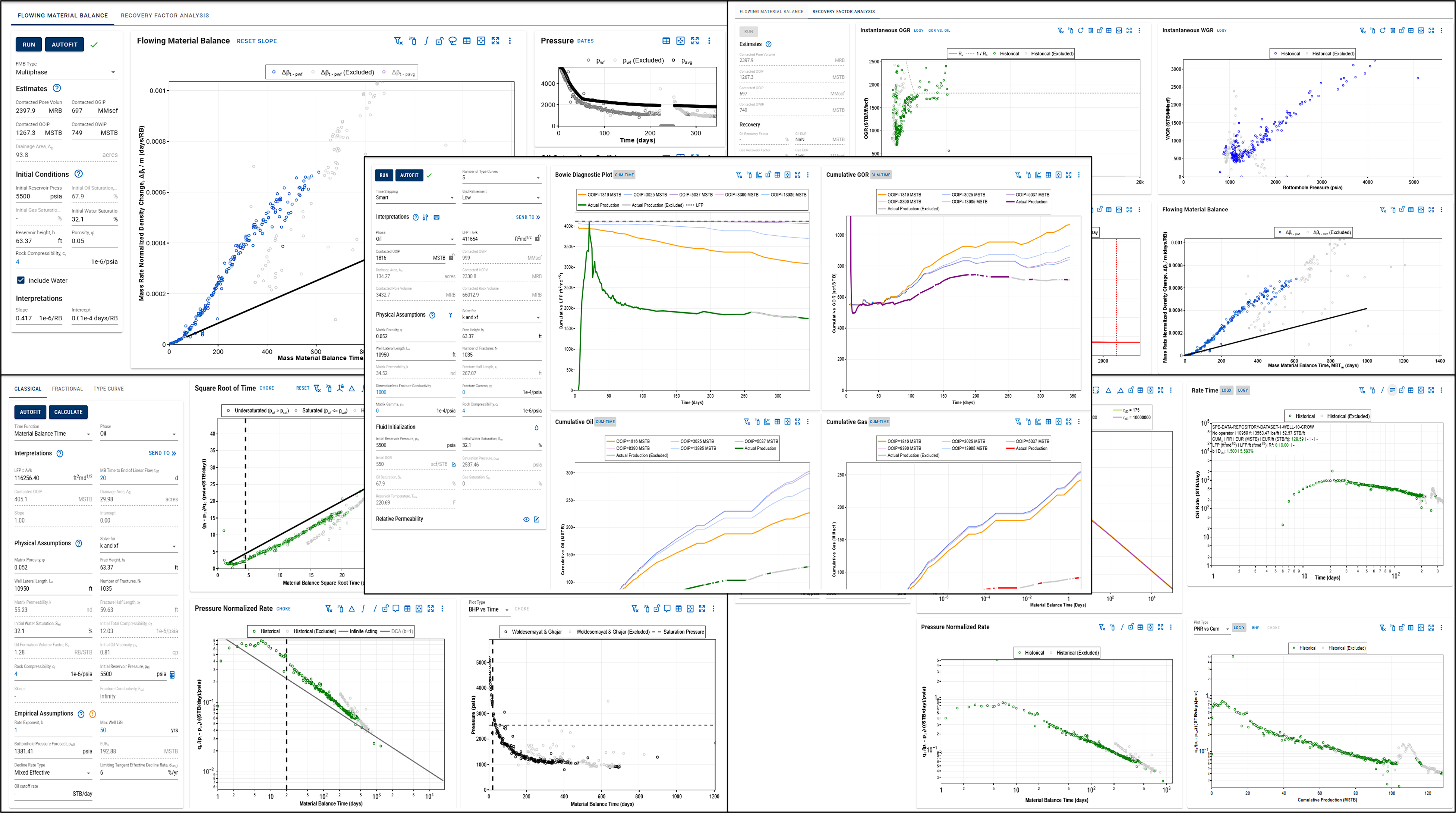
Linked filtered-out points across all plots in the FMB (include Recovery Factor Analysis),RTA (include Classical, Fractional, and Type Curve), and NRTA modules.
-
Set the shortcut Fractional RTA plot in the PNR DCA to share the same default zoom level.
Numerical Model
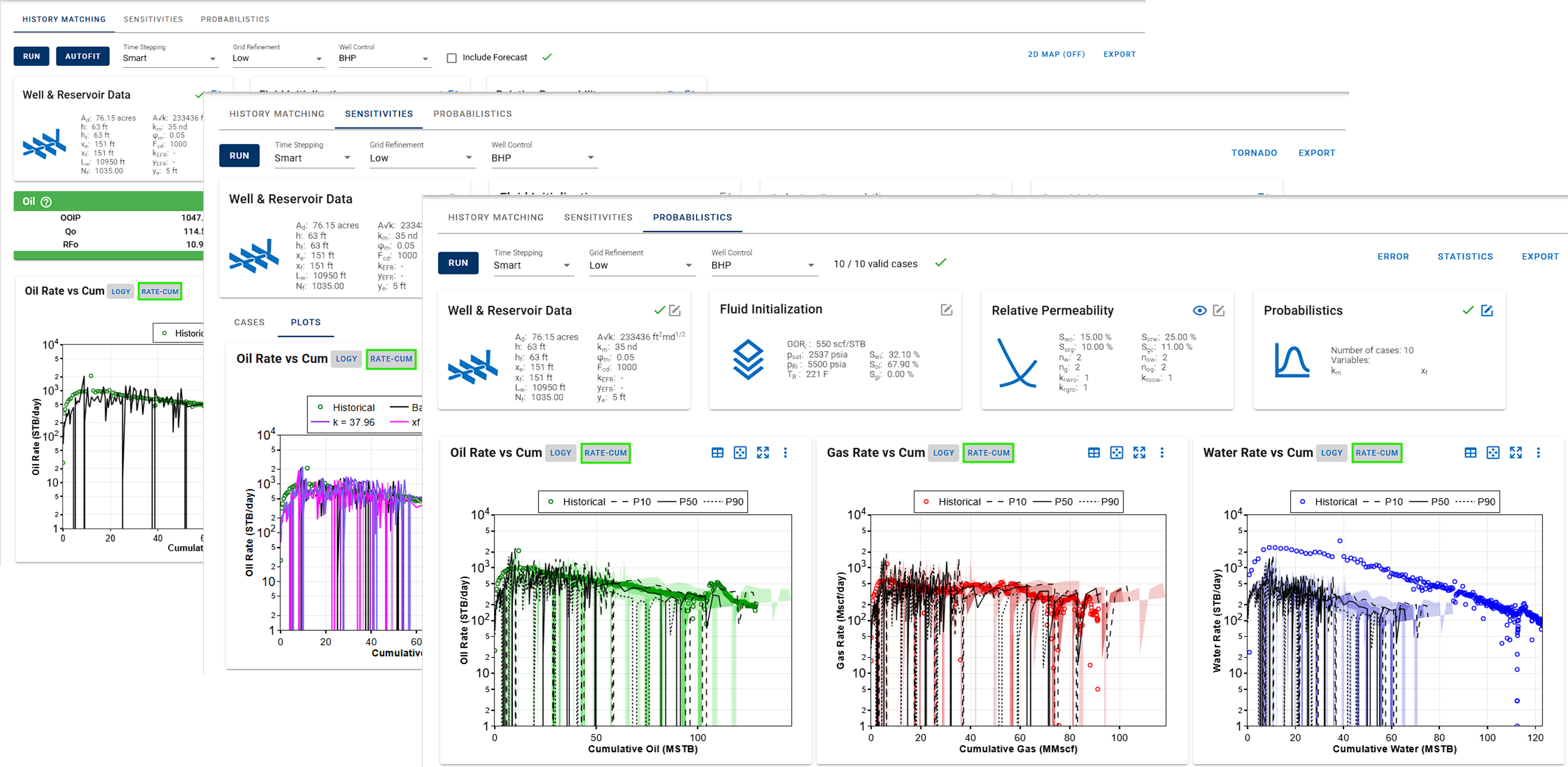
Add a new plot style option: Rate-Cum. This is available across all plots in the History Matching, Sensitivities, and Probabilistics tabs.
Forecast Manager
-
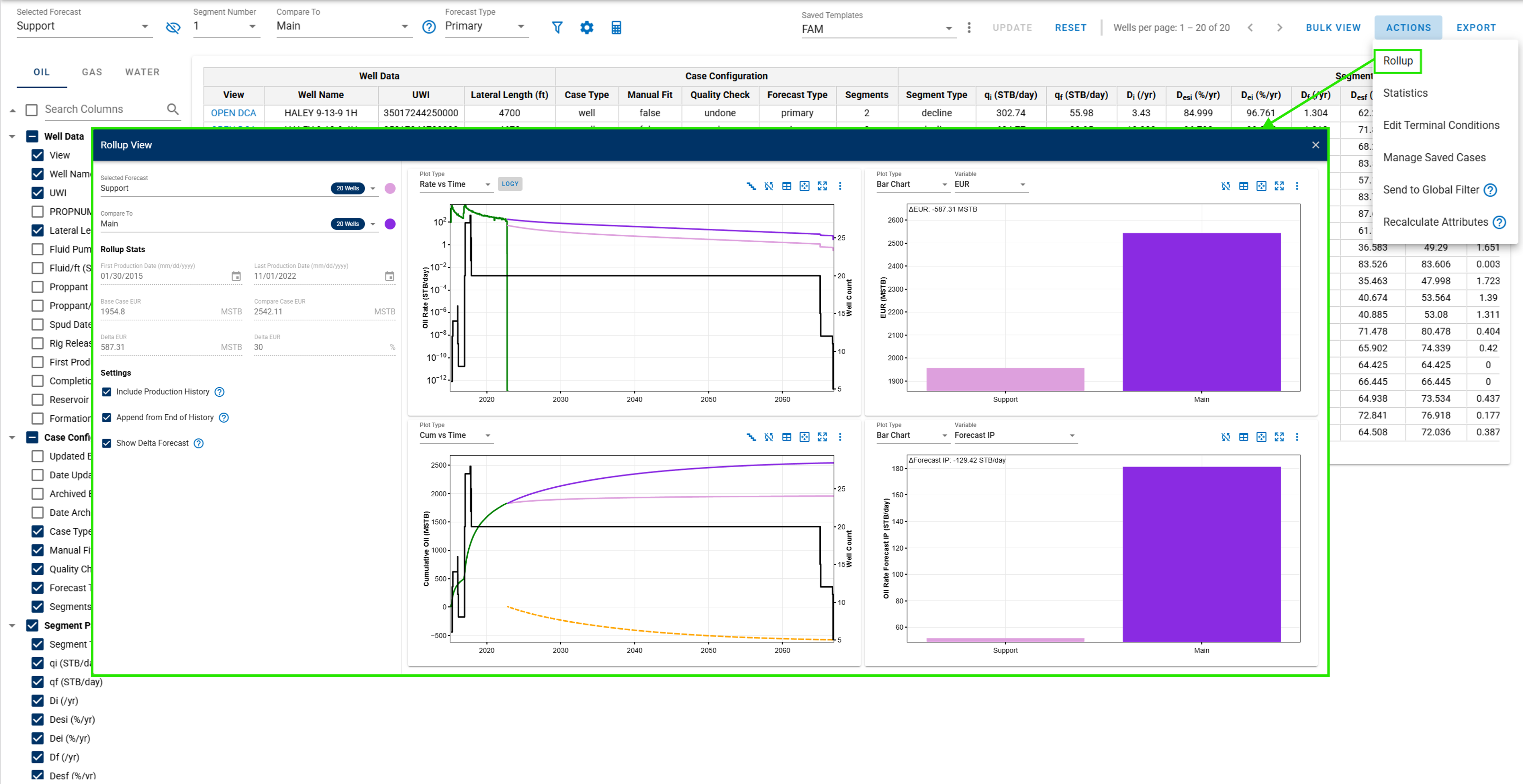
New Statistics option: Rollup view that enables plotting two different aggregated forecasts in the same plot for convenience comparison.
-
Enable Manage Saved Cases feature to the Actions button, making it easier to manage saved cases and perform bulk edits.
-
Revamp Hindcast Customization settings, window, and calculation, including the option to use custom date ranges.
-
Add PROPNUM as an available attribute selection for the table columns.
Type Well
-
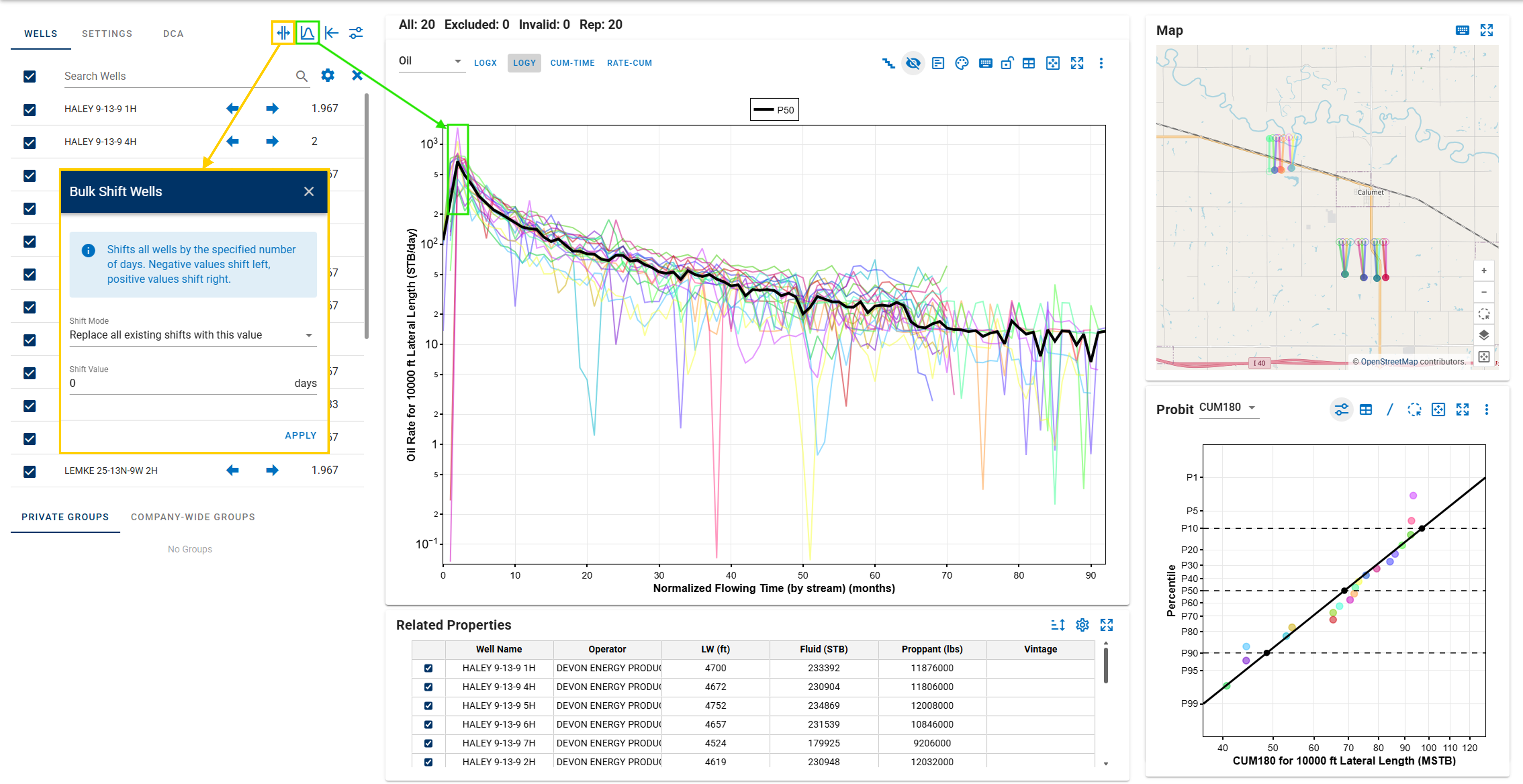
Add Align Peaks and Bulk Shift Wells functionality.
-
Set Normalized Flowing Time (by stream) as the new default x-axis.
- Displays empirical percentiles in Probit.
- New metadata:
- EUR/ft.
- ΔCUM: 30D, 60D, 90D, 180D, 365D.
- Type Well Manager:
- Users can now import type wells from MOSAIC format with greater flexibility and control.
- Identifier: Entitiy Name_Category, Entitiy Name, UUID_Category, UUID.
- Support saving type wells to multiple streams.
- Users can now import type wells from MOSAIC format with greater flexibility and control.
Comparison Plot
-
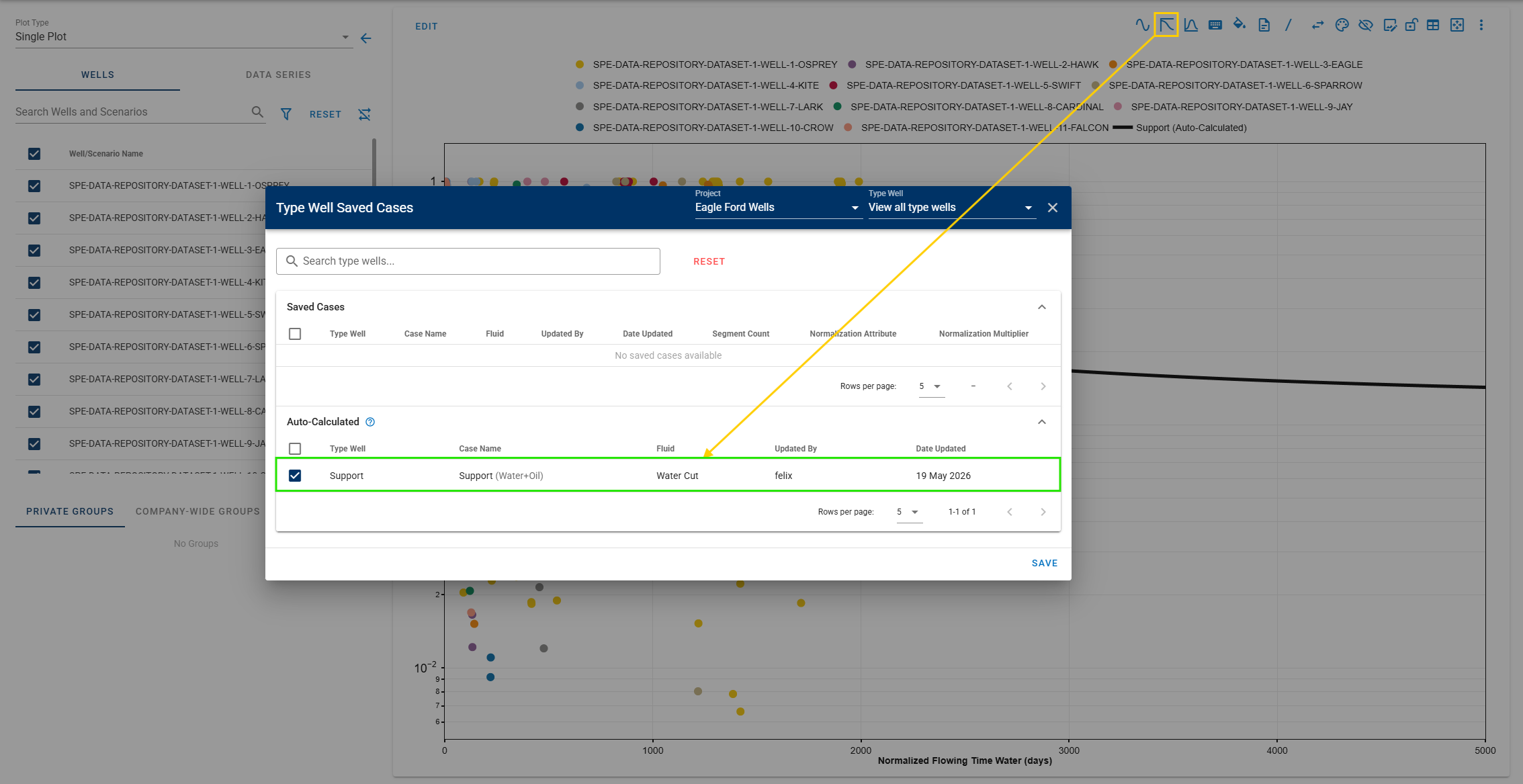
Add support for plotting Water Cut type well cases when having a water cut plot. Water cut type wells are the ones auto-calculated from the saved oil and water type well cases (same case name).
-
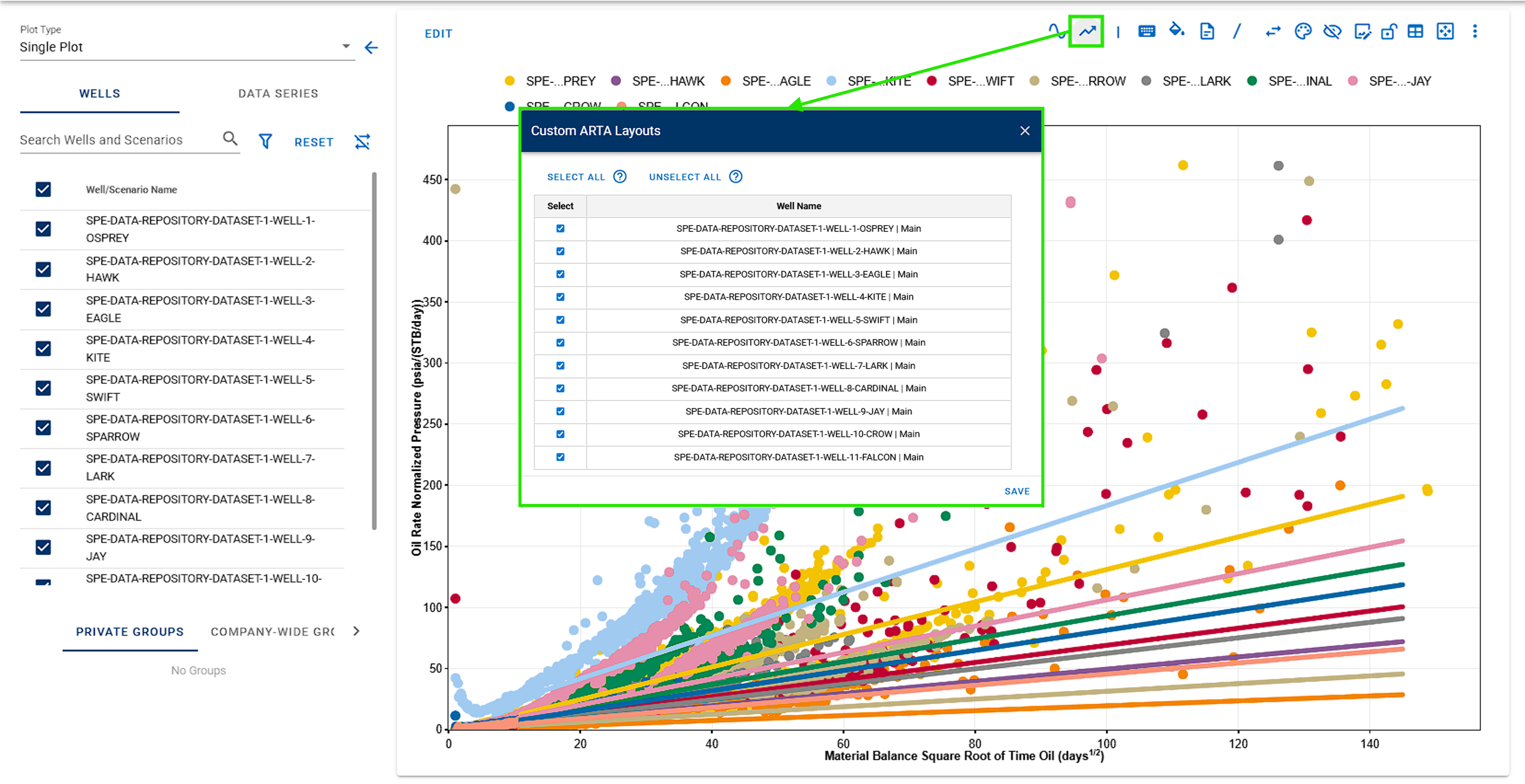
Users now have the flexibility to select ARTA slope lines and customize the color style.
General
-
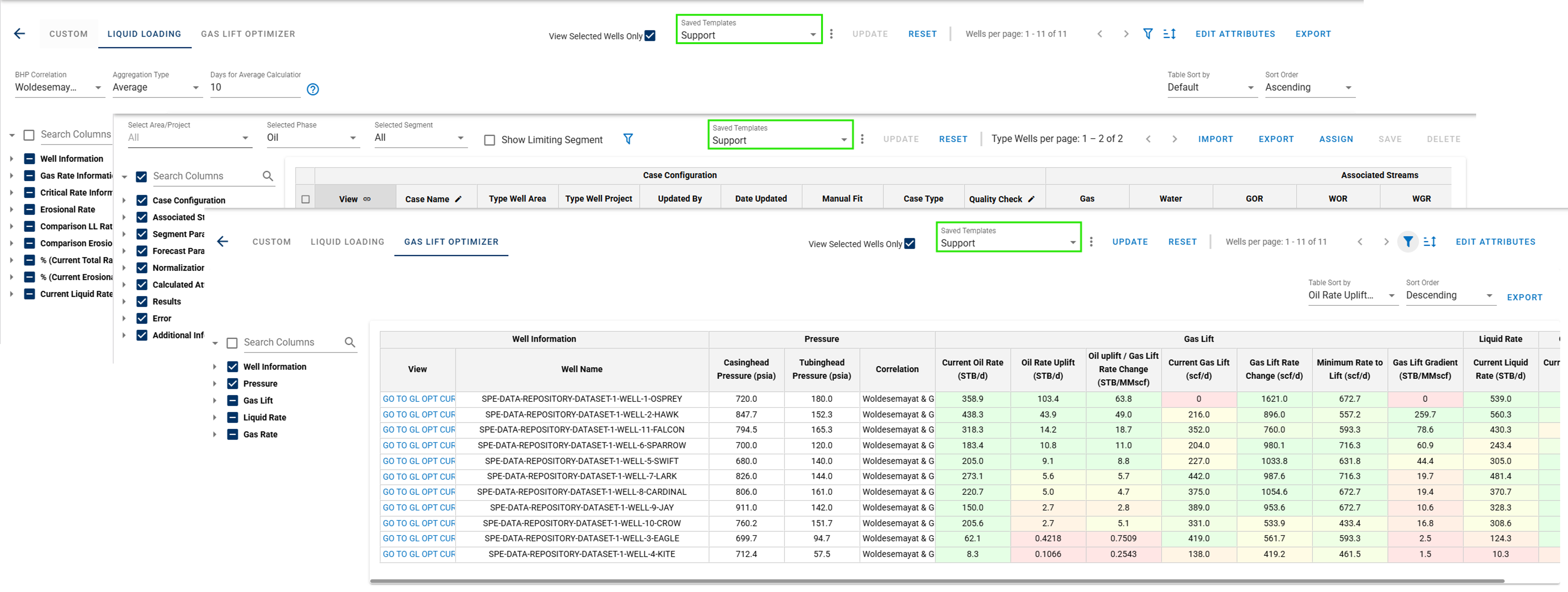
Add reusable templates to the Liquid Loading, Gas Lift Optimizer, and Type Well Manager tables, reducing the need to repeatedly configure preferred table setups.
-
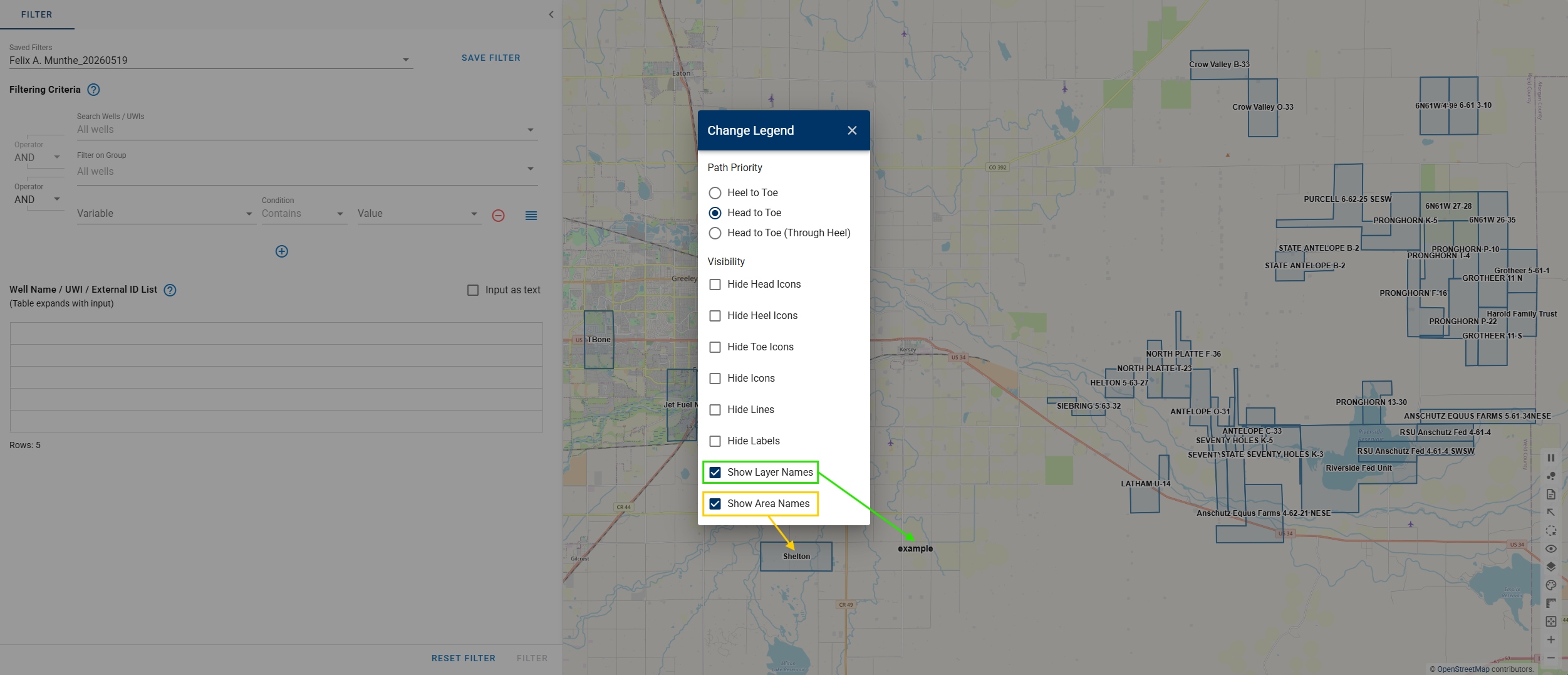
GIS map enhancement: Area and Layer names can now be displayed directly in the GIS view.
-
New wells filtering variable: Saved DCA Case Name and Last Production Date.
- Main projects are no longer created automatically; existing projects have been made private, except for the Comparison Plot module.
- Add the ability to enable Copy Scenario for easier scenario duplication.
- New well production metadata: Production Data Last Date.
- Users can now create custom calculated attributes using Average or Cumulative functions based on Producing Days.
- Rename CUM button at the top of plots to CUM-TIME for consistency.
- Update desktop app branding, including the app icon and name.