Type Well Manager
1. Type Well Manager
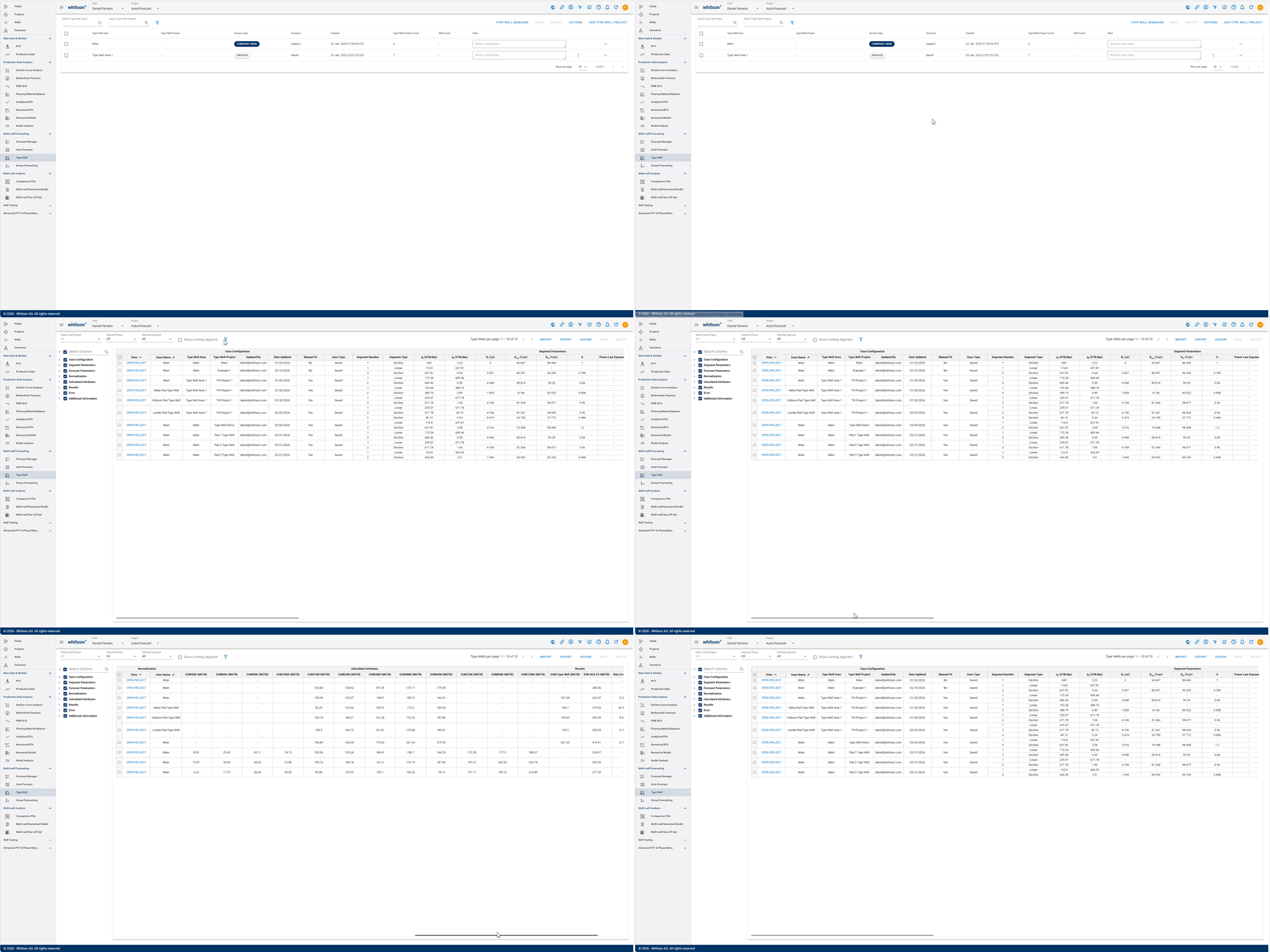
To review and compare multiple type well projects, cases, and parameters in table format, use the Type Well Manager. The GIF below shows how to access the Type Well Manager section.
1.1 Manipulating Table
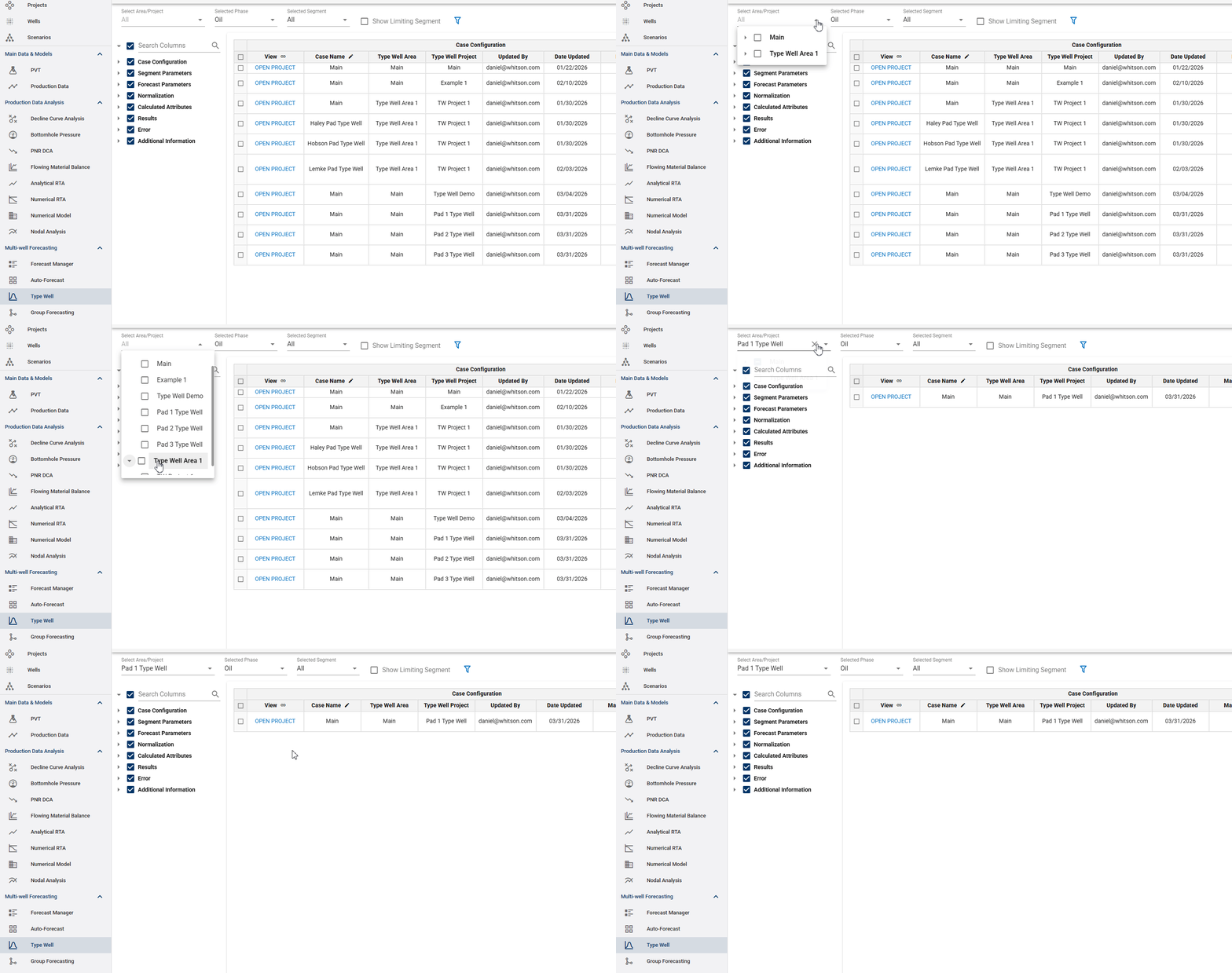
- Selecting Area/Project: choose all type well projects under a Type Well Area, or a single type well area to display. All type well projects can be viewed under the "Select Area/Project" dropdown menu on the top left corner. After selecting one, only the type well cases associated with that project will be shown in the table.
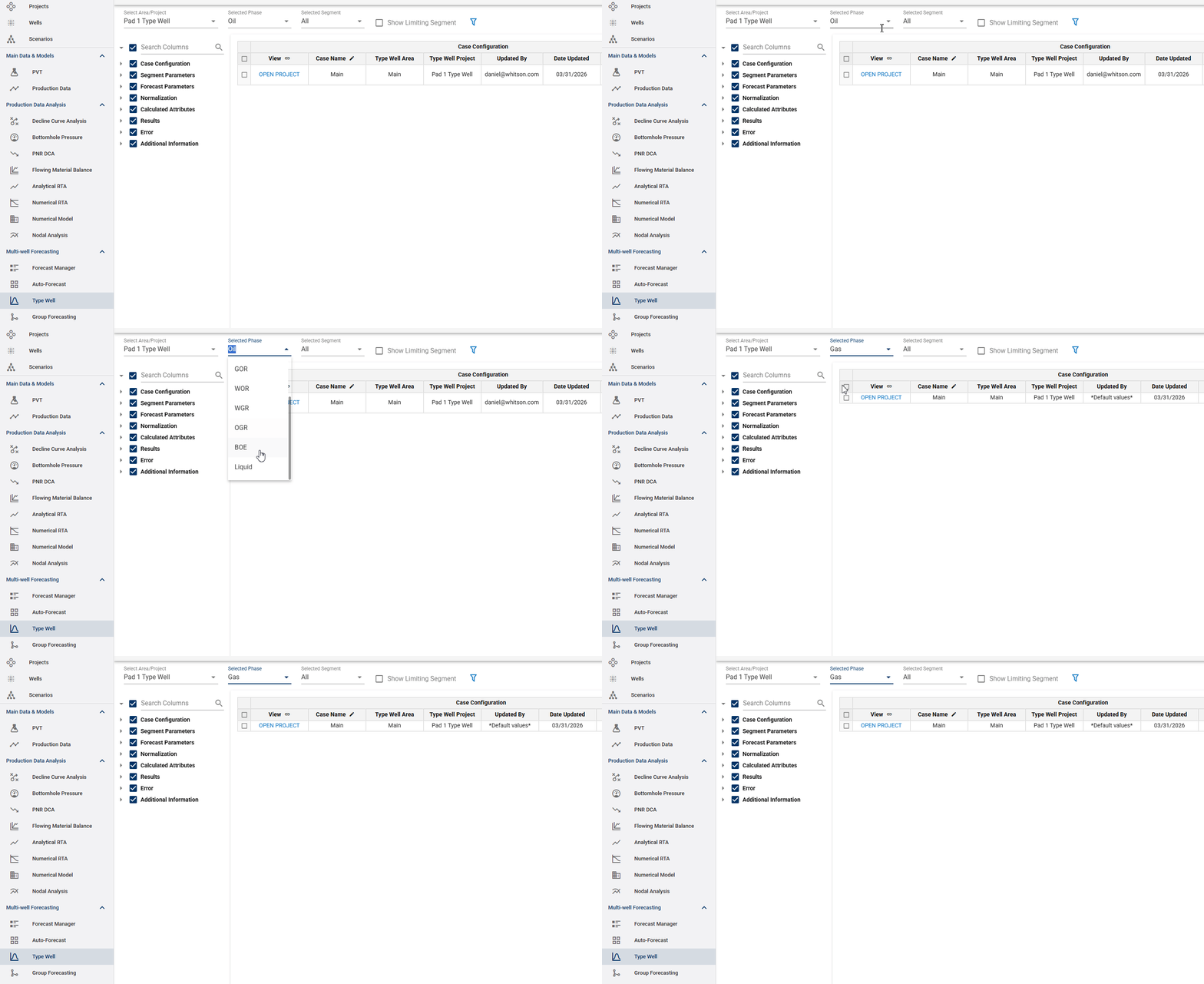
- Selecting Phase to Display: the second dropdown option to the left of the project dropdown, one can select the phase to display its respective type well curves in the table. That can be done by clicking on the "Selected Phase" dropdown menu.
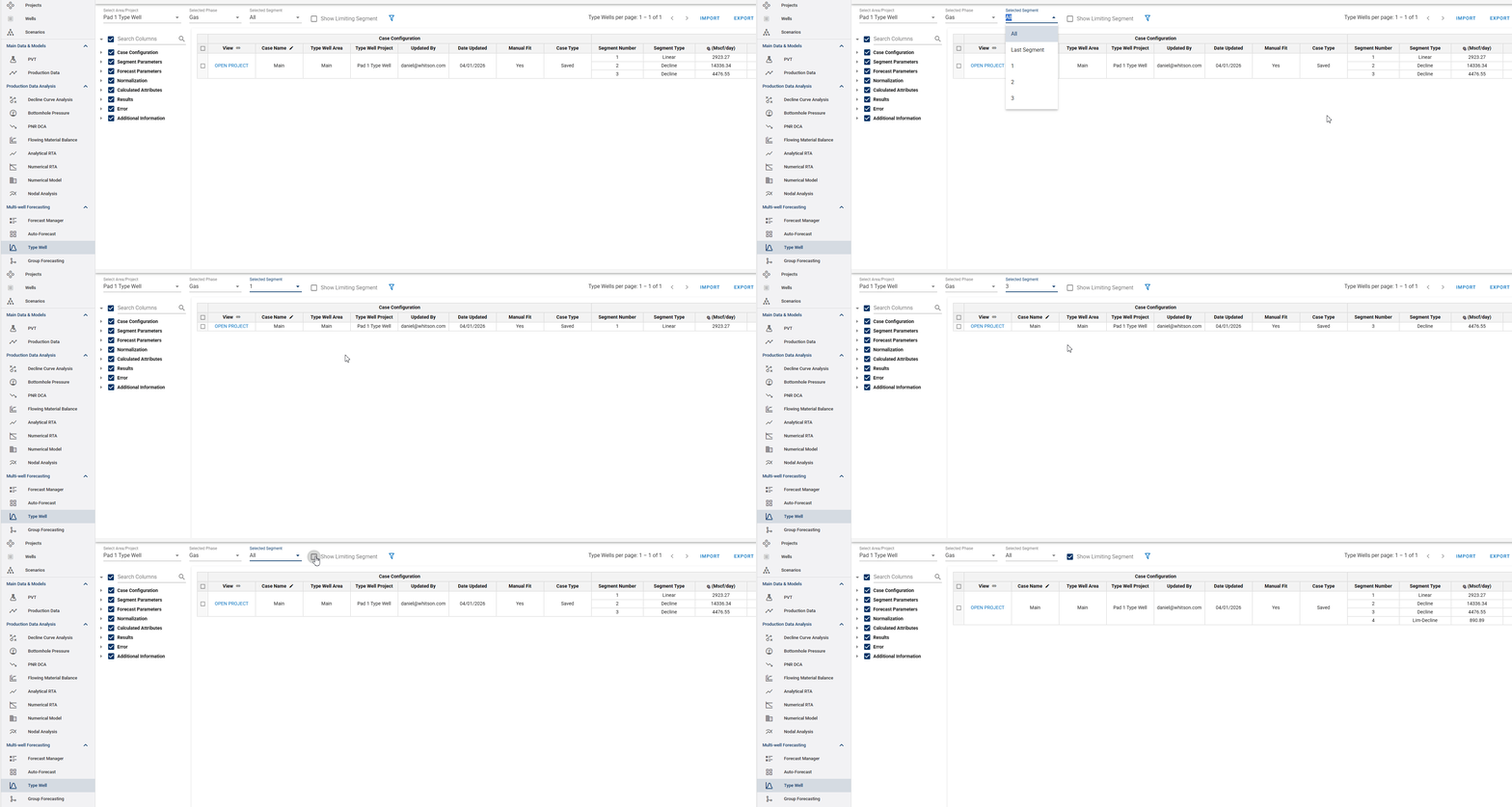
- Selecting Segments to Display: because the type well curves can be created using multiple decline segments, one can also select which segments to include in the table, including the limiting segment, which can be brought into the table by checking the box titled "Show Limiting Segment."
- Selecting Table Columns: it is also worth noting that in addition to the selections shown above, the columns included on the table can also be modified on the left hand side of the screen.
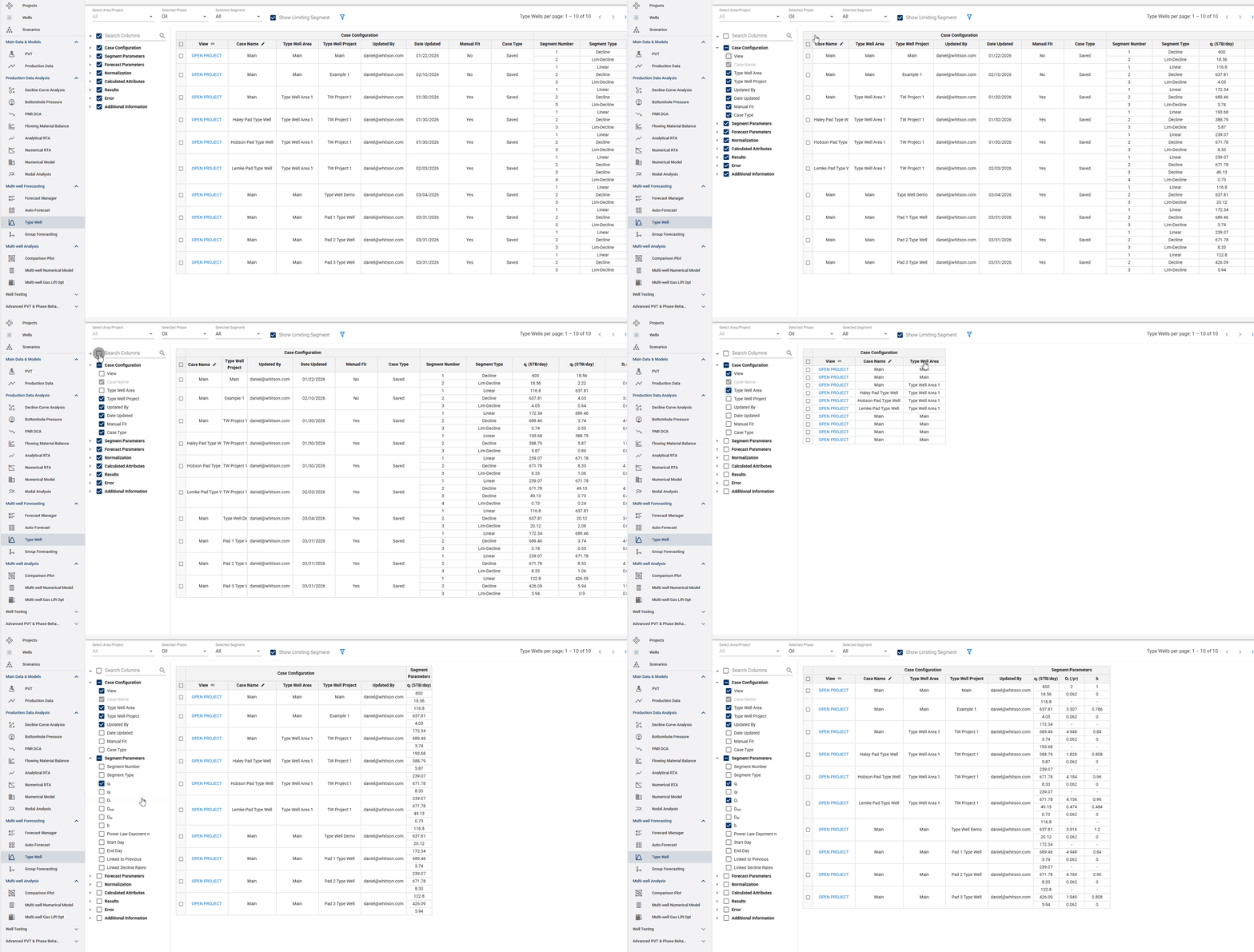
Table Templates
Type Well Manager table configurations can be saved as reusable templates. Templates preserve the preferred table setup so the same columns and configuration can be quickly reapplied without rebuilding the table manually. Use the template controls to create, apply, update, or remove saved table configurations.
1.2 Importing, Exporting, and Assigning Type Wells
- Importing Type Wells: as of now, the ARIES and Mosaic type well import capabilities are available, while the PHDwin, and Val Nav are coming soon.
Note
The Type Well Manager provides flexible options for importing and managing type wells.
Users can import type wells from MOSAIC format and select the identifier used to associate the imported data:
- Entity Name + Category
- Entity Name
- UUID + Category
- UUID
- Exporting Type Wells: the exporting function is available in four formats: a table through a .csv file, and exports to ARIES, Excel, Mosaic, Power Point, and Val Nav. For these export types, the user must select the projects to export by checking the boxes for each case in the table, while the .csv export includes all columns and cases regardless of selection. All steps are shown below.
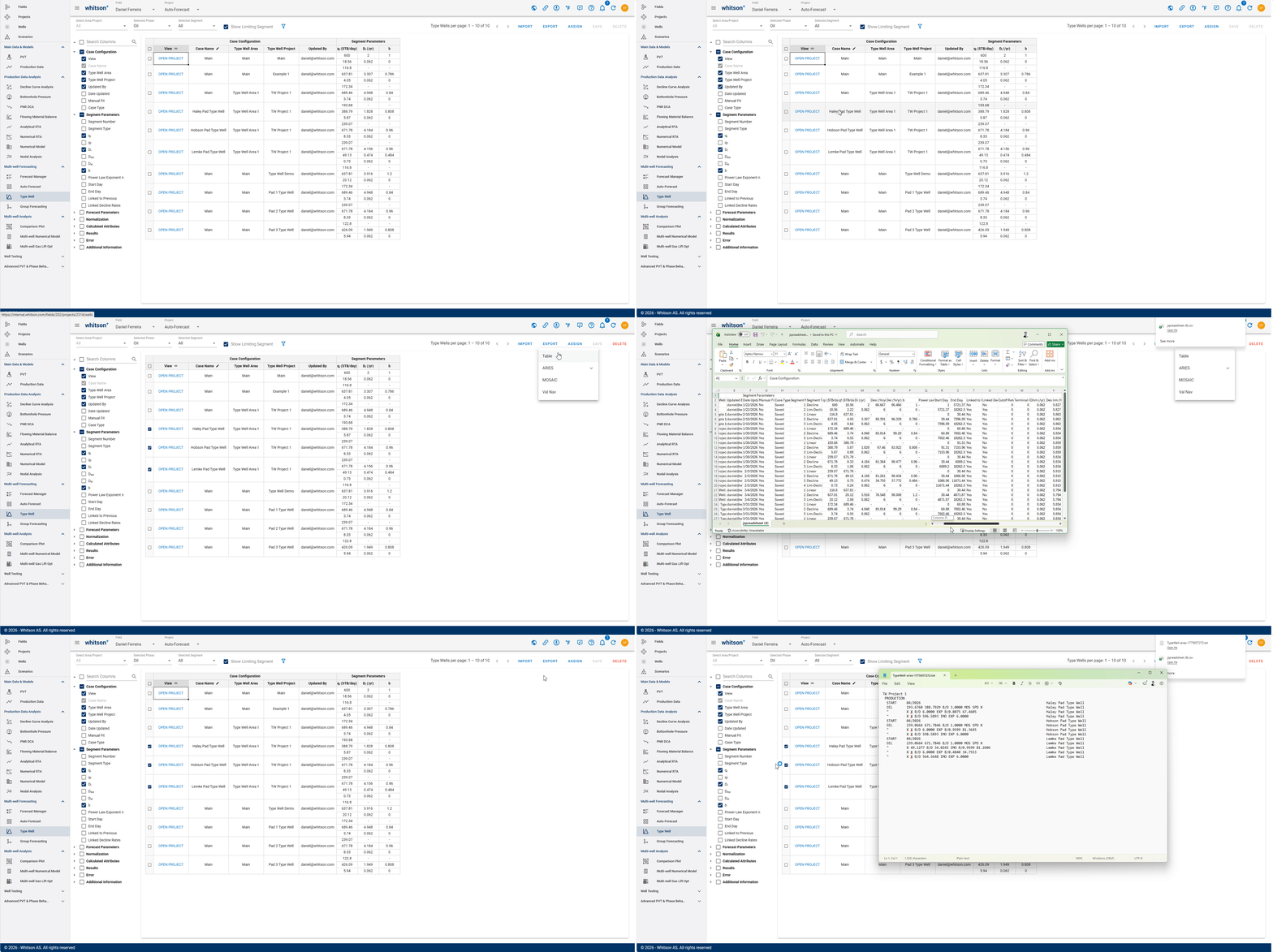
Export Format
Available Type Well data-export options include:
- Type Well Manager Table
- Daily Rates
- Monthly Volumes
- Monthly Average Daily Rate
- Daily Rates (CSV)
- ARIES
- Excel
- MOSAIC
- Powerpoint
- Val Nav
- Assigning Type Wells: the assign function can be found next to the export button and is used to assign a specific type case to a well. Once that is done, the assigned type well will be available under the "TYPE WELLS" tab on the Decline Curve Analysis module. Steps to assigning are shown below.
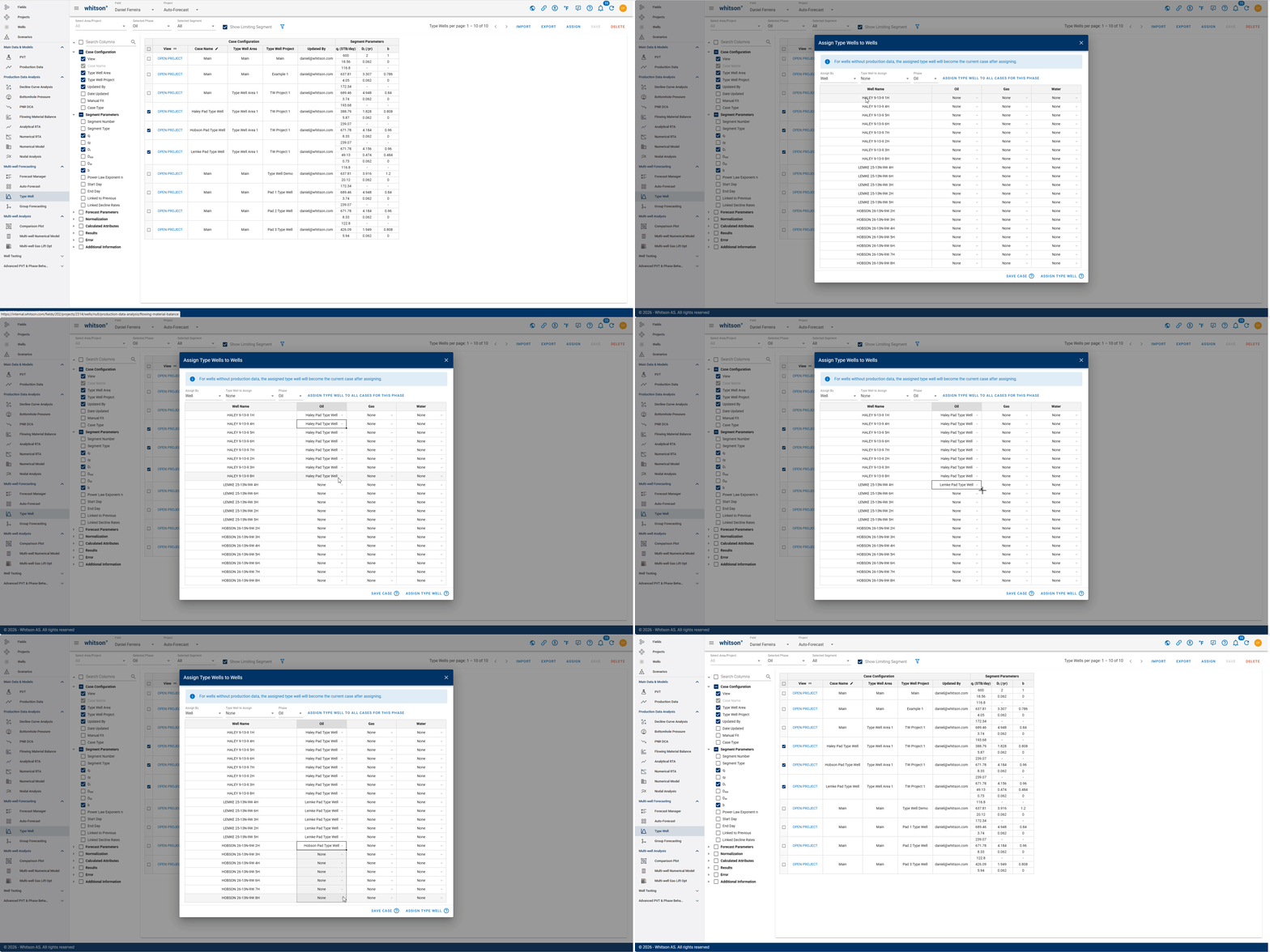
1.3. Forecast Parameters
1.3.1. Max Type Well Life
The Type Well Manager supports table editing of Max Type Well Life across Type Well cases.
- Under Max Type Well Life column.
- Enter the desired value for each row.
- Apply the change to the rows or cases.
This provides a faster way to keep forecast-life assumptions consistent across multiple Type Well cases.