August 2025 Release Notes
Dear users of whitson+,
We’re happy to share the latest release of whitson+, fresh out of the coding oven. There is a lot of new functionality in this release. See the full overview below.
Make sure to CTRL+R in the browser to fetch the latest version!
Type Well
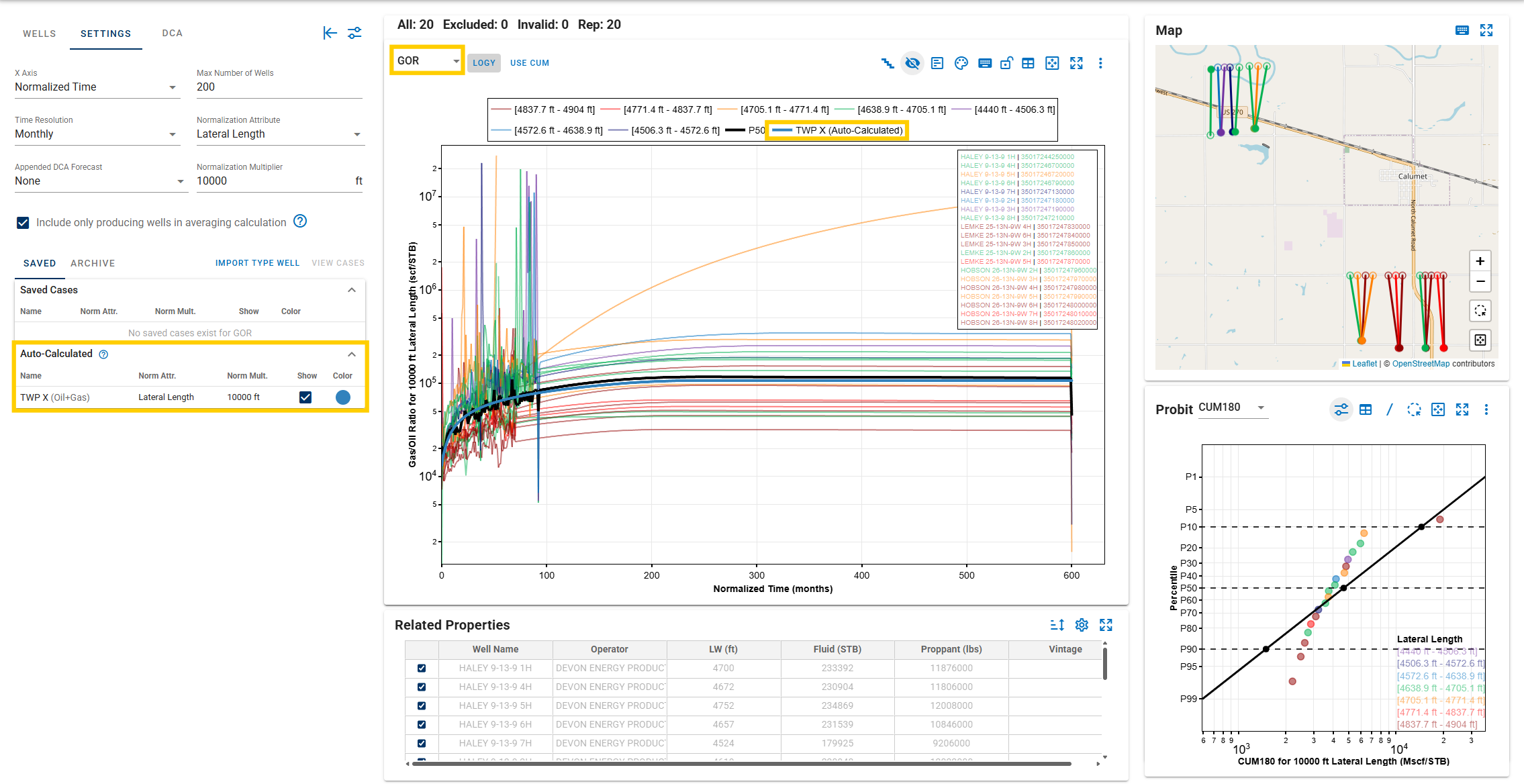
whitson+ now implements auto-calculated ratio type wells, improving the logic and accelerating their creation. There is no need for manual curve fitting—for type wells with the same case name in the same project (e.g., a gas type well and an oil type well both named TWP X), the software automatically combines them to create derived type wells.
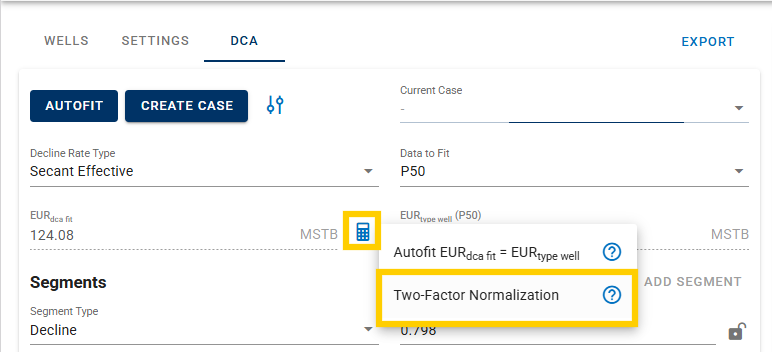
- Two-Factor Normalization: independently adjusts the Peak Rate and EUR to achieve nonlinear scaling. The Peak Rate is scaled directly using a multiplier, while the target EUR is met by solving for a decline rate that delivers the specified EUR.
General
-
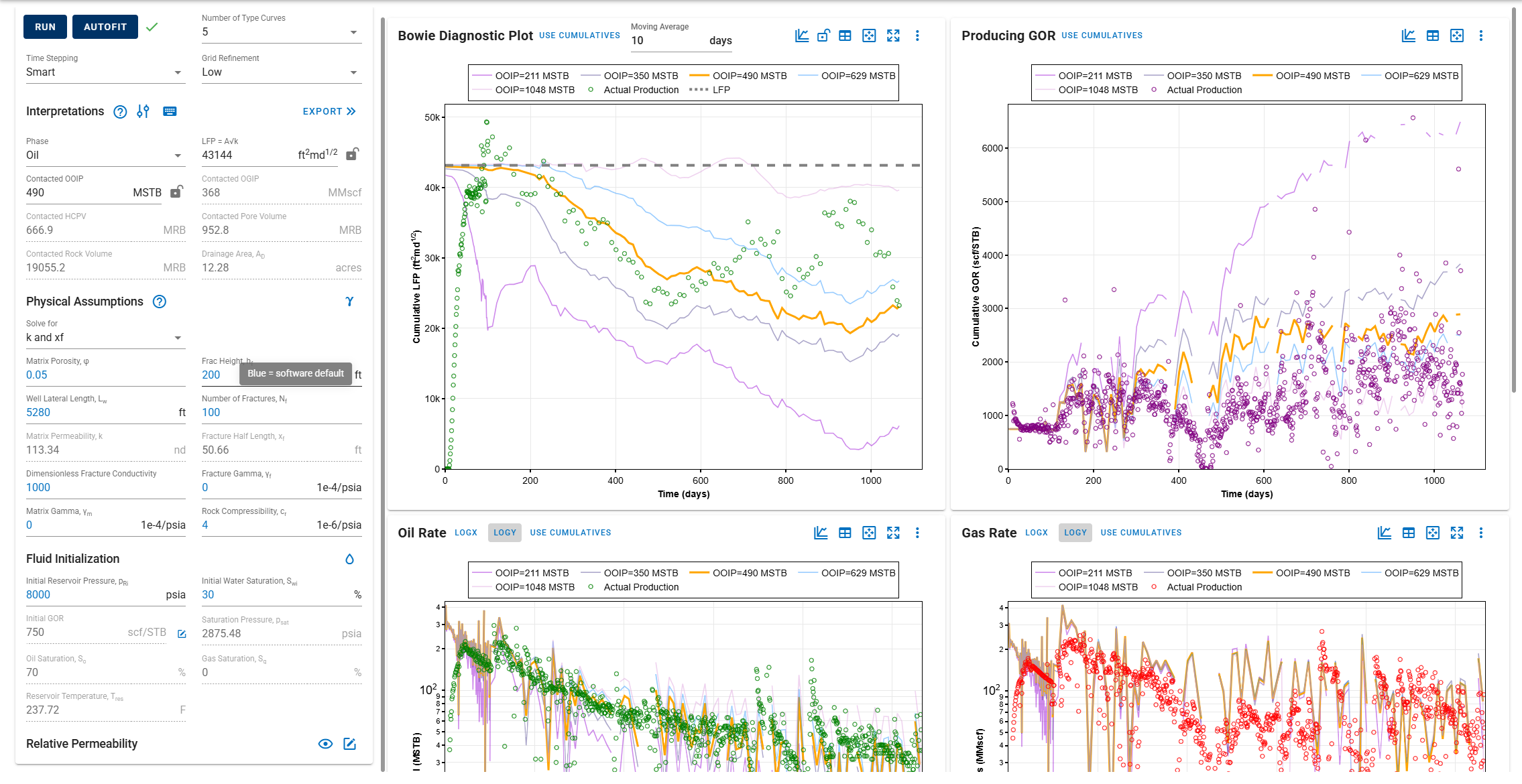
Default input numbers in the software are now highlighted in blue. This contrast helps users quickly identify values provided by the software.
-
Added new production-data time series: Sand Rate, Power Fluid Rate, and Power Fluid Surface Pressure.
DCA
-
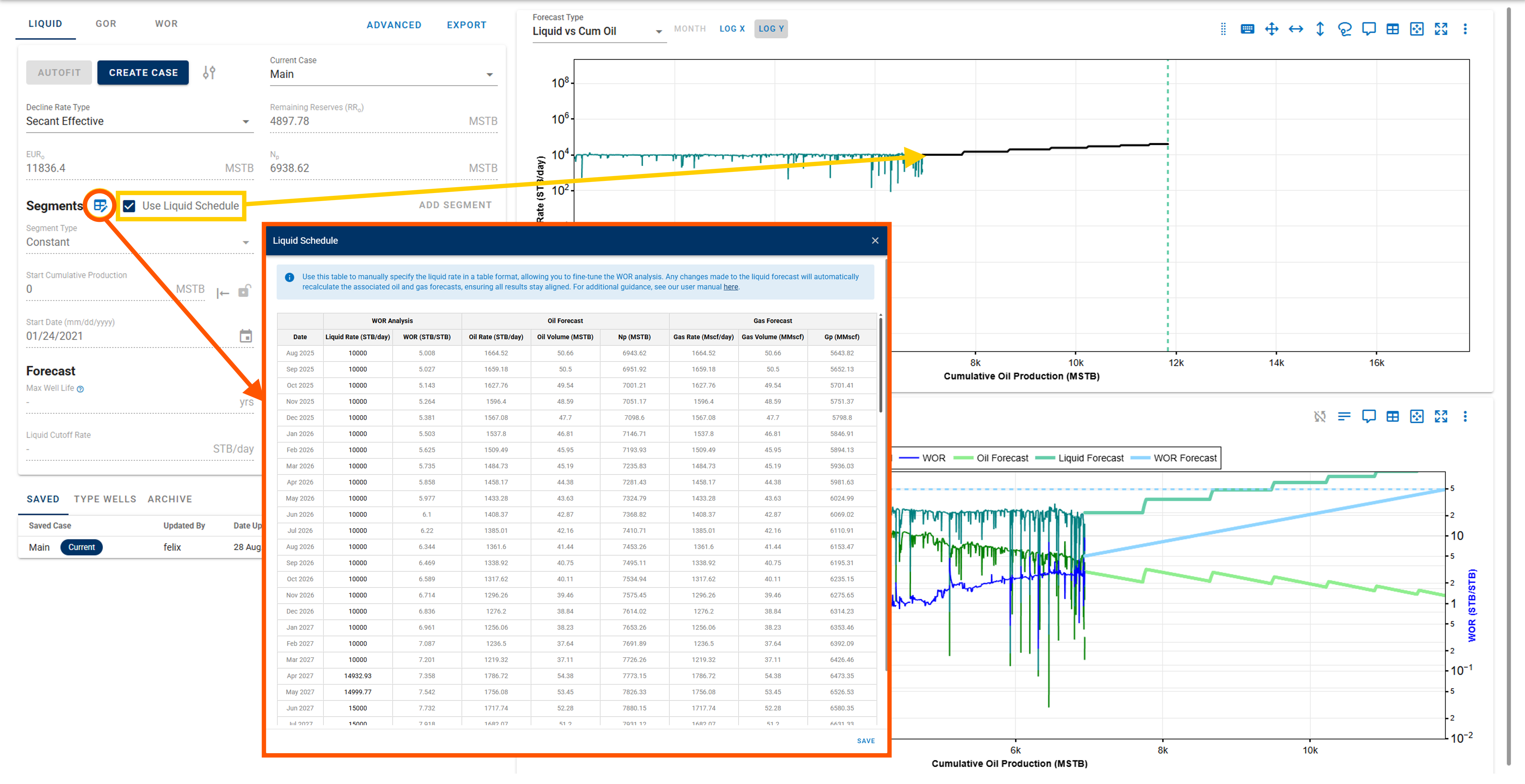
Offshore forecasting: enables the ability to forecast Liquid, GOR, WOR, and WC vs. Cum. Oil. Typically used for deepwater conventional wells with strong aquifer support after water breakthrough. The Oil forecast will be derived from the Liquid and WOR forecasts, while the Gas will be derived from the calculated Oil.
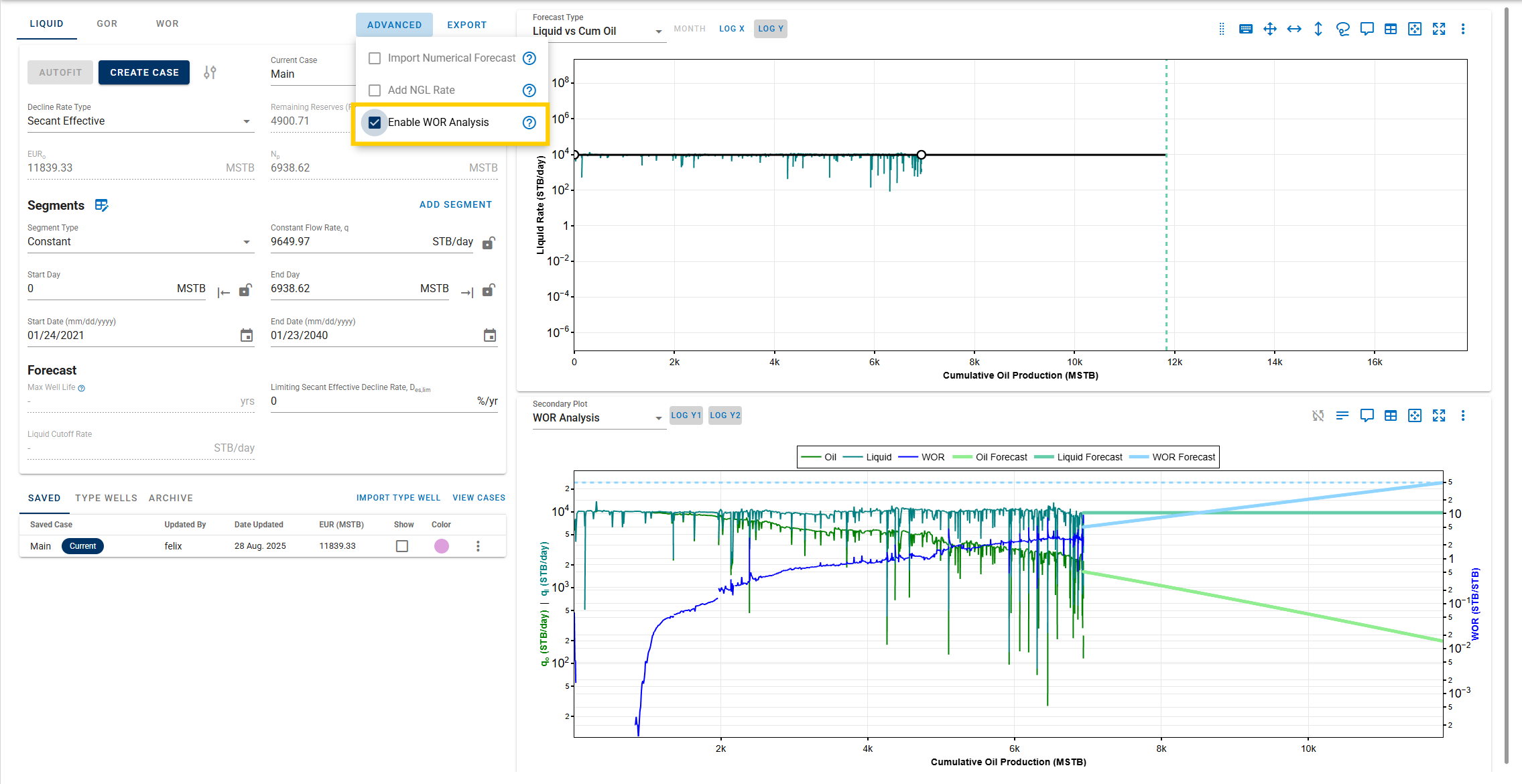
The key takeaways when the feature is active are:
-
Fit the segment on Liquid Rate against Cumulative Oil (which defaults to the Constant segment type) and forecast the Liquid Rate. This method is widely used for offshore wells where oil production is primarily controlled by post-water-breakthrough behavior. Users can also control the Liquid Rate forecast using the scheduler. The purpose of this scheduler is to ensure that the liquid volume remains within the platform’s production-handling capacity.
-
Fit the segment on WOR against Cumulative Oil (which defaults to the Semi-log segment type) and forecast WOR. Using the forecasted Liquid Rate and WOR, the Oil Rate forecast is calculated automatically.
- Fit the segment on GOR against Cumulative Oil (which defaults to the Constant segment type) and forecast GOR. Using the calculated Oil Rate, the Gas Rate forecast is calculated automatically.
-
-
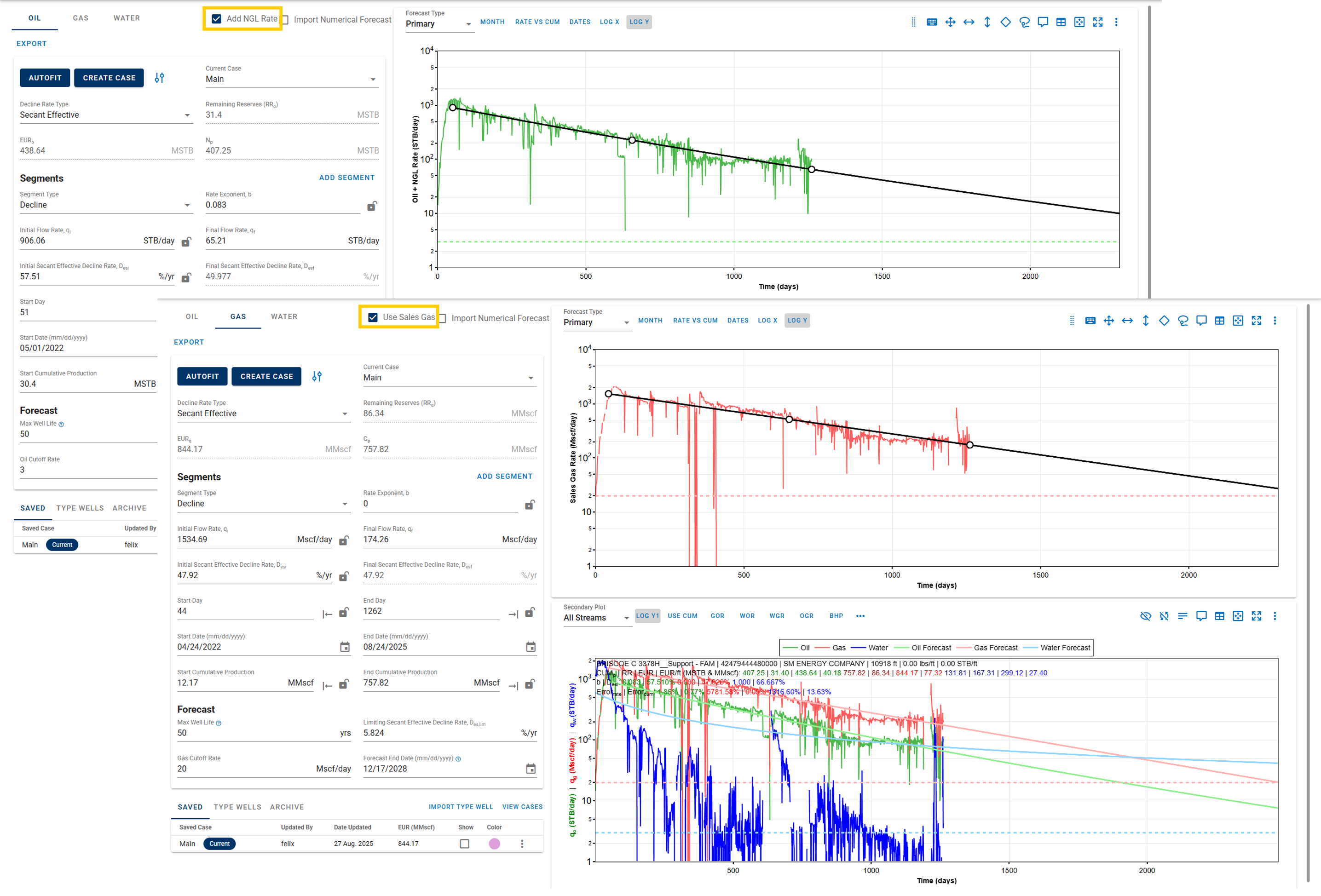
Forecast oil, NGL, and Sales Gas products (available after performing the NGL/Sales Products calculation).
BHP and Nodal Analysis
-
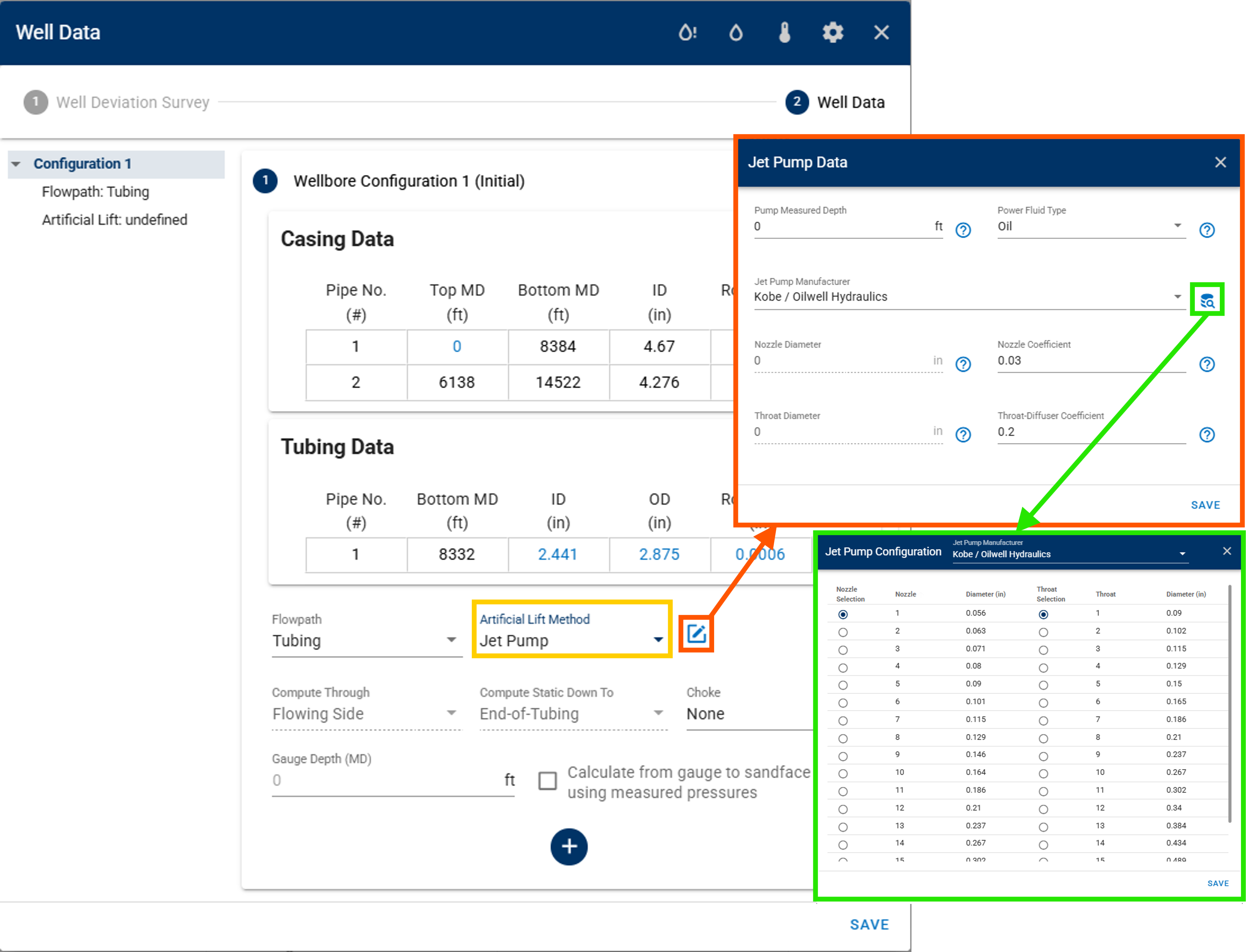
New artificial-lift method: Jet Pump (available with the manufacturer configuration database).
-
Erosional velocity/rate models:
- API14E: computes erosional velocity/rate based on fluid density and a user-defined constant (typically 100) but does not account for sand production.
- Svedeman: calculates erosional velocity/rate using the Svedeman model, which accounts for sand rates (sand-production data is required).
-
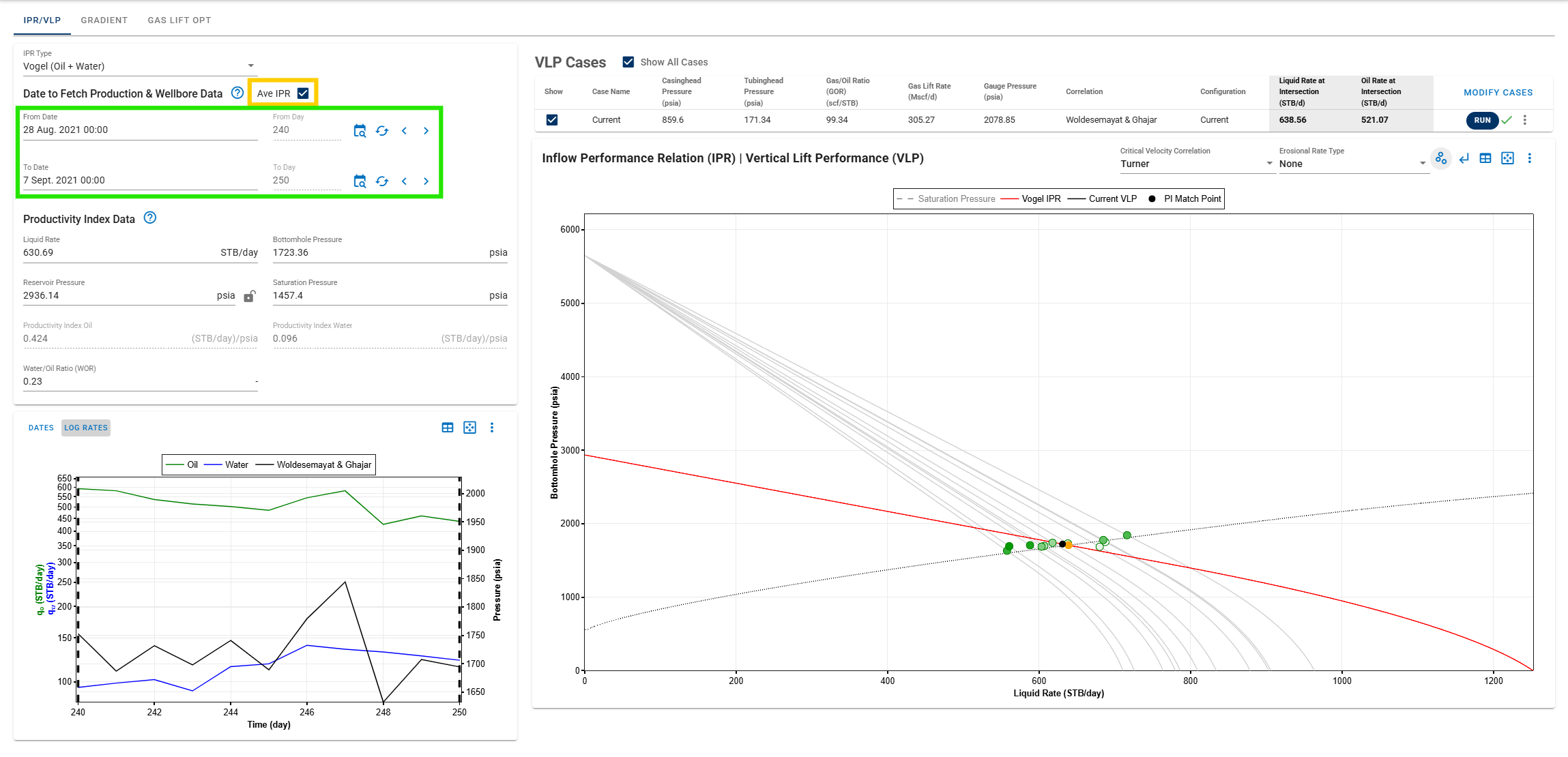
Average IPR: uses the average of all production data within a defined date interval to build an averaged IPR (also available for the GLO and multi-well GLO modules).
Multi-well Gas Lift Optimizer
-
Maximum group injection rate options:
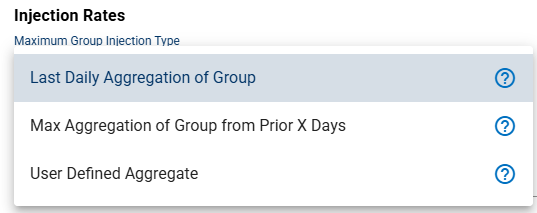
- Last Daily Aggregation of Group: uses the most recent daily total of gas-lift injection rates.
- Max Aggregation of Group from Prior X Days: uses the highest daily total of gas-lift injection rates over the past X days.
- User Defined Aggregate: allows manual input of the daily total of gas-lift injection rates.
Comparison Plot
-
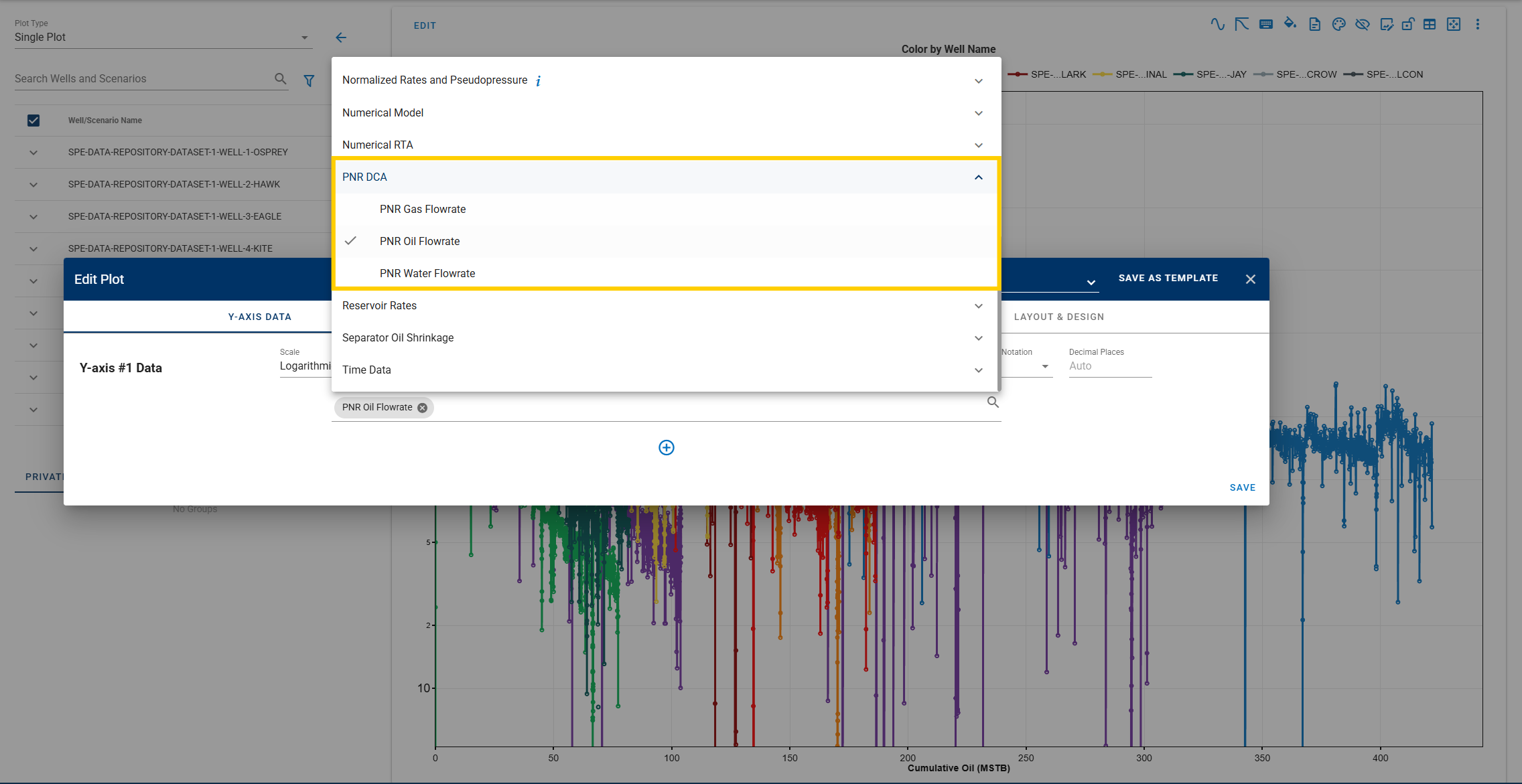
Generate PNR DCA plots.
-
Choose start points for appending DCA forecasts.
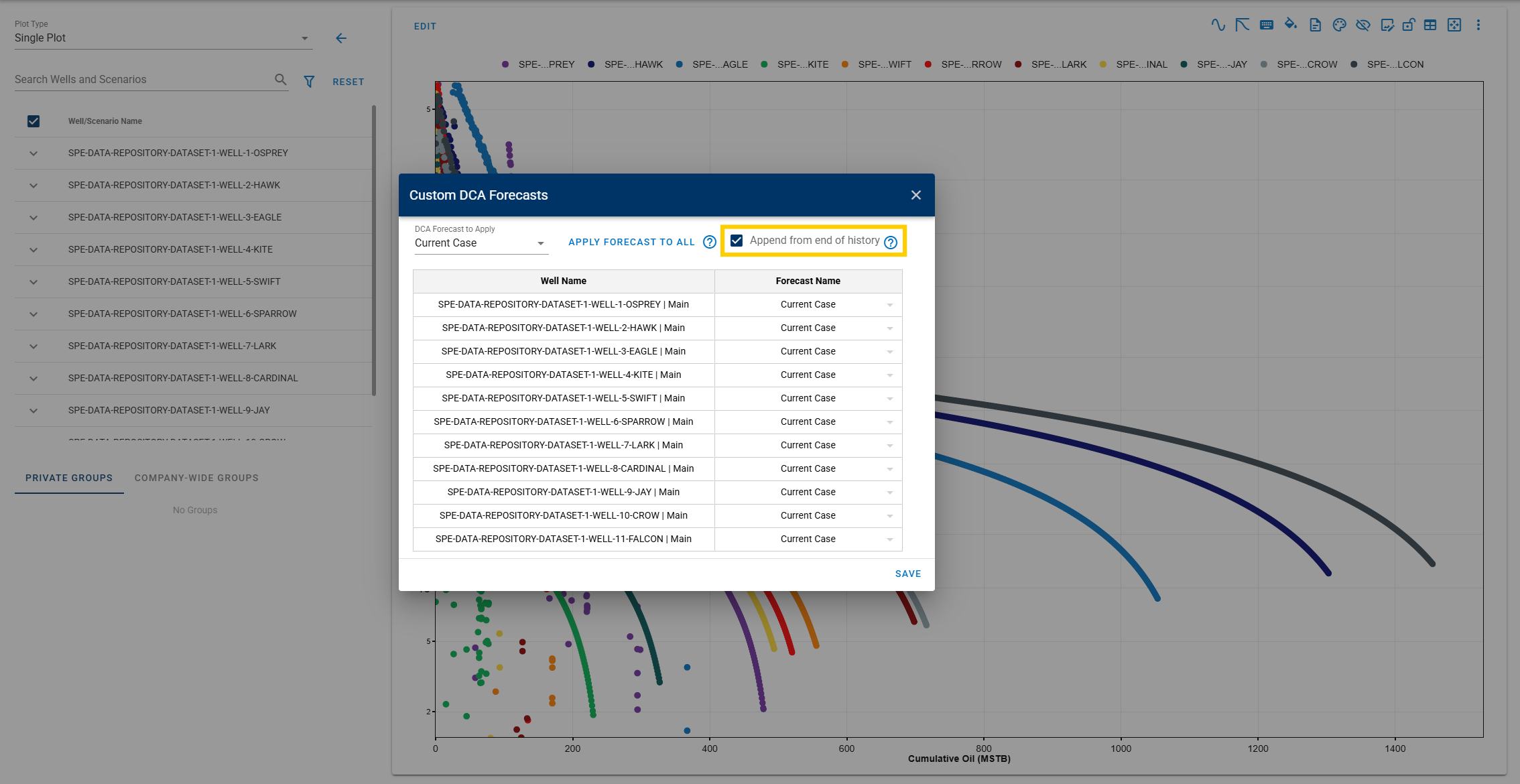
- Enabled: append the selected DCA cases from the end of history.
- Disabled: start from the beginning of the DCA fit and overlay history.
-
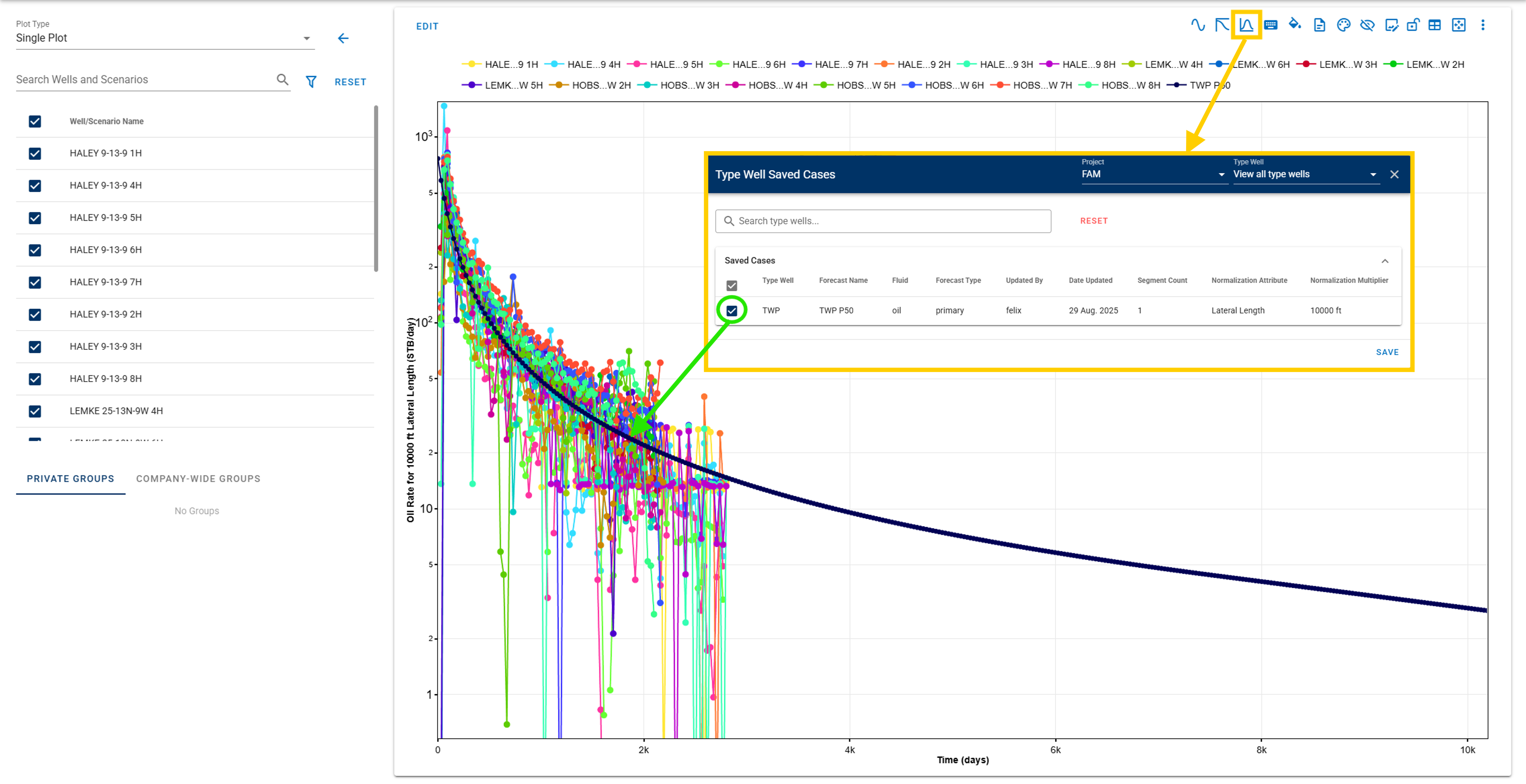
Bring saved type well profiles from the Type Well module.
-
Customize forecast line and marker styles.
- Lock axis zoom scales.
- Retain the Gas-to-BOE factor when refreshing the page or reopening a BOE time-series plot.
Numerical Model
-
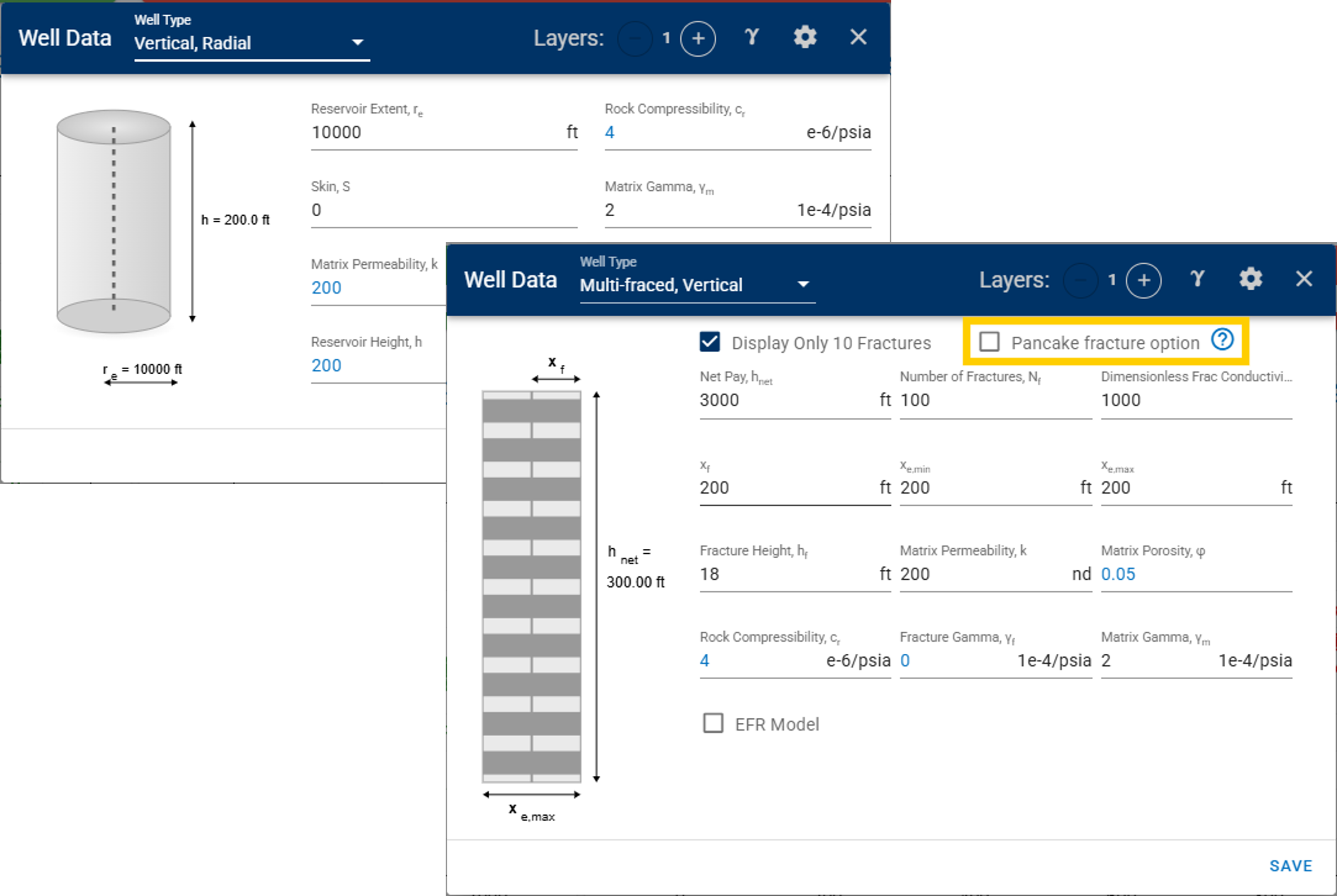
New well models: Vertical, Radial and Multi-fraced, Vertical (available with the pancake fracture option).
-
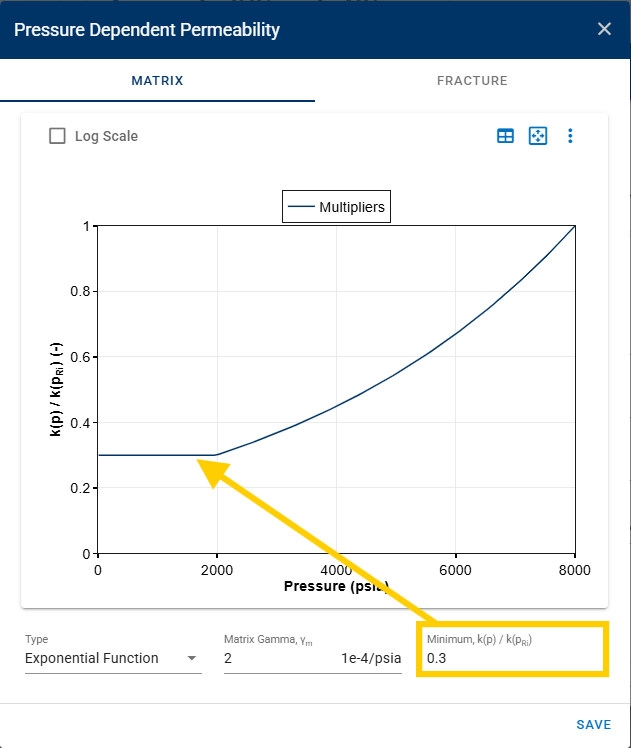
Minimum pressure dependent permeability multiplier.
Attributes & Results
- Export the attributes table to Excel with a one-click button.
-
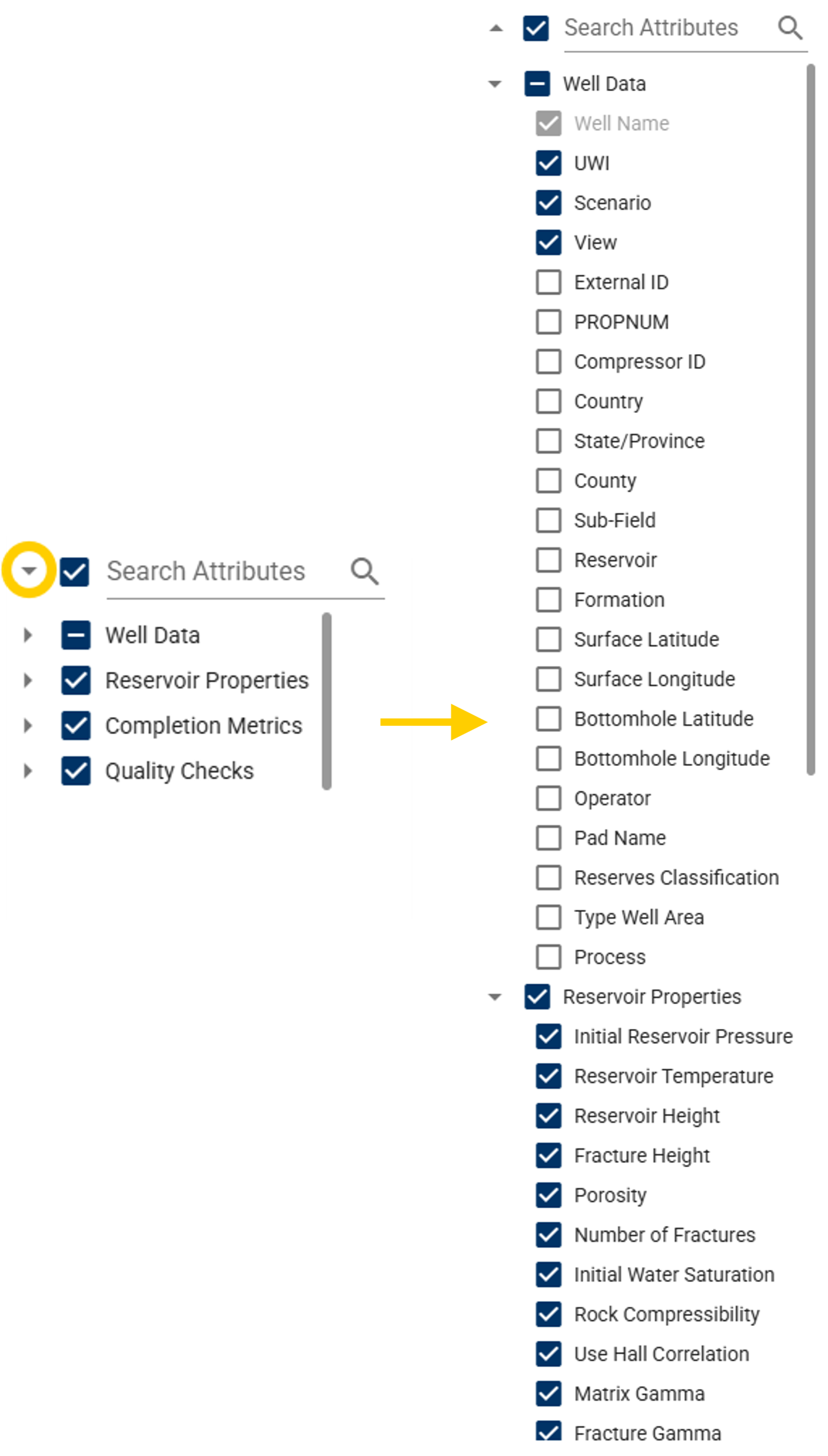
Collapsible/expandable column tree for easier navigation.
-
Auto-adjust column widths.
-
Include scenarios when the Scenario column is enabled.

-
Lock the Well Name column when scrolling the table horizontally.
- Force the Well Name column to always be visible in the table.
Well Test
-
Data resampling: resample data using pressure increments or linearly spaced points.
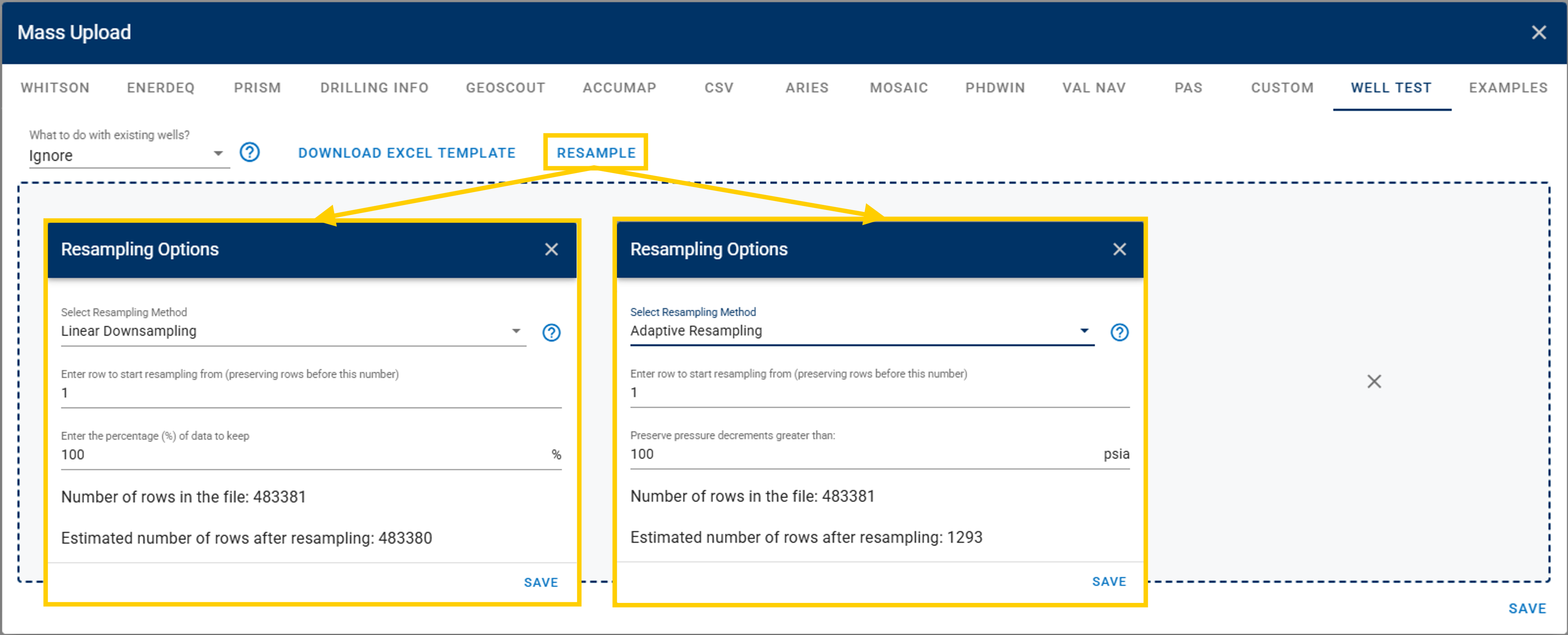
- The linear resampling parameter is the percentage of the data that will be kept.
- The adaptive resampling rate is the pressure increment that will be used as a threshold to determine if a new data point should be added.
-
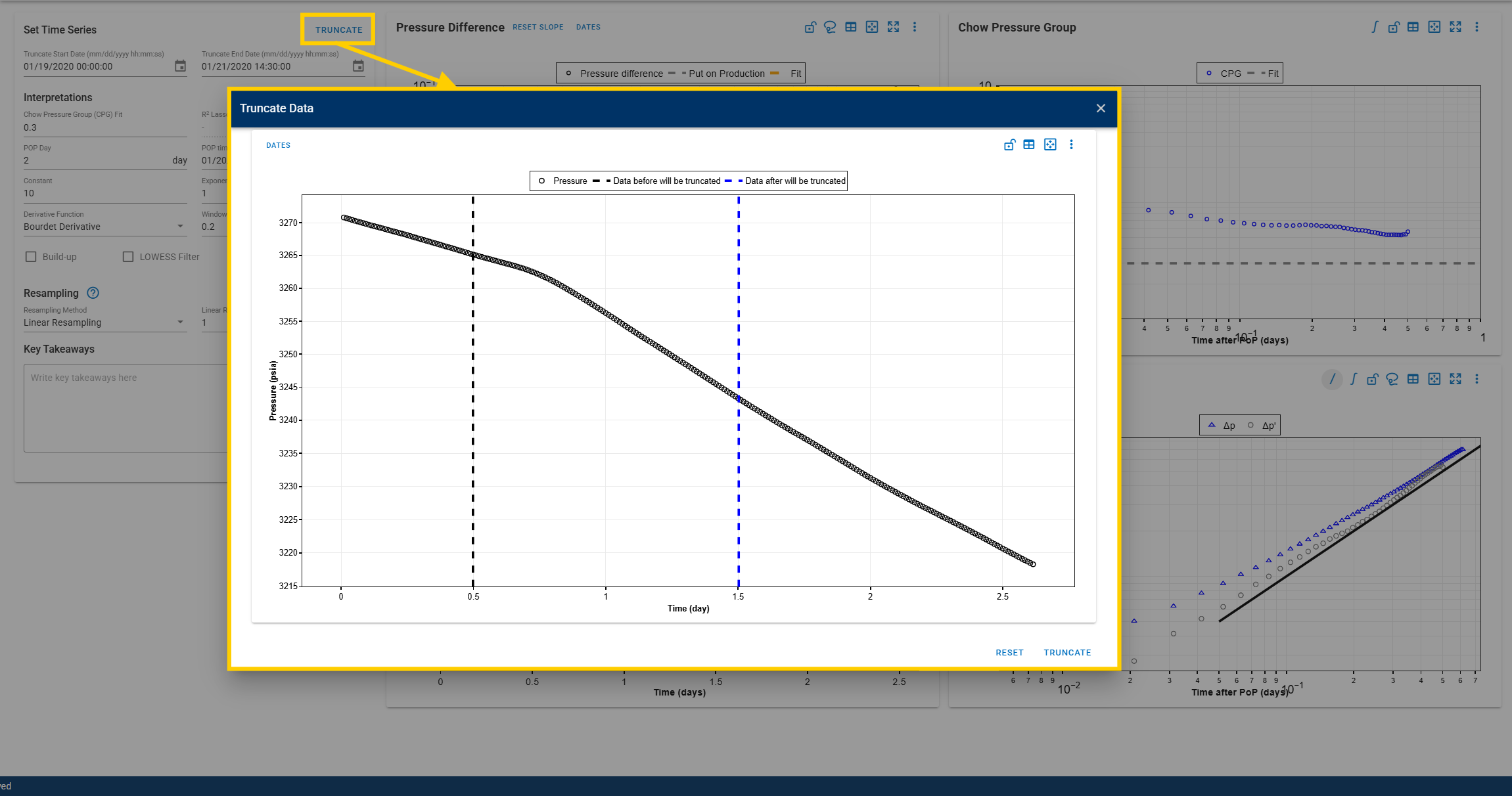
Truncate data in the CPG and DQI modules. This enhances the ability to focus on a specific range of data for analysis.
Other