Sampling data
The user will input any available sampling data for a given well. This data should be either: (1) reservoir representative, or (2) in-situ representative.
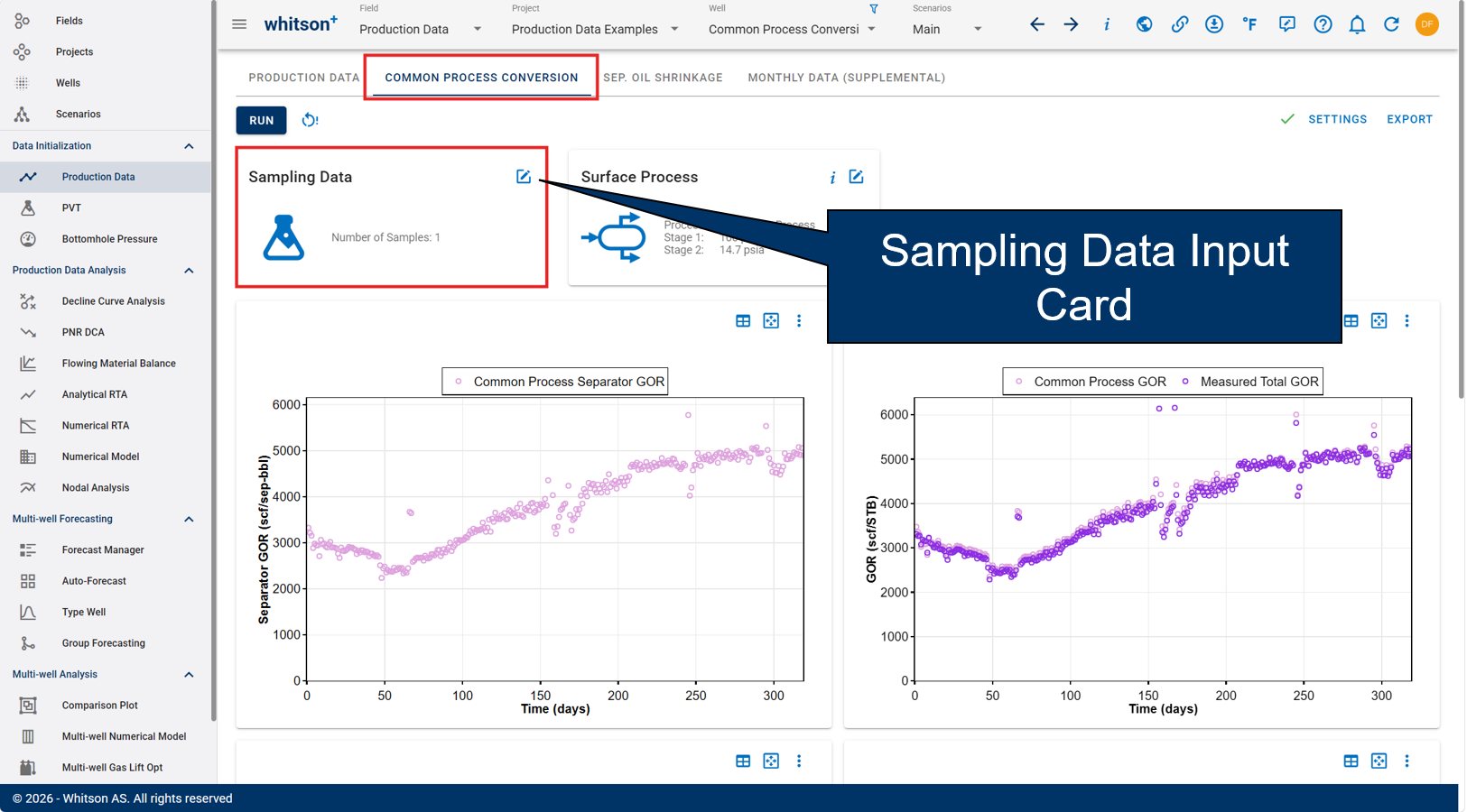
Note
Reservoir Representative: Any uncontaminated fluid sample produced from a reservoir is automatically representative of that reservoir.
In-situ Representative: A sample representative of the original fluid(s) in place.
At least one entry of sampling data is required before running any production data diagnostic modules (e.g. compositional tracking, separator oil shrinkage, and common process conversion). In the absence of sampling data, whitson+ utilizes the previously entered well fluid definition in the Fluid Definition module.
Method
Each sample should include the sampling date and one method for defining the composition. There are six available methods:
- GOR
- GOR and API
- GOR and Saturation Pressure
- Dry/Wet Gas Composition
- Separator Compositions
- Fluid Composition
A more detailed description of each method, including the required input data, can be found here.
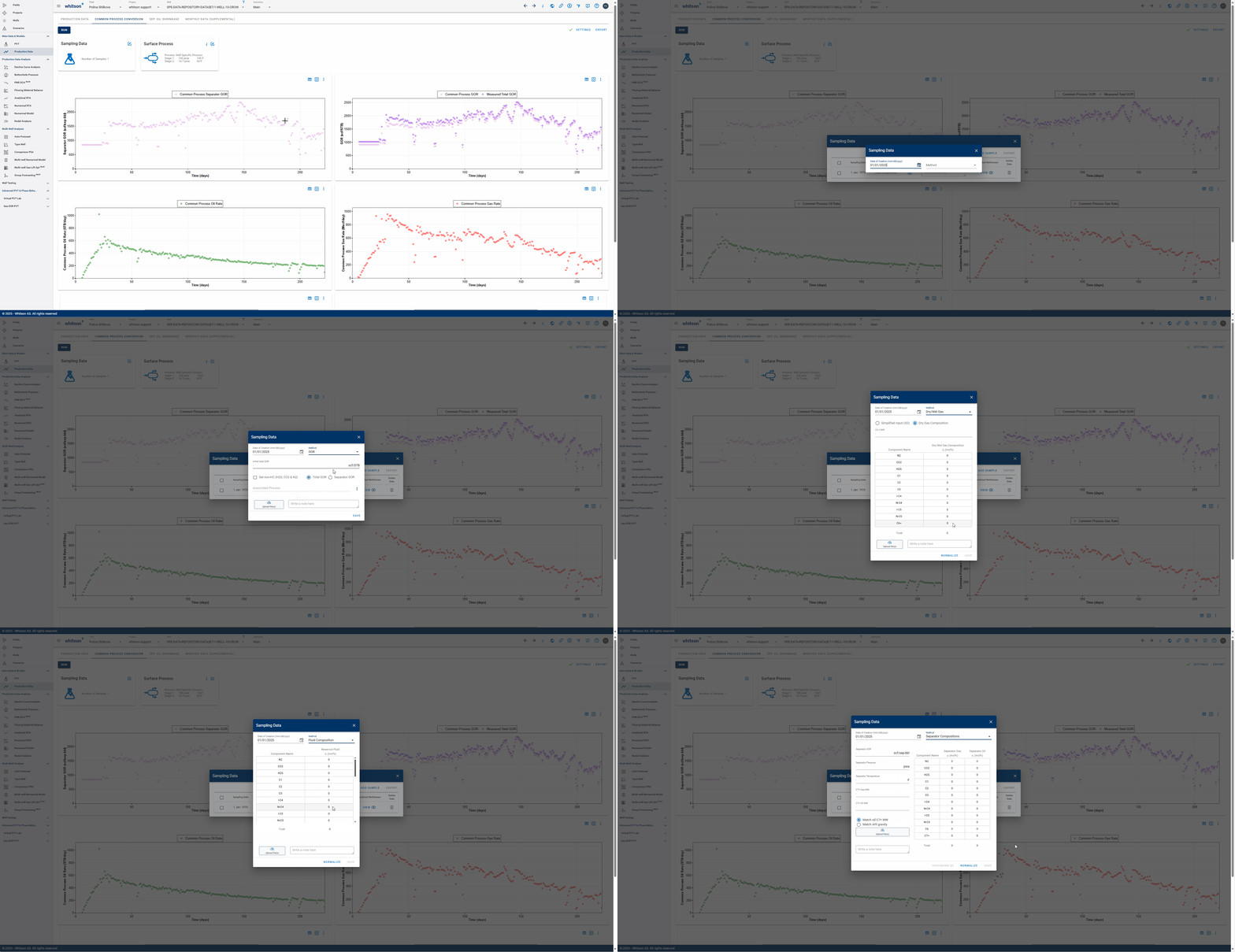
One has the option to upload sampling file(s) if they are available.
Once it has been entered, the predicted wellstream composition can be seen. To delete a given sample, simply click the trash bin icon.
Mass Upload
For a more effective way to upload large amounts of sample data, whitson+ provides a solution with the so-called mass upload feature. This is an option where the user can easily upload any number of data samples quickly.
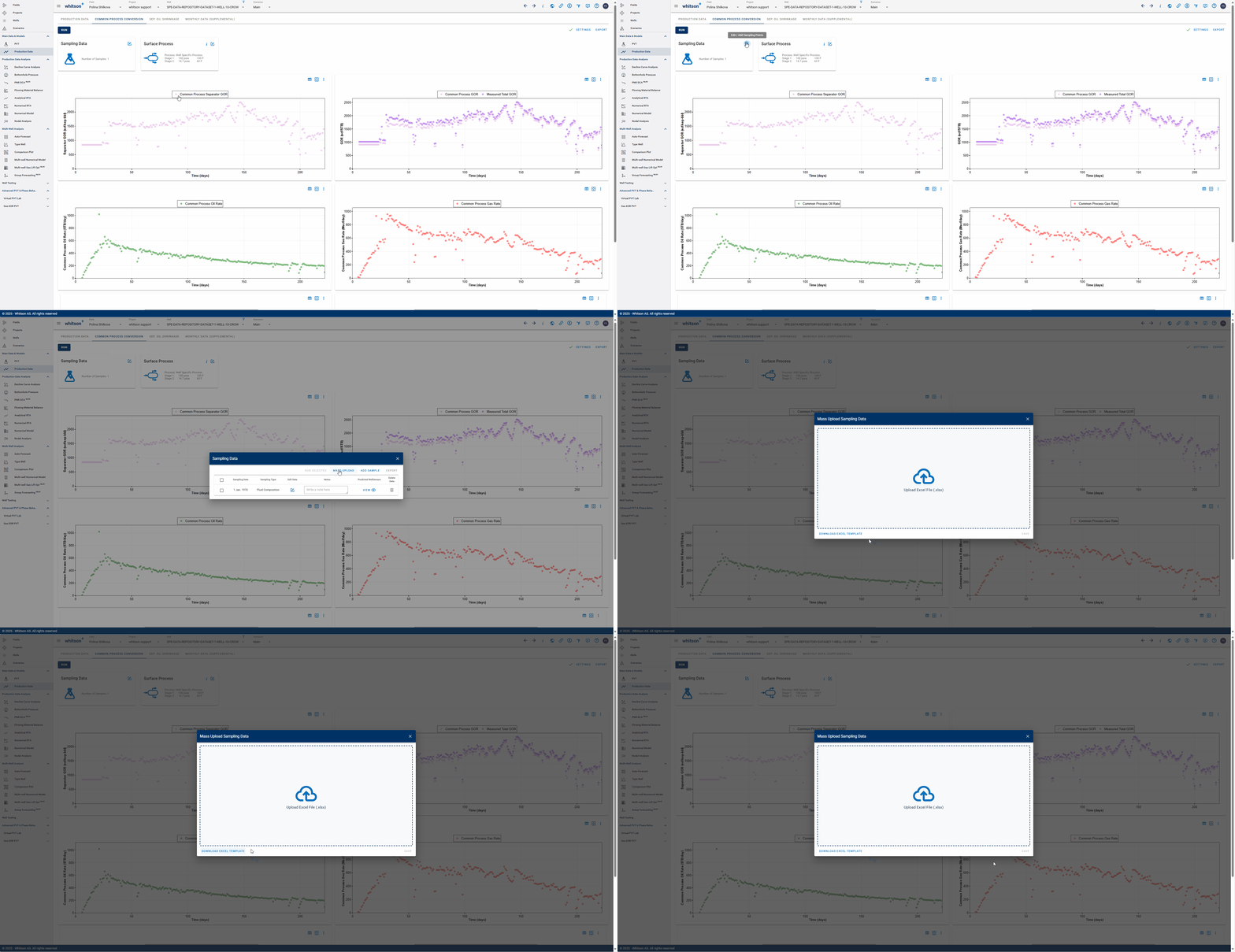
Follow these steps:
- Download the Excel template provided by whitson+.
- Fill in all information for every sample. As of now, only two methods are supported for this feature: API and GOR, and Separator Compositions.
- Upload the Excel file to whitson+.