February 2026 Release Notes
Dear users of whitson+,
We’re happy to share the latest release of whitson+, fresh out of the coding oven. There is a lot of new functionality in this release, the whole overview can be seen below.
Make sure to CTRL + SHIFT + R in the browser to fetch the latest version!
COMING SOON: ARIES Mode in DCA and Type Well
whitson+ now supports ARIES mode in both the DCA and Type Well modules, further expanding forecasting flexibility within the platform. With this enhancement, users can enter and manage forecast parameters using the familiar ARIES table format, making it easier to align technical forecasts with economic evaluations. This allows decline segments, forecast time, and phase handling to be structured in a way that mirrors standard ARIES formats.
PVT
The BOT and EOS exports have received a serious glow-up. As part of wrapping up the Gibbs project, the export engine has been significantly reworked behind the scenes — making it cleaner, safer, and more robust. What’s new and shiny:
-
Improved formatting: cleaner, more consistent formatting across all text exports.
-
Keyword validation: add validation for ECL and CMG exports, resolving several legacy issues from previous versions.
-
Excel export compatibility: internal Excel exports now work across all supported unit systems.
-
ECL100 BOT validation: BOT files are now checked for physical inconsistencies and negative compressibility, with automatic corrections applied whenever possible.
-
EOS export update: The PVTSim EOS Excel export has been retired; ECL300 is now the default EOS export format.
Production Data
-
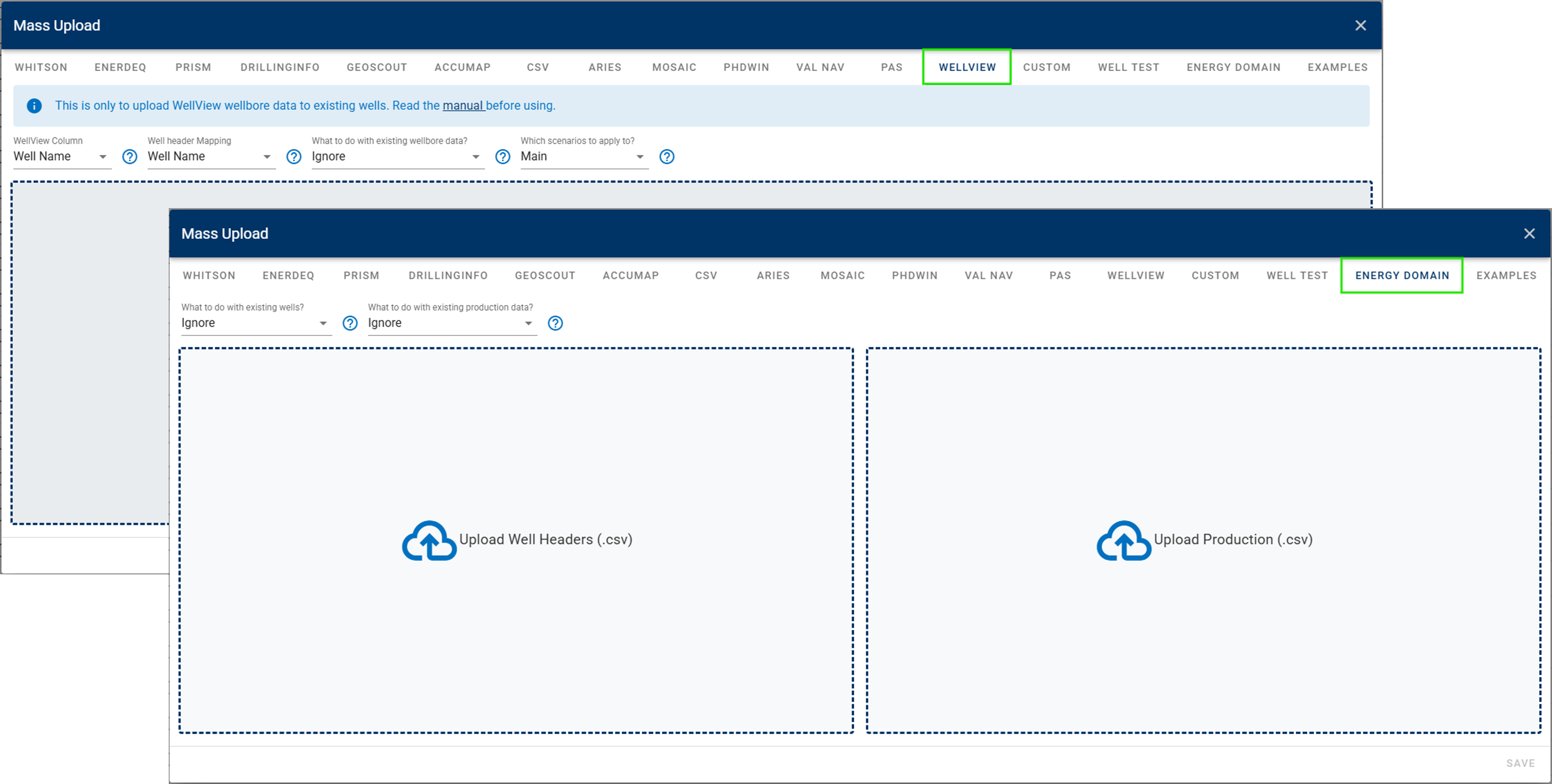
New mass uploader options: WellView for wellbore data and Energy Domain for production data.
-
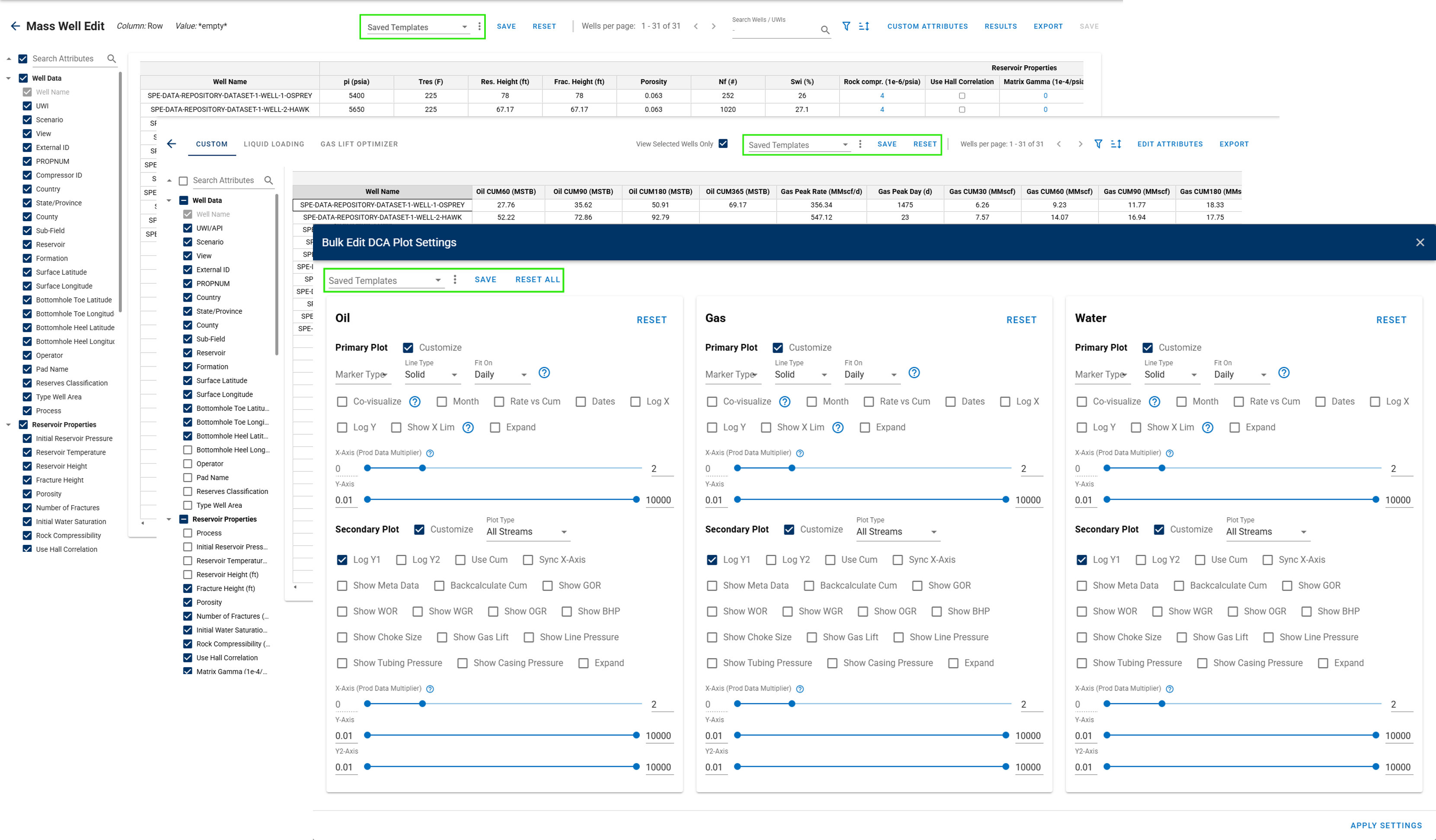
Saved Templates in the Mass Well Edit tab, Results tab and Edit All – DCA Plot Settings. Eliminating the need to repeatedly configure the preferred setup.
-
Upgrade Monthly Data (Supplemental) features:
-
User Interface (UI) now supports monthly supplemental data entry only.
-
Supports fallback daily or monthly supplemental data in autofit.
-
-
Add a dropdown option to the PRISM uploader to select the Production Data Type. Users can choose between main production data or monthly supplemental production data.
-
Keep production data comments visible (when they are set as active) even after switching modules or refreshing the page.
DCA, PNR DCA, and Auto-Forecast
-
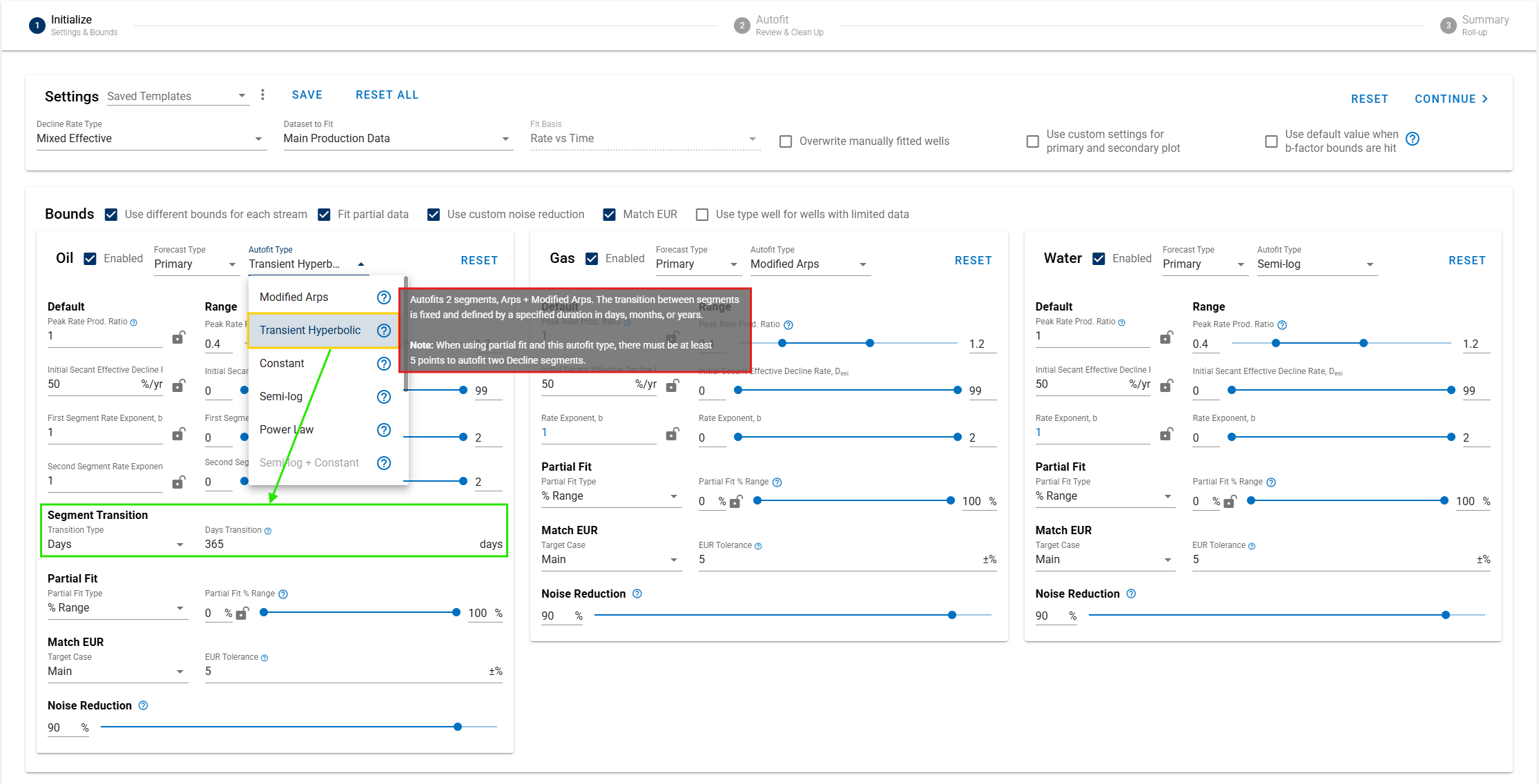
Add new Autofit Type in Auto-Forecast module: Transient Hyperbolic, autofitting into 2 segments of Arps + Modified Arps.
-
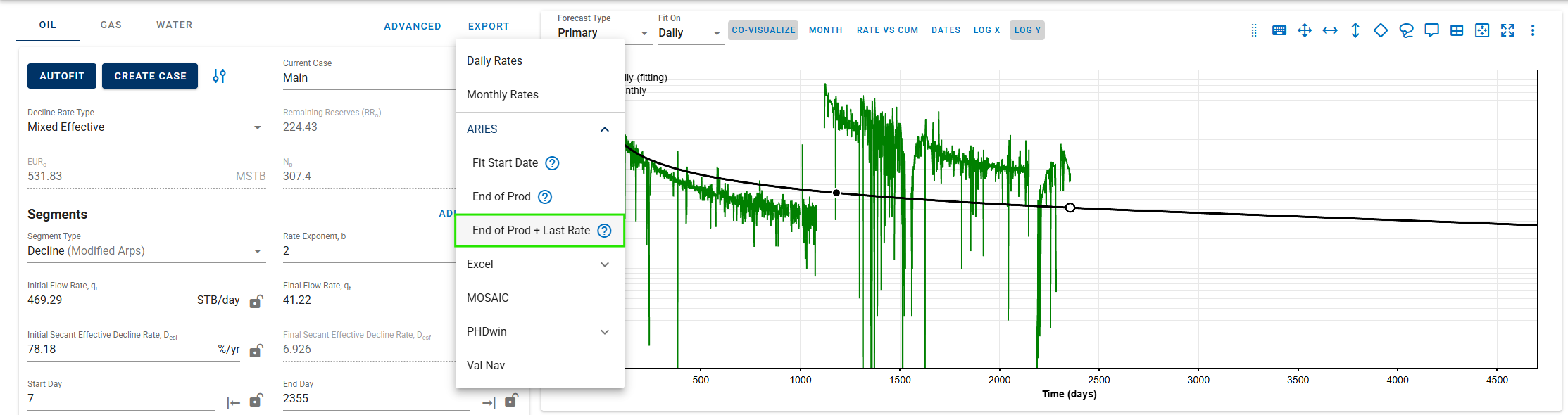
Enable ARIES export format for PNR DCA, available for both single-well and bulk export, with a new export option of: End of Prod + Last Rate.
-
Match EUR option in Auto-Forecast module.
-
Upgrade Bulk View DCA in Forecast Manager module:
-
Add Compare To option for comparing the EUR of selected case with another case.
-
Shift key shortcut for spray fast-fit DCA segment.
-
-
New bulk functionality:
-
Phases selection option for ARIES export format.
-
Edit DCA – Saved Case: Table Mode, filtering the table based on selected cases.
-
Edit Plot Settings: PNR DCA.
-
-
Add metadata to the PNR DCA plot.
-
Allow ARIES keyboard shortcuts.
BHP and Nodal Analysis
-
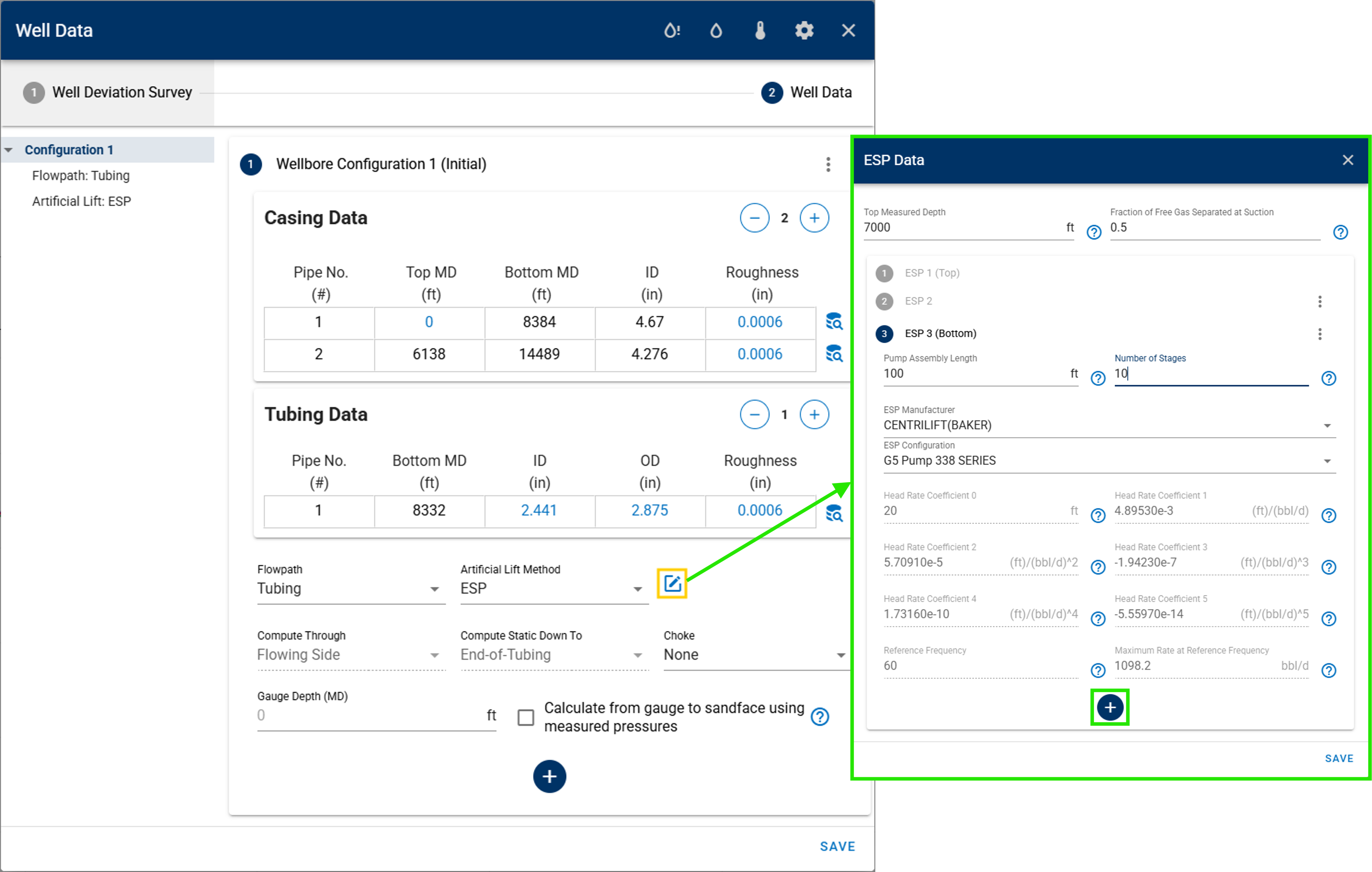
Upgrade ESP methods: support multi-ESP configuration setups, enabling more detailed artificial lift modeling within a single configuration.
-
Automatically add new columns of Choke Size and Line Pressure when a wellhead choke is included in the configuration case.
RTA
-
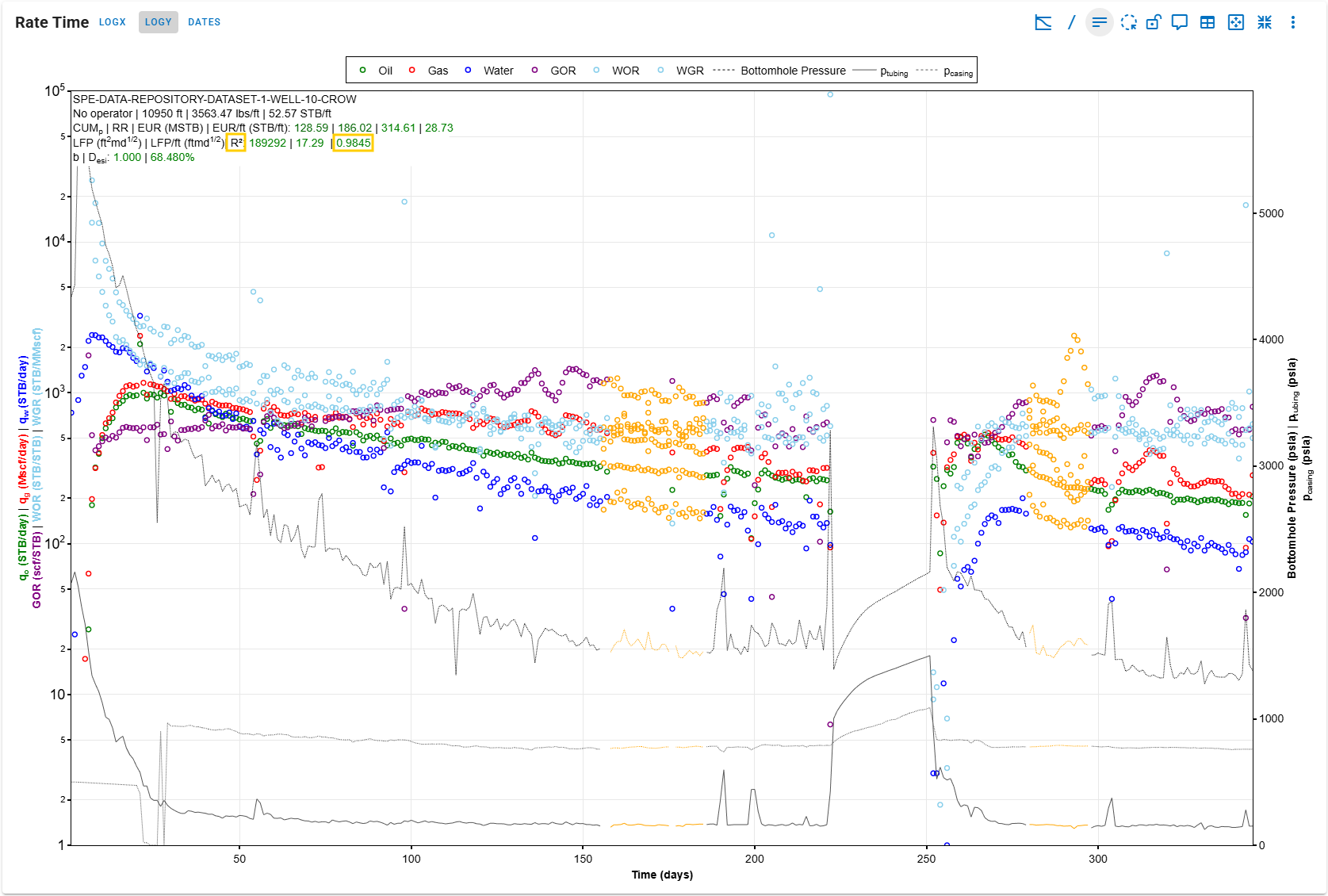
R2 error calculation: Add an R2 (coefficient of determination) calculation for the fitted slope in the Square Root of Time plot. The value is displayed in the Rate-Time plot metadata, allowing direct evaluation of the goodness-of-fit. The implementation follows the same methodology as Excel, with two regression options: unconstrained regression (with intercept) and regression forced through the origin (zero intercept).
-
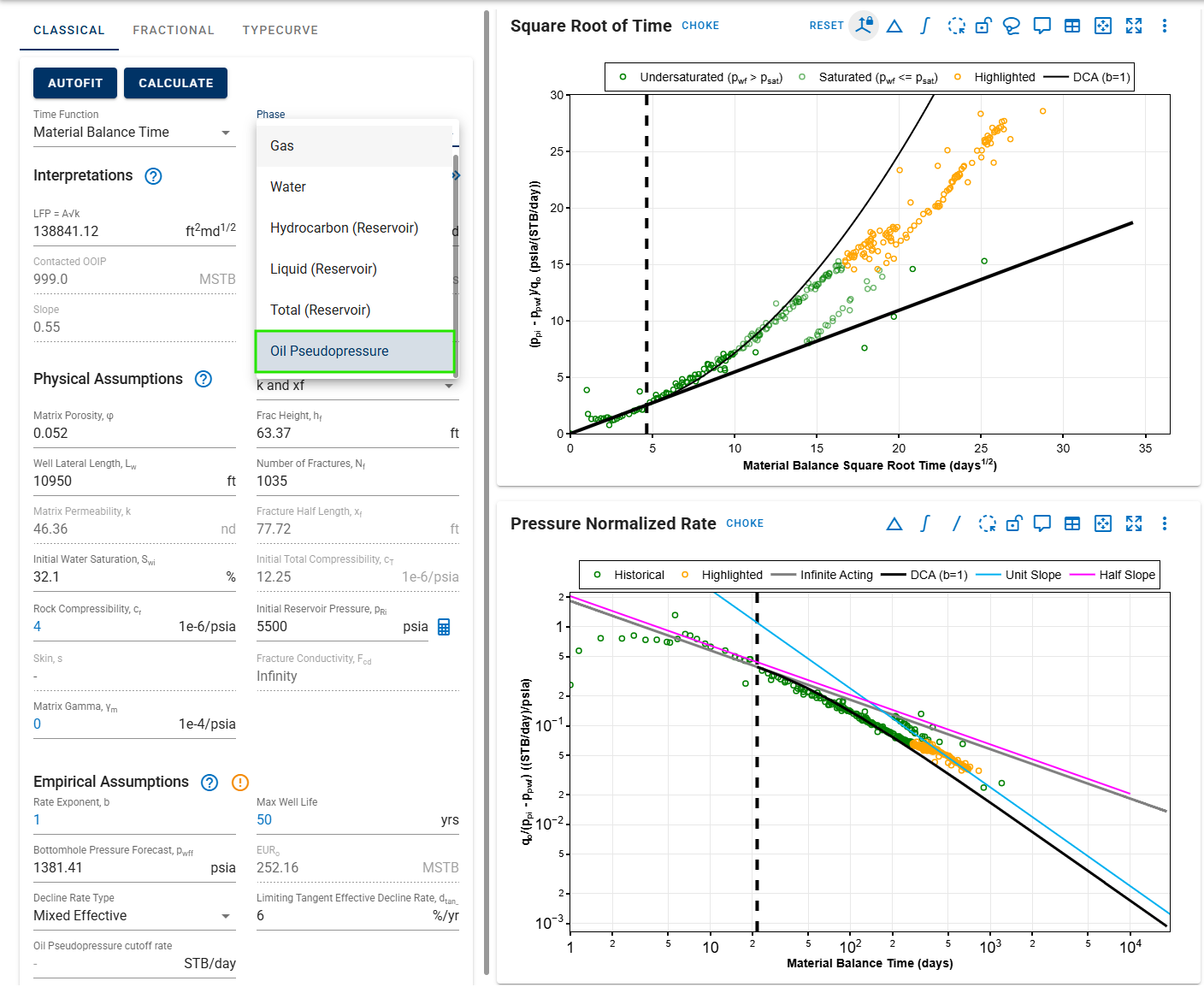
New phase – Oil Pseudopressure: Introduce Oil Pseudopressure in the Square Root of Time and PNR plots to properly account for pressure-dependent oil properties. This formulation accounts for variations in oil viscosity, formation volume factor, and stress-sensitive permeability, improving analytical accuracy on undersaturated conditions. It enables more rigorous interpretation of oil wells, particularly in low-permeability and unconventional reservoirs with significant pressure drawdown.
-
Update Bourdet Derivative calculation: improve the implementation of the Bourdet derivative method to enhance derivative accuracy.
-
Rate-Time plot upgrades:
-
Log x-axis enabled by default.
-
Add Date button and Stream selection options.
-
-
Add Choke toggle in Square Root of Time and PNR plots for improved diagnostics.
-
Plots visualization enhancements:
-
Comments are now displayed as diamond markers across plots.
-
Improve highlight color and naming throughout plots.
-
Forecast Manager
-
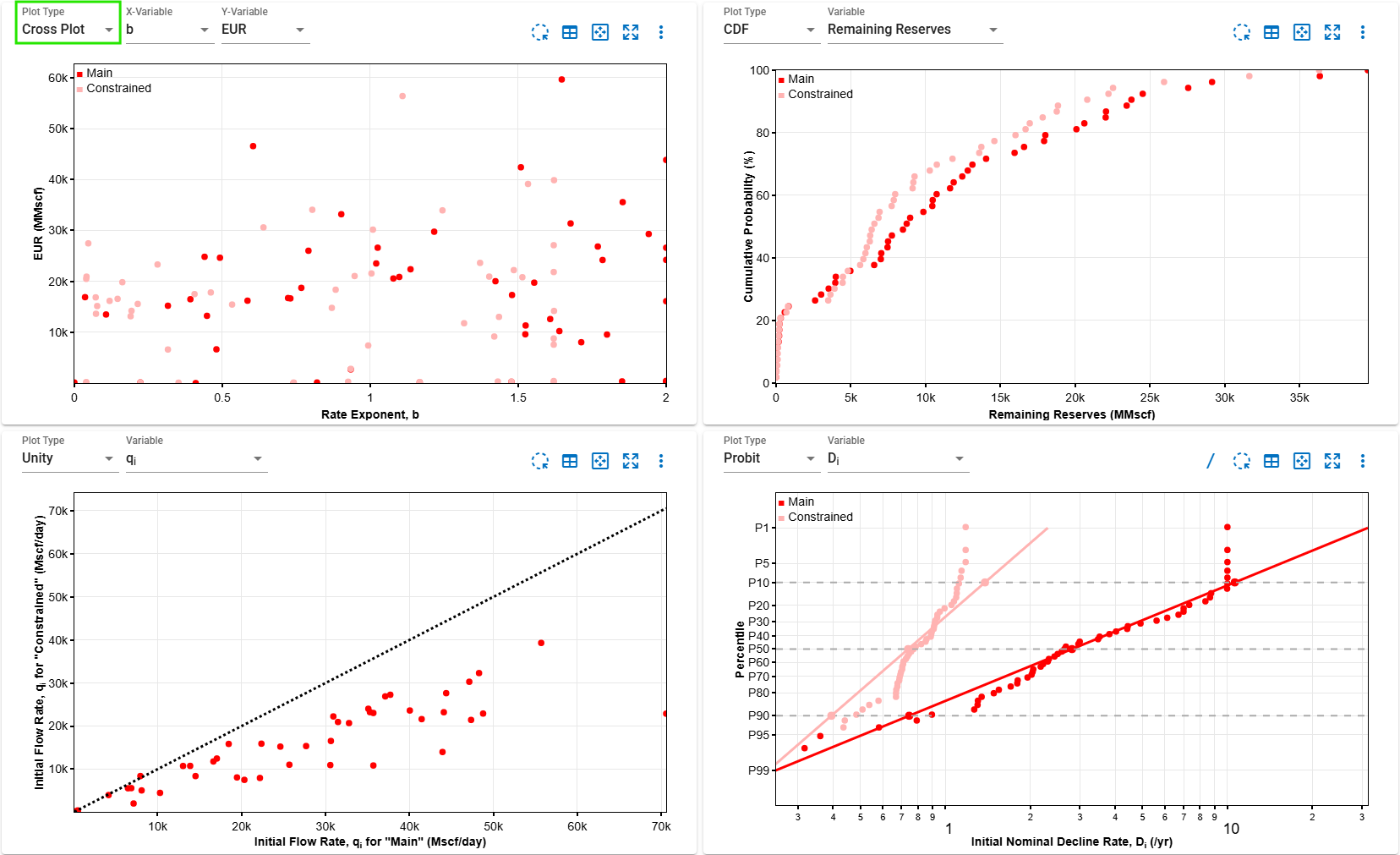
Cross plot in Forecast Manager: Add a new Plot Type in the Statistics section that enables users to create customizable cross plots.
-
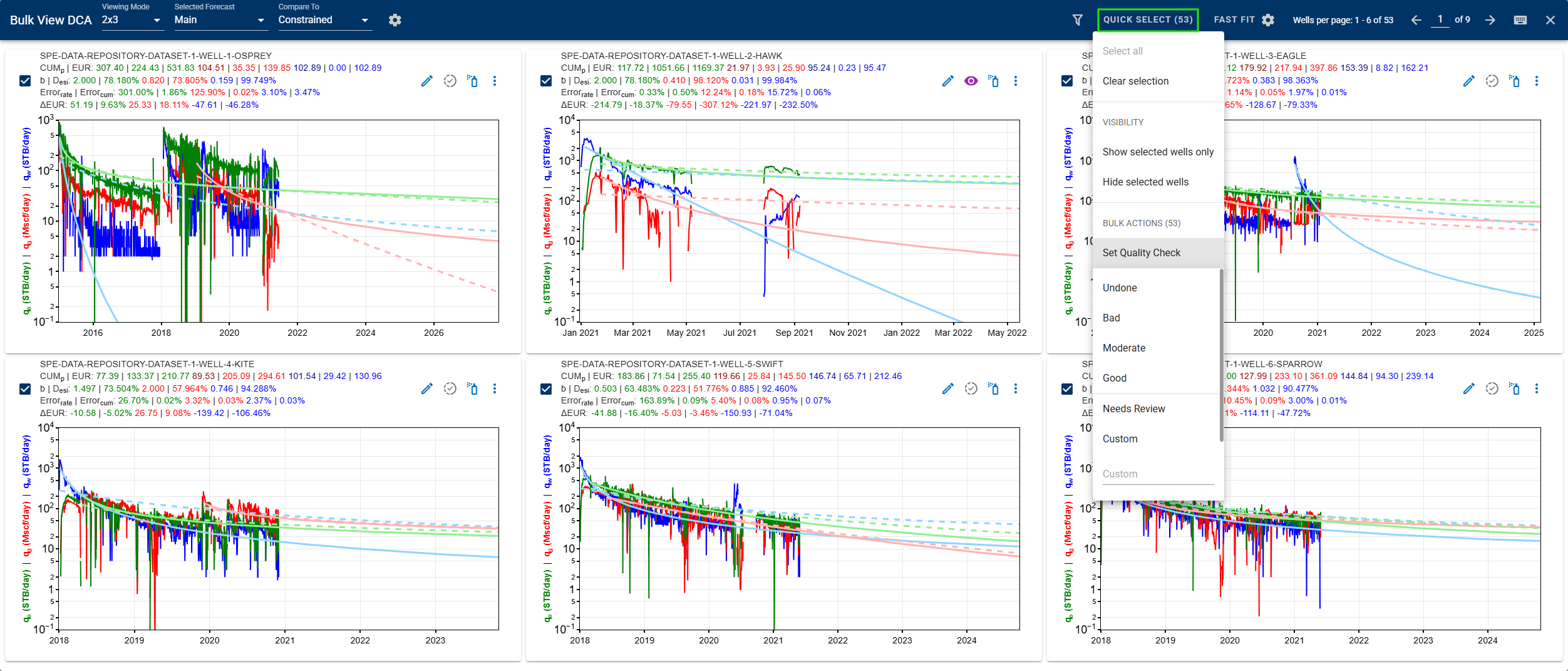
Add Quick Select in Bulk View DCA of Forecast Manager, which allows users to select wells and perform actions such as: select/clear all wells, show/hide selected wells, or apply quality checks.
-
Enable save and apply template for quicker setup and reuse of preferred settings.
Type Well
-
Type Well Manager:
-
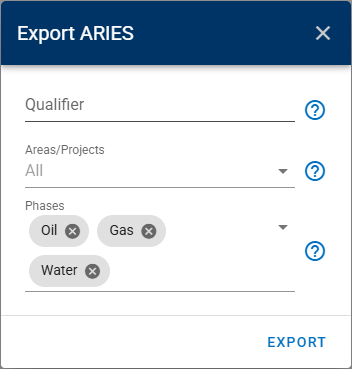
Users can now export Type Wells in ARIES format with greater flexibility and control.
-
Qualifier: select a specific qualifier for the export, or leave it blank to use the case name as the qualifier.
-
Area or Project: select one or multiple areas or projects to include in the export. If left blank, all type well projects across all areas will be exported.
-
Phase: choose specific phases to export. If left blank, all phases will be included.
-
-
Enable bulk edit forecast parameters, such as Cutoff Rate and Limiting Decline Rate, directly in the Type Well Manager table.
-
Support importing ARIES .txt file from the AC_ECONOMIC table to create type wells. Available identifier can be used to map the case name:
-
Qualifier: use the Qualifier field in AC_ECONOMIC.
-
PROPNUM: use the PROPNUM field in AC_ECONOMIC.
-
Custom Case Name: allow users to specify a custom case name for all imported forecasts. This is useful when the AC_ECONOMIC does not have meaningful qualifiers or well identifiers.
-
-
-
Add a new Qualifier field in the Type Well export, allowing users to define a custom qualifier instead of the case name.
Multi-well Gas Lift Optimizer
-
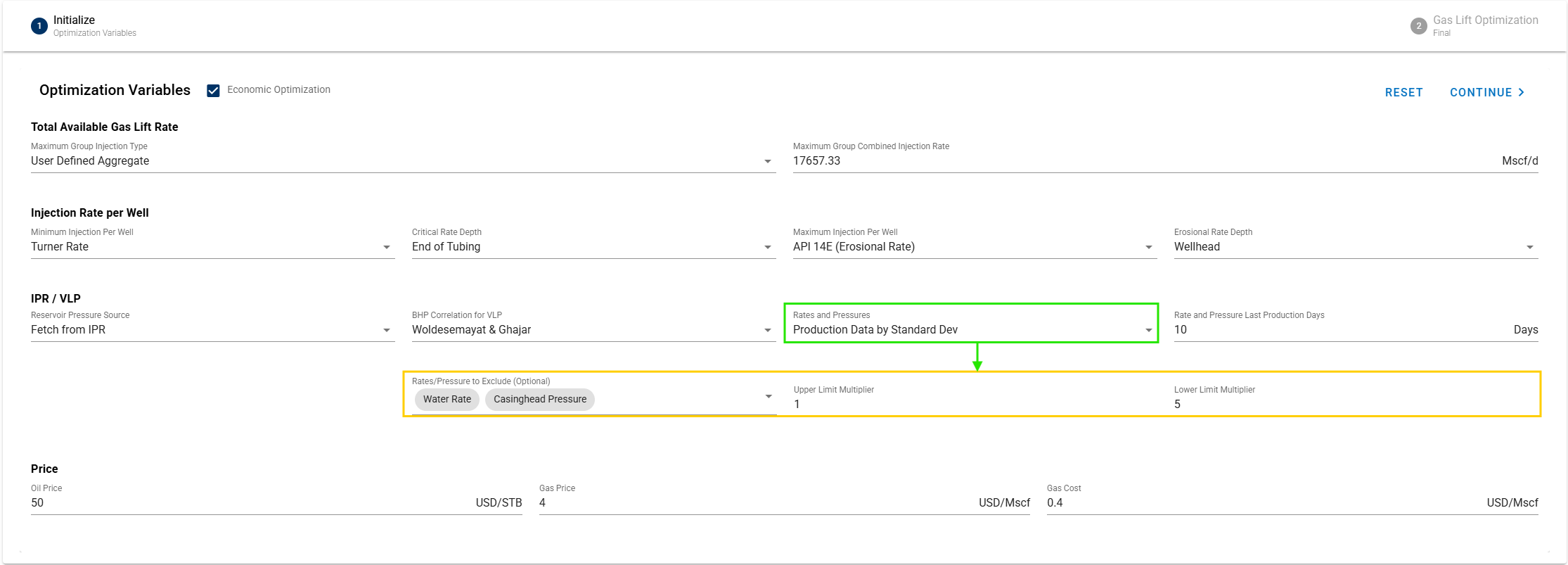
New Rates and Pressures fetch option: Production Data by Standard Dev; select the most stable rates and/or pressures over the last X days, where the stability is evaluated using mean ± standard deviation.
-
Automatically add new columns of Choke Size and Line Pressure when a wellhead choke is included in the configuration case.
Well Test
- Update Bourdet Derivative calculation: improve the implementation of the Bourdet derivative method to enhance derivative accuracy.
General
-
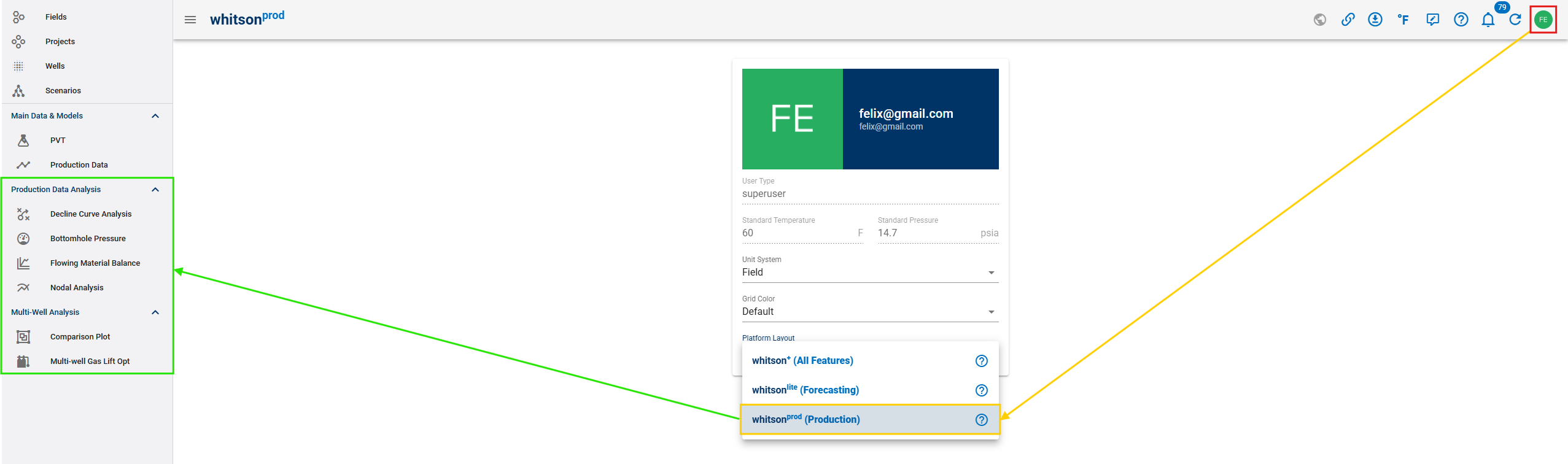
Launch whitsonPROD, a streamlined whitson+ layout featuring only production engineering modules.
-
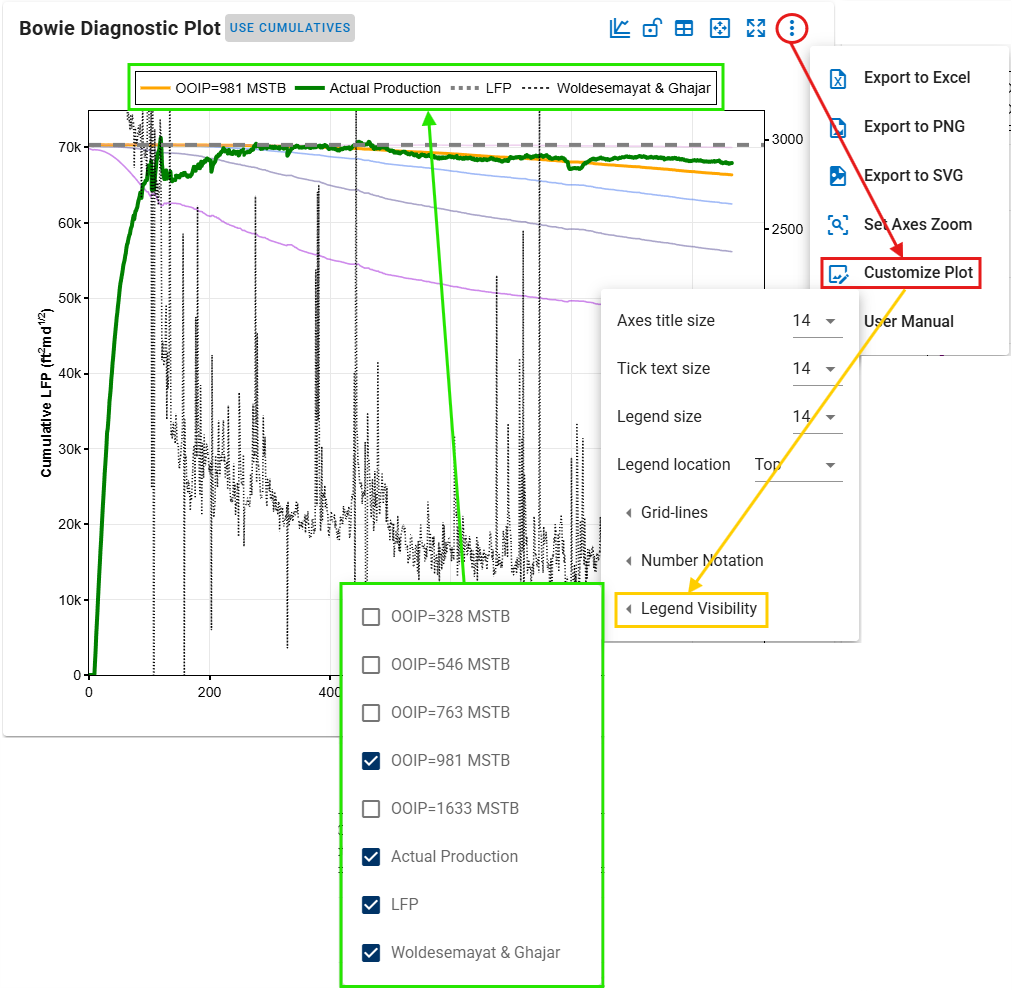
Introduce a new plot setting: Legend Visibility.
-
GIS map enhancement: Circle lasso – a second lasso selection tool.
-
New wells filtering variable: Lift Method and Shapefile.
-
Add the ability to enable comments linking across linked wells.
-
Improve bulk save scenario functionality; users can now select the source scenario to be duplicated and saved as a new scenario across wells.
-
Global plot grid line color from user Settings: Dark, Darker, and Deep.
-
Users can now hide projects to maintain a cleaner and more organized workspace.
Other