December 2025 Release Notes
Dear users of whitson+,
We’re excited to share the latest whitson+ release, freshly unwrapped and straight from the developers' workshop. There’s a sleigh-full of new functionality in this update, and you can find the full overview below.
Make sure to CTRL + SHIFT + R in the browser to fetch the latest version!
Custom Attribute Folders
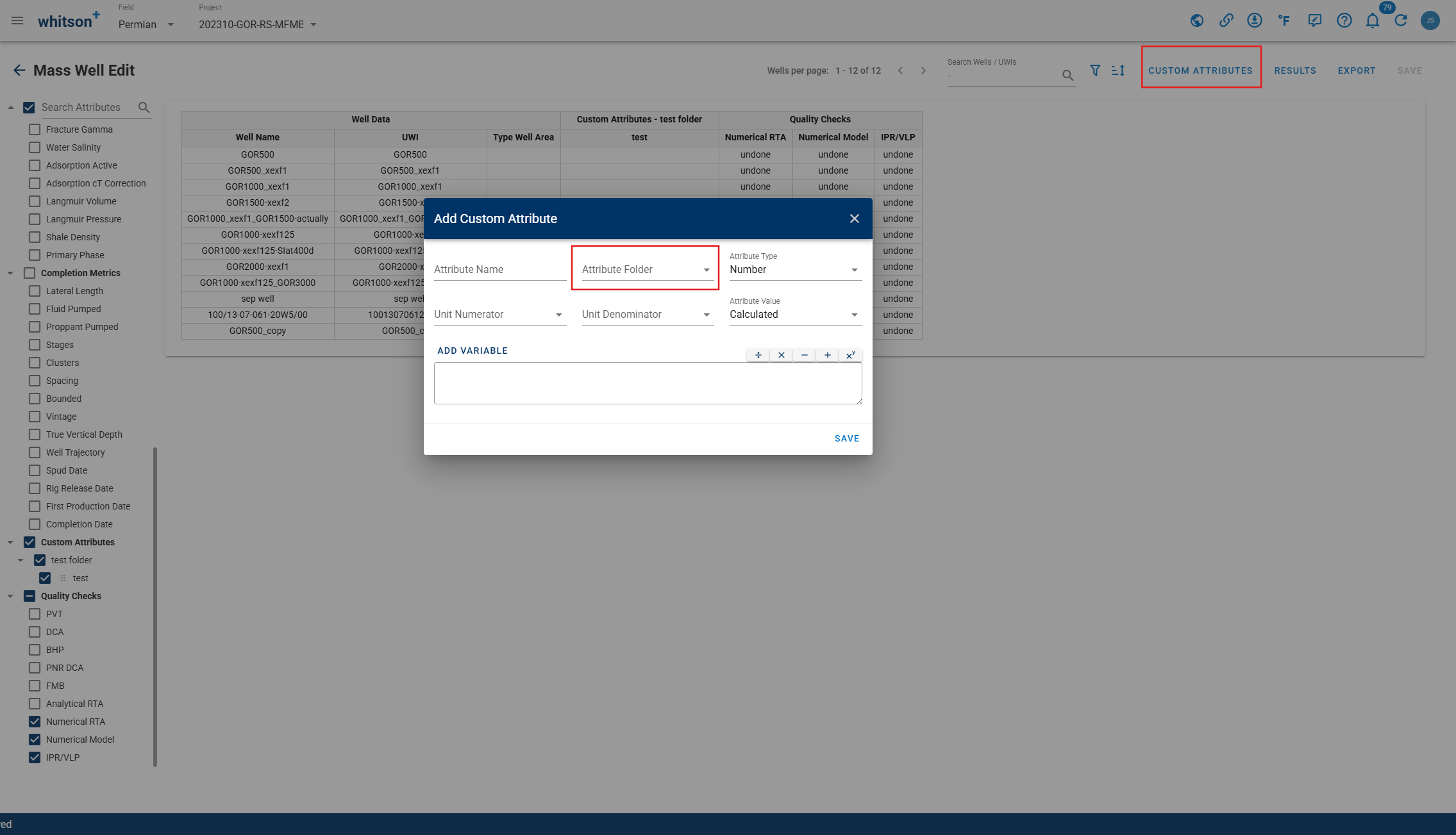
Each user can now create their own custom attribute folders to keep custom attributes organized and easier to manage within projects.
Auto-Forecast
-
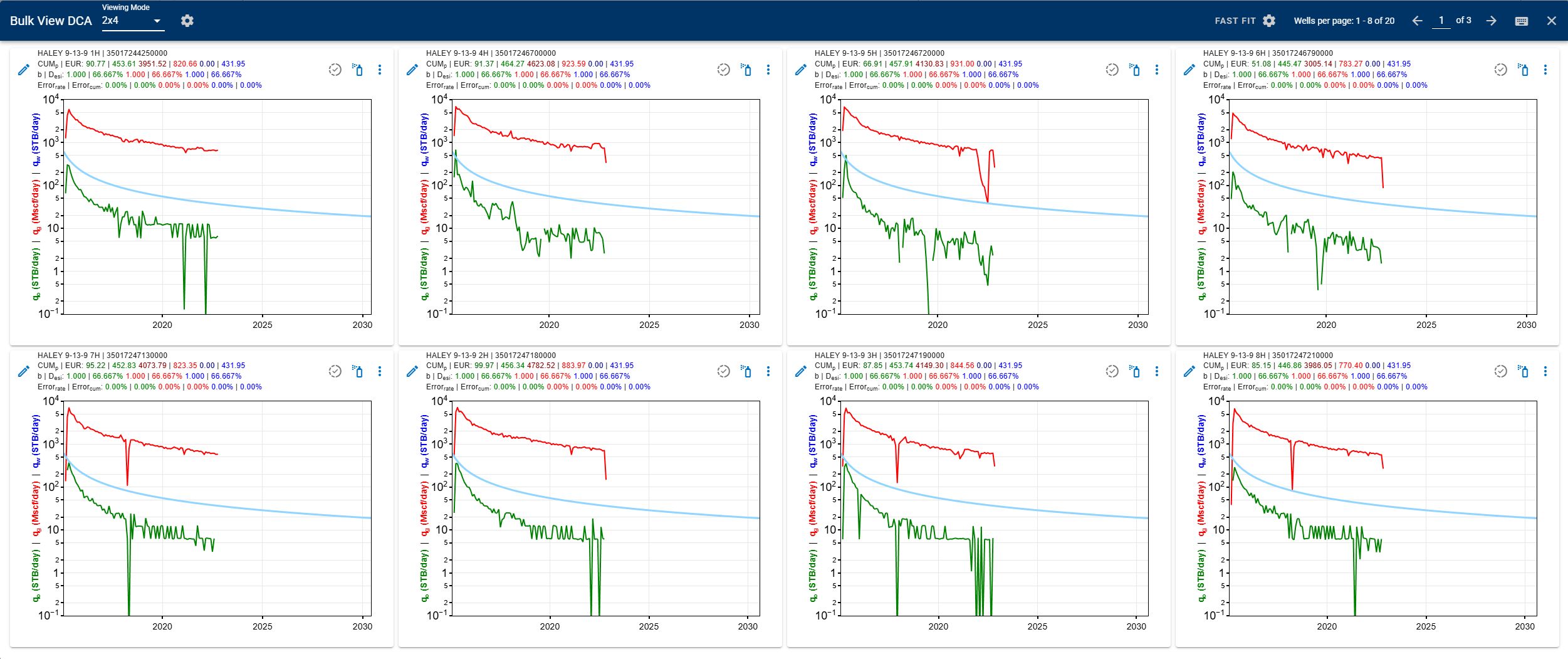
Bulk view: quickly QC forecasts by flipping through wells in a 2x4 grid view.
-
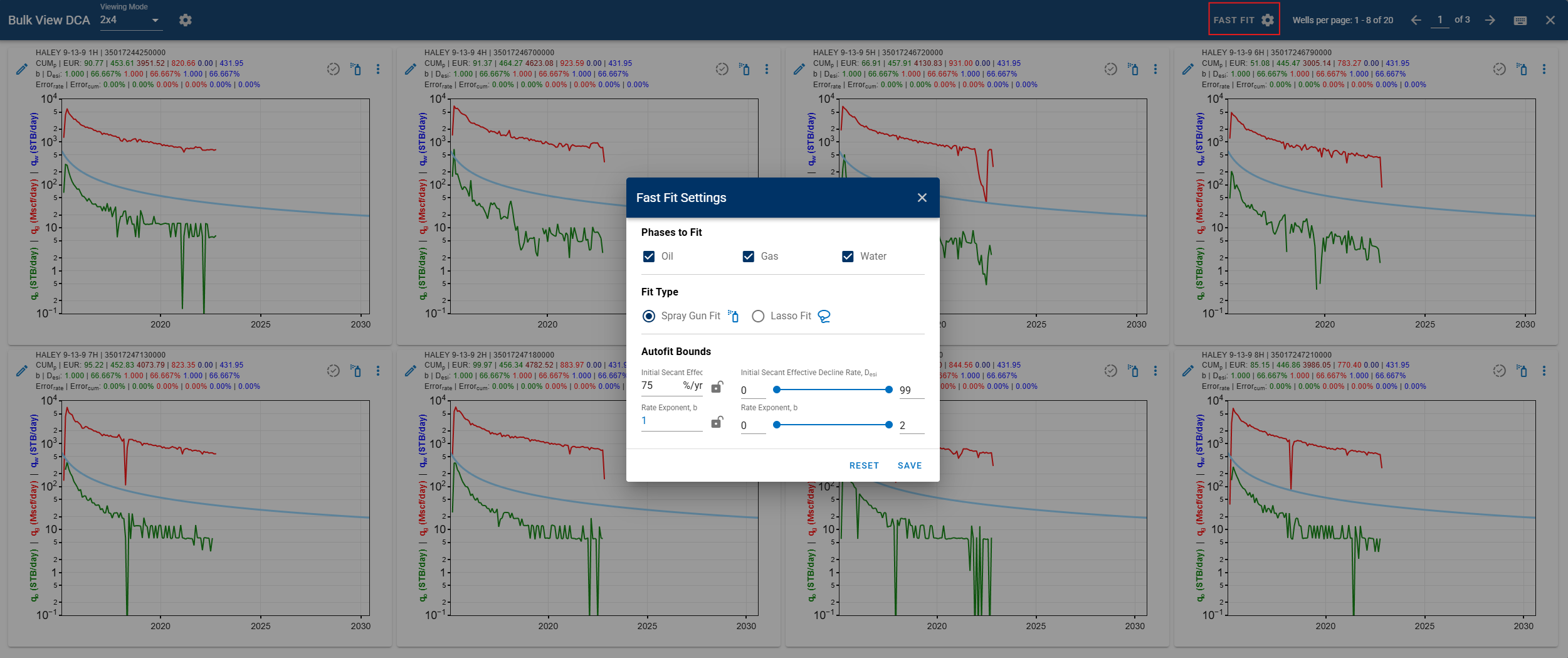
Fast fit: bulk fit for Auto-Forecast.
-
Savable Auto-Forecast setting sets (cases): Auto-Forecast settings can now be saved within a case.
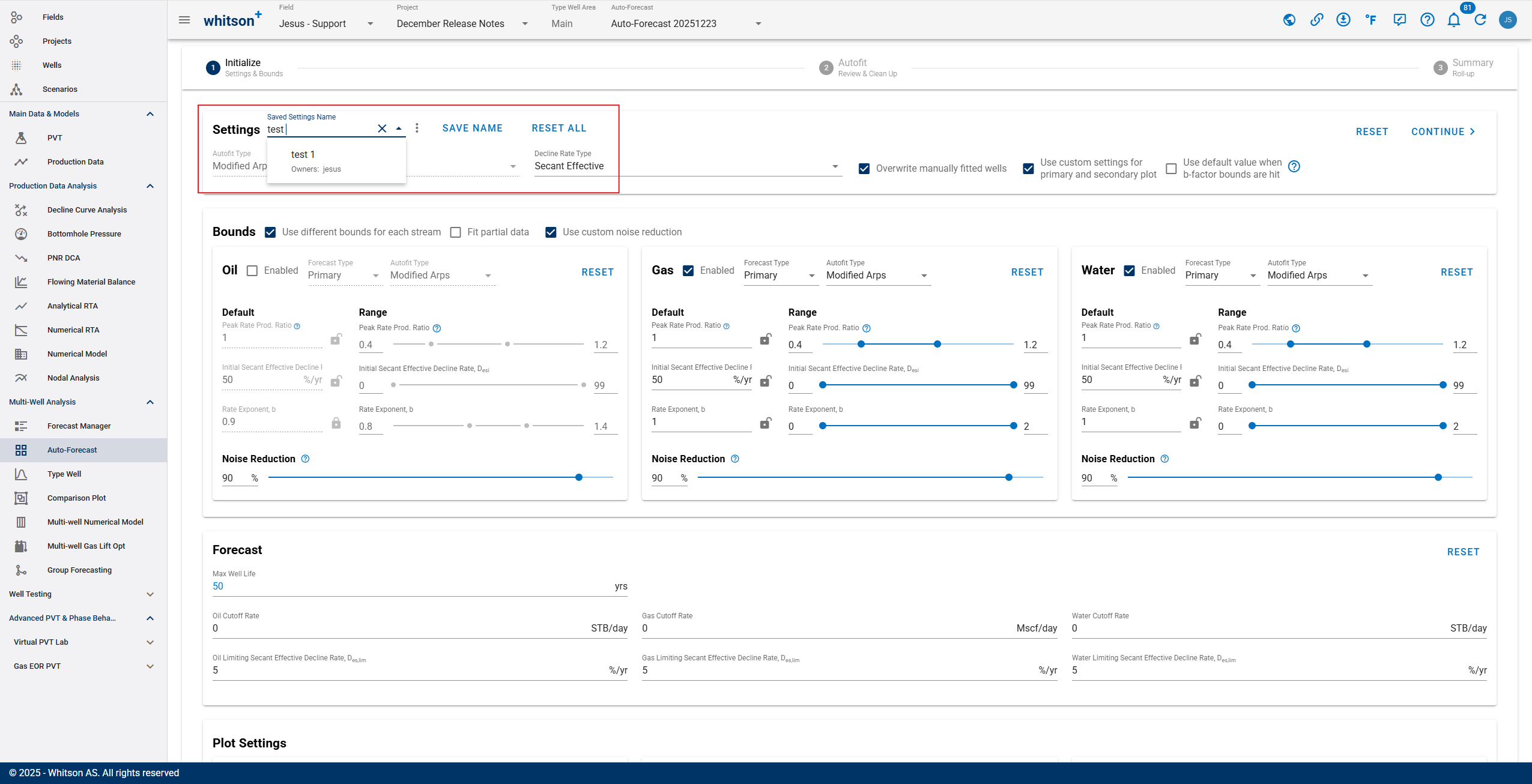
- Each case can be set Private or Company-wide.
- Cases can be saved, edited, and updated after creation.
- Saved templates can be reused to update existing settings or create new cases by clicking Save Name and providing a name.
- Once a case is saved, Save Name is disabled, indicating no changes have been made after save.
- When Save Name is enabled, it indicates there are unsaved changes in the selected case.
- Opening Auto-Forecast Initialize shows the settings last used for autofitting.
-
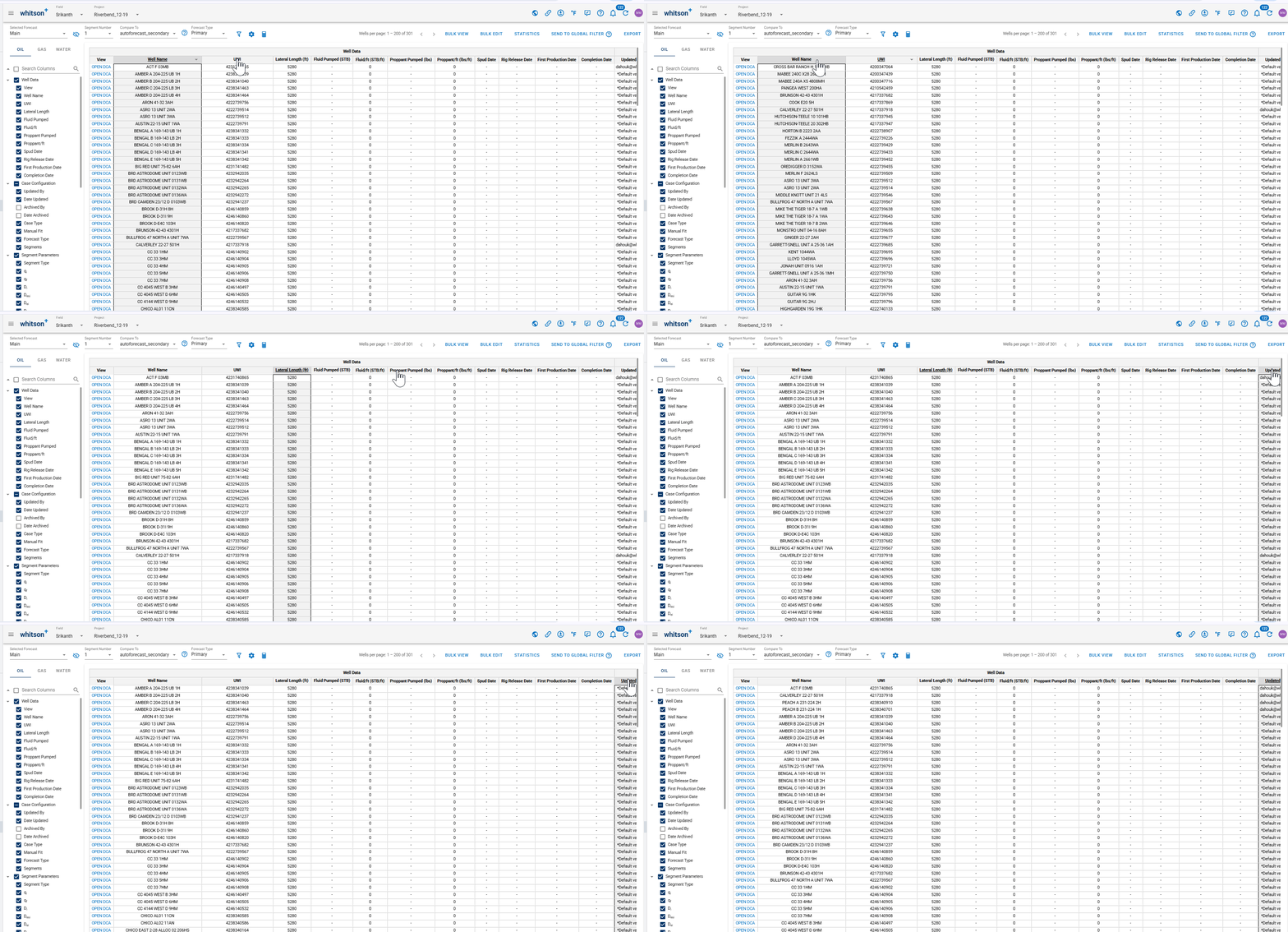
Column Sorting by Double-Click: You can now sort any table column by double-clicking the column header.
Production Data
-
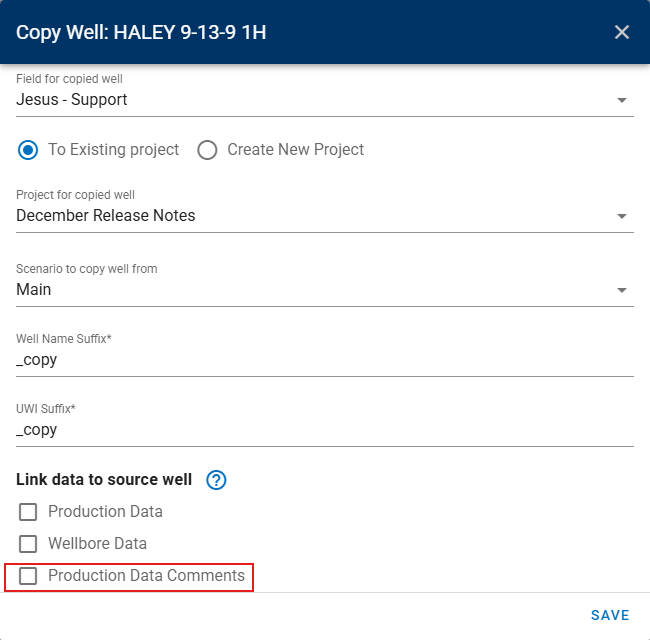
Production data comments for linked wells and scenarios: you can now link production data comments from the Main well to any child well.
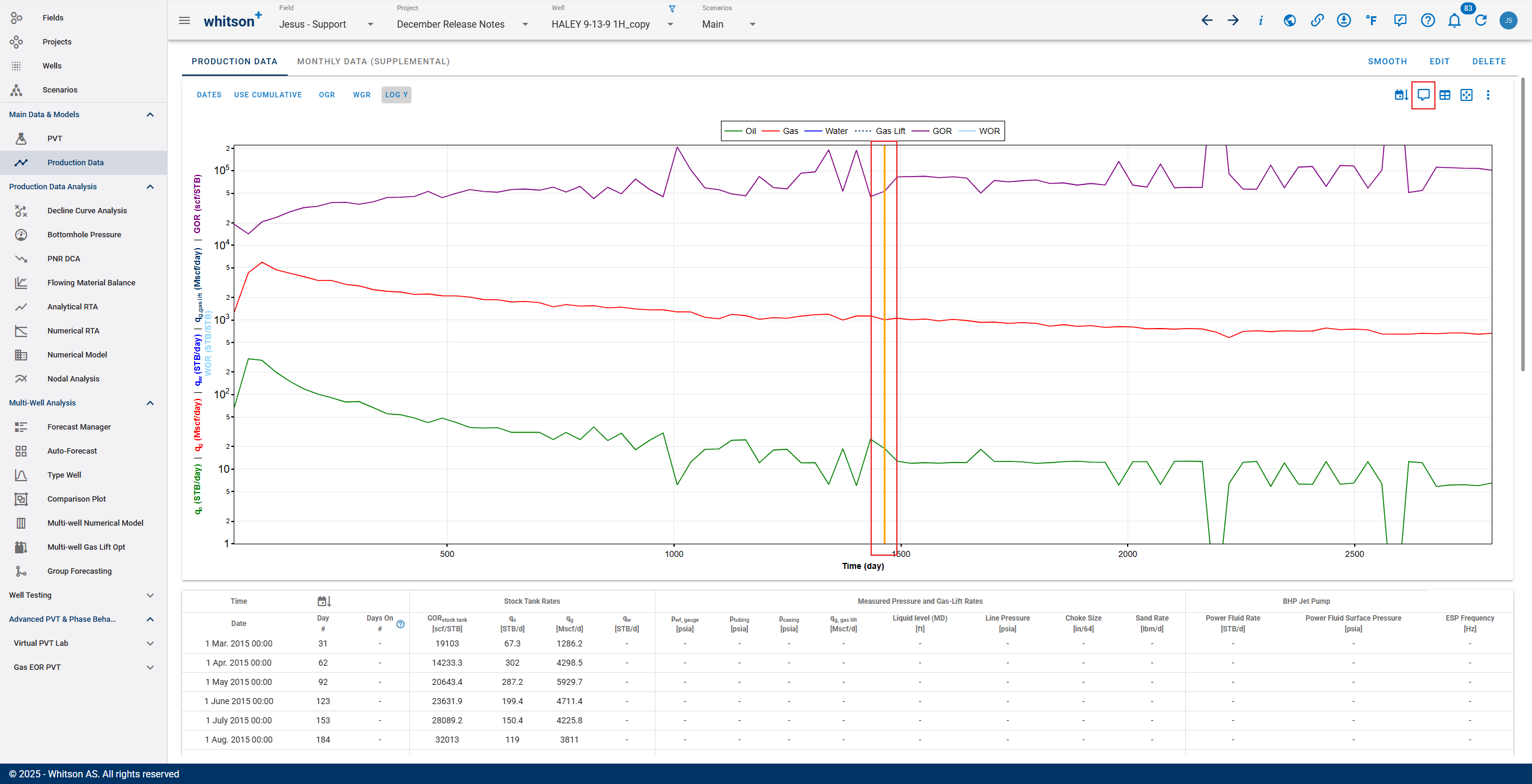
- Optionally, you can choose not to link comments and instead maintain separate comments for scenarios and linked wells (previously this was not possible).
DCA
-
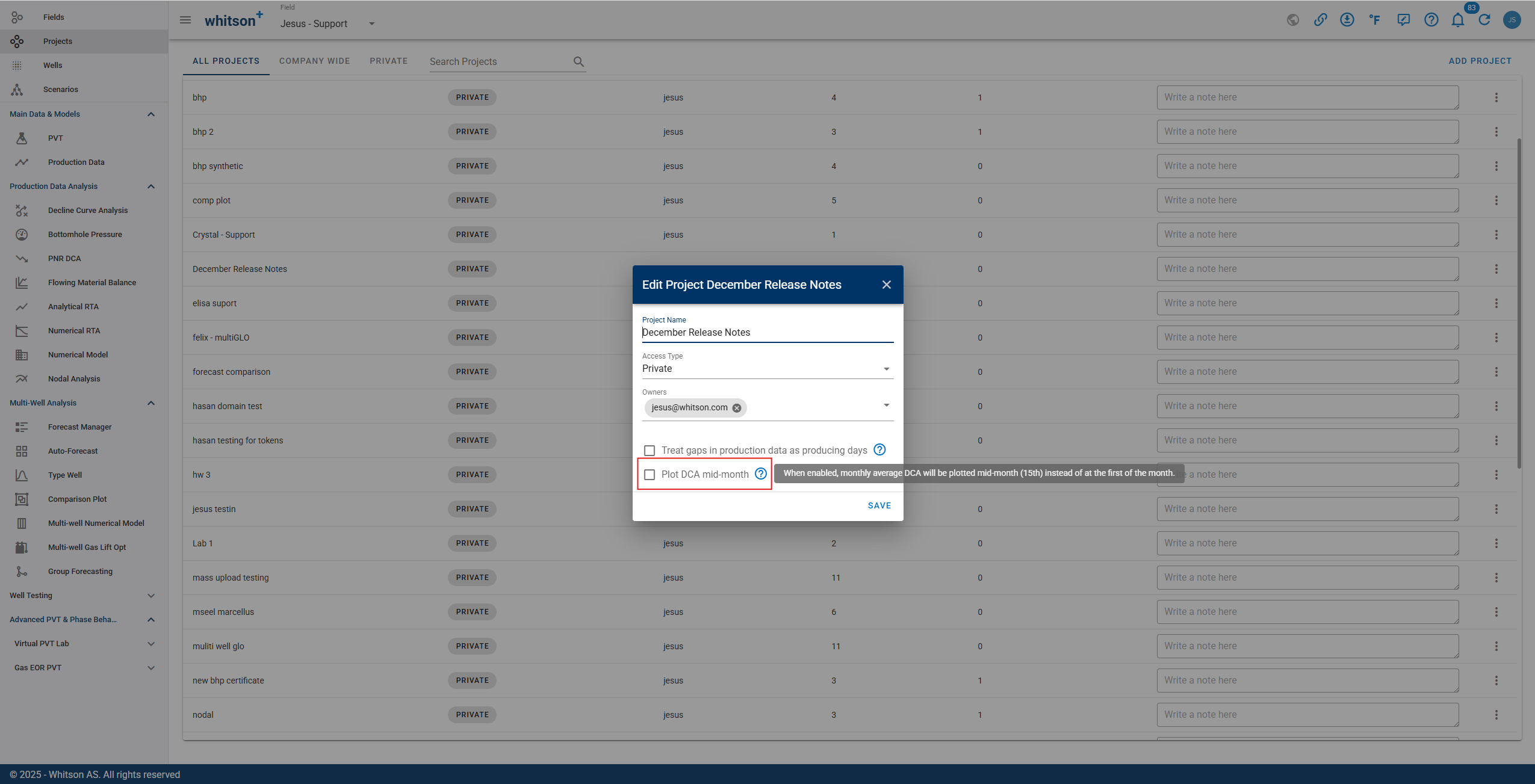
Plot DCA mid-month: at the project level, a new setting allows plotting DCA rates on mid-month (15th) instead of the uploaded first or end-of-month date for wells with montly data.
-
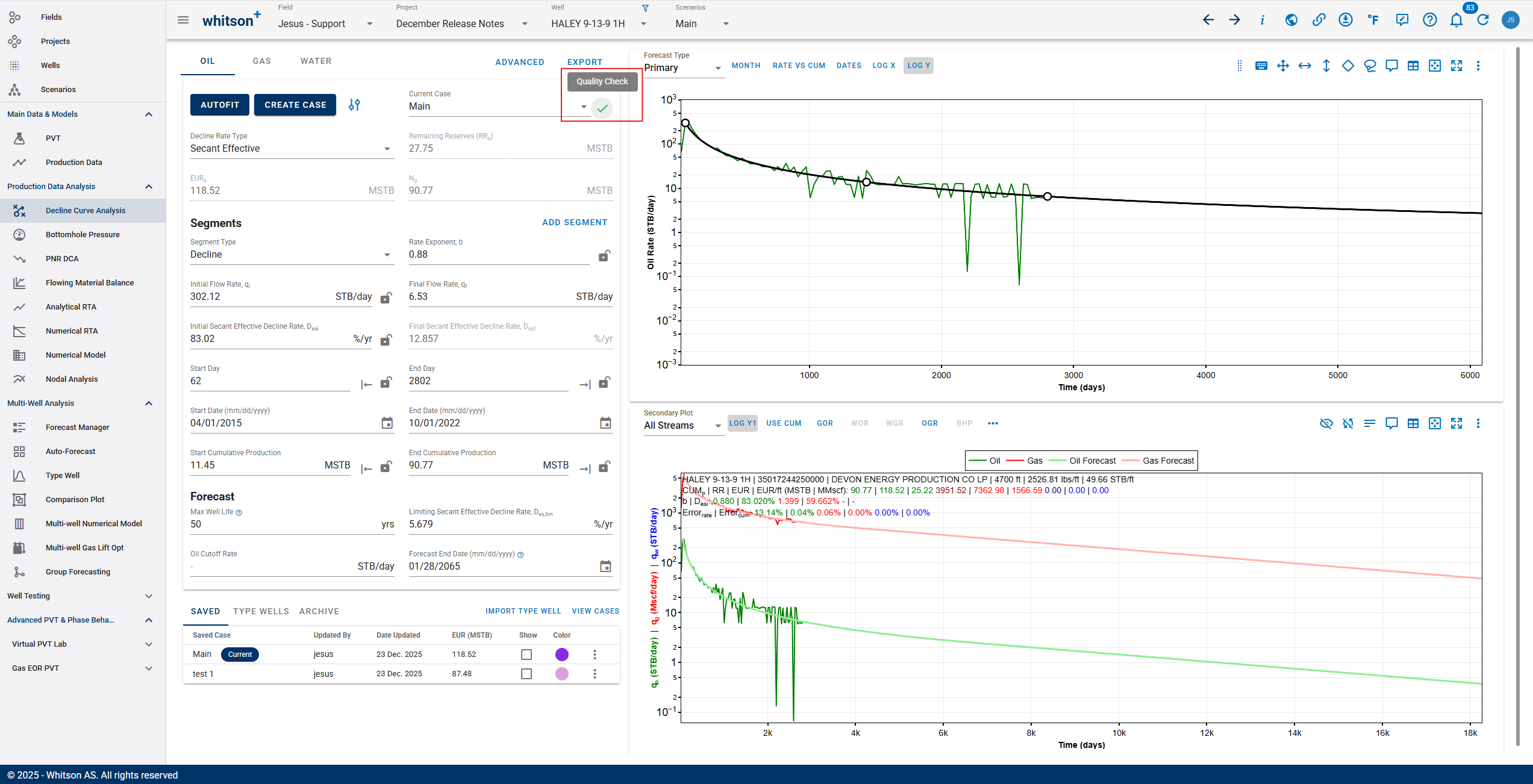
DCA quality checks: forecasts can now be marked as undone, bad, moderate, or good across Auto-Forecast, bulk view, and single-well DCA. The quality check is also available as a sortable field in Forecast Manager.
Release Notes Experience
-
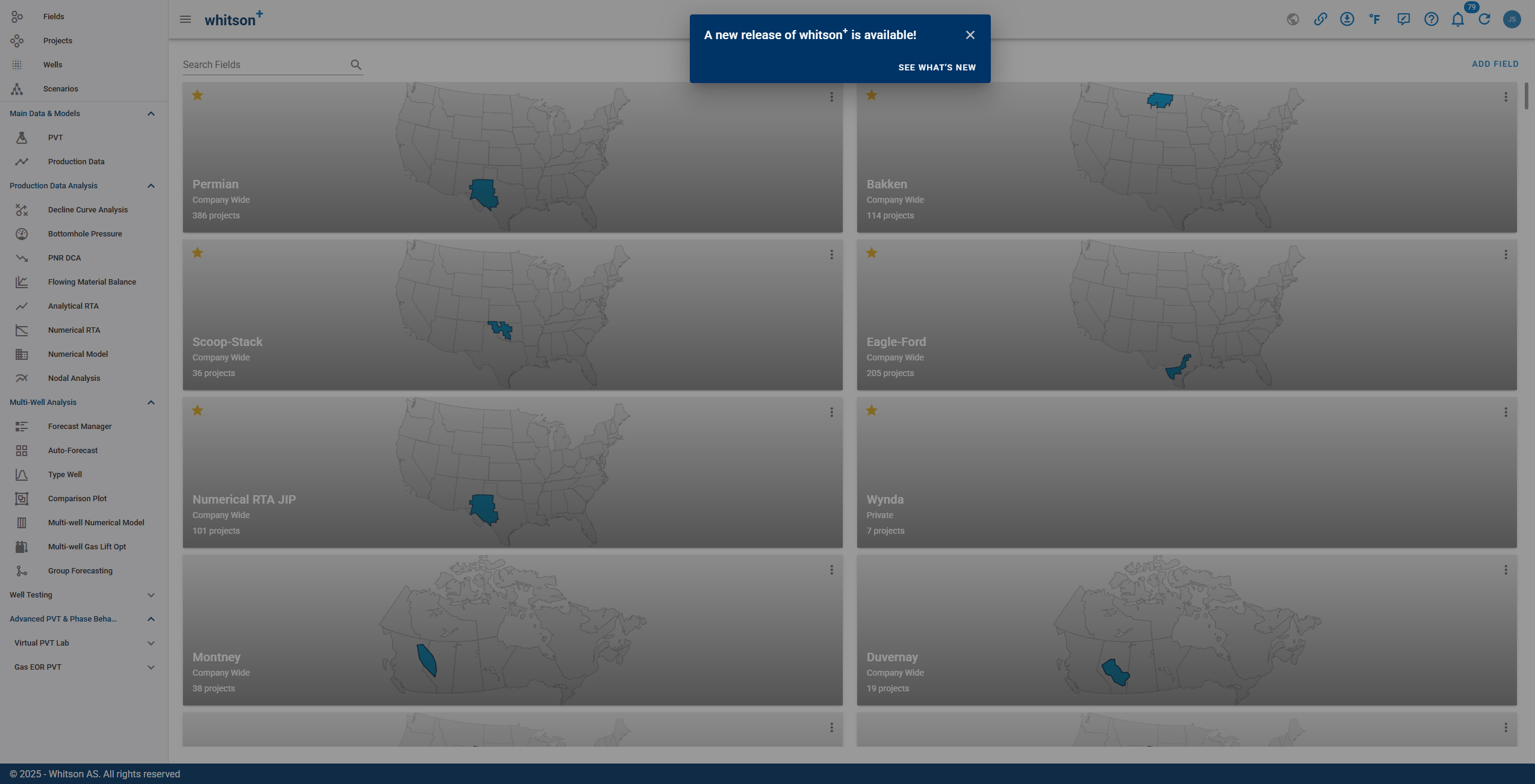
Release notes on first open: for every release, a dialog popup is shown containing a link to the latest release notes.
Multi-well Gas Lift Optimizer
-
Performance improvements in the Multi-well Gas Lift Optimizer for faster runs and smoother interaction.
-
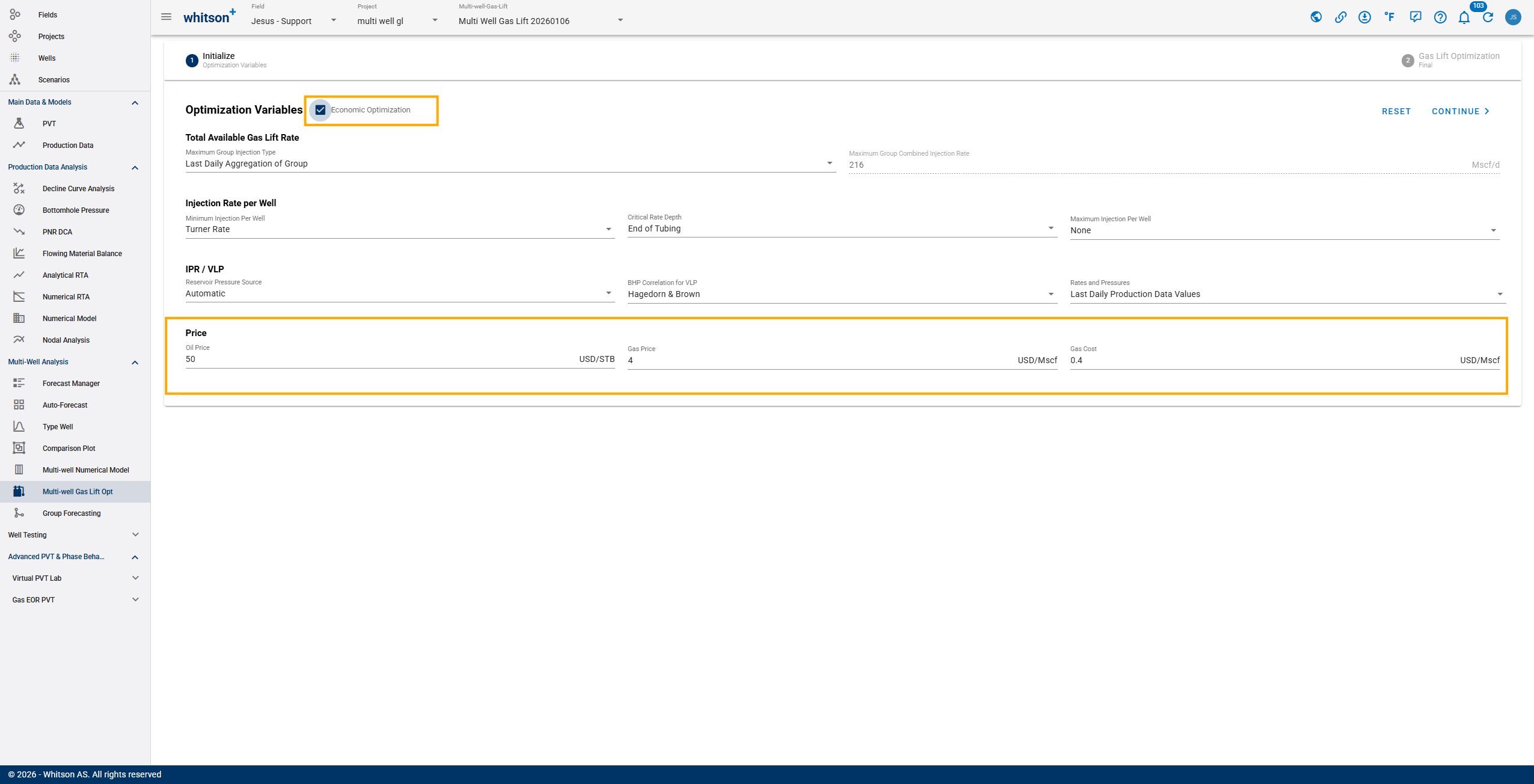
Economic Optimization: Multi-Well and Single-Well Gas Lift now support USD-based oil price, gas price, and gas cost inputs to economically optimize gas lift injection and recommend an optimal gas lift rate.
Analytical RTA
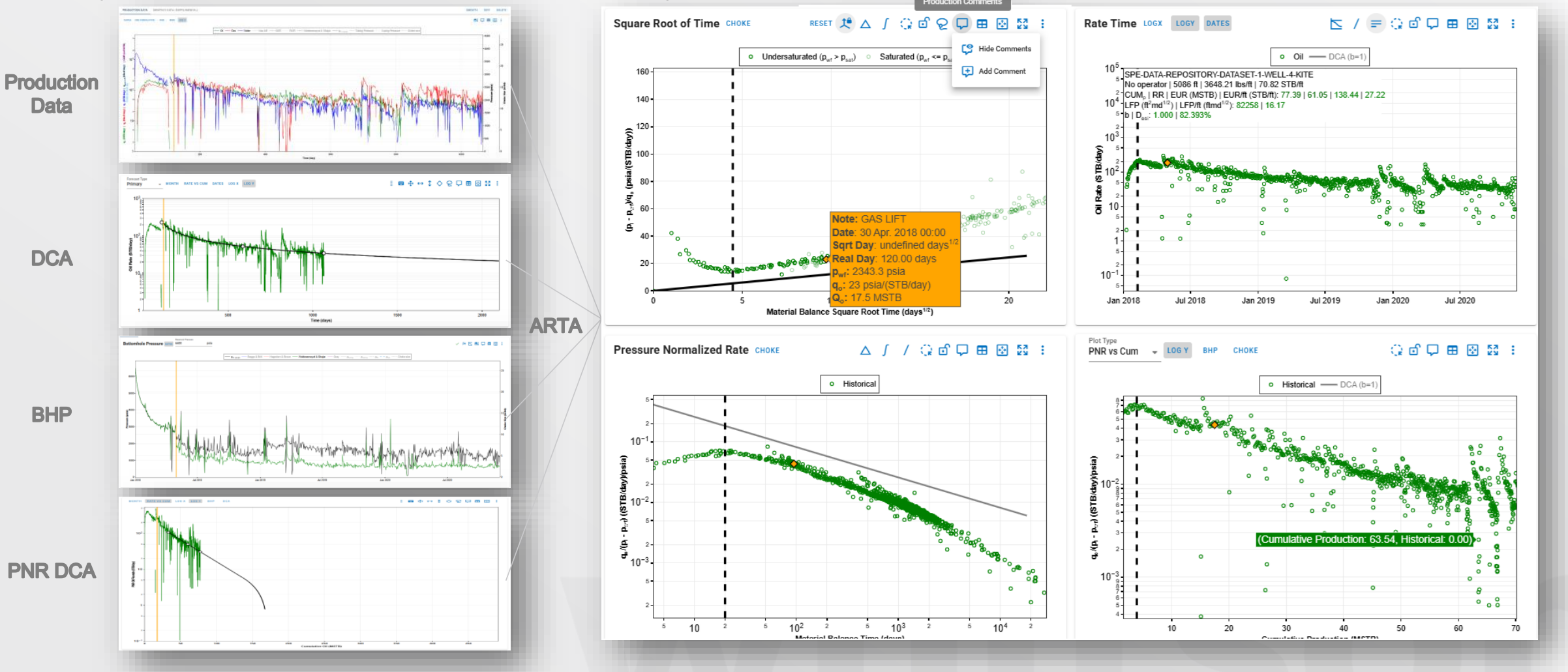
whitson+ now includes several new improvements in Analytical RTA (ARTA) to make diagnostics faster, clearer, and more consistent across the workflow.
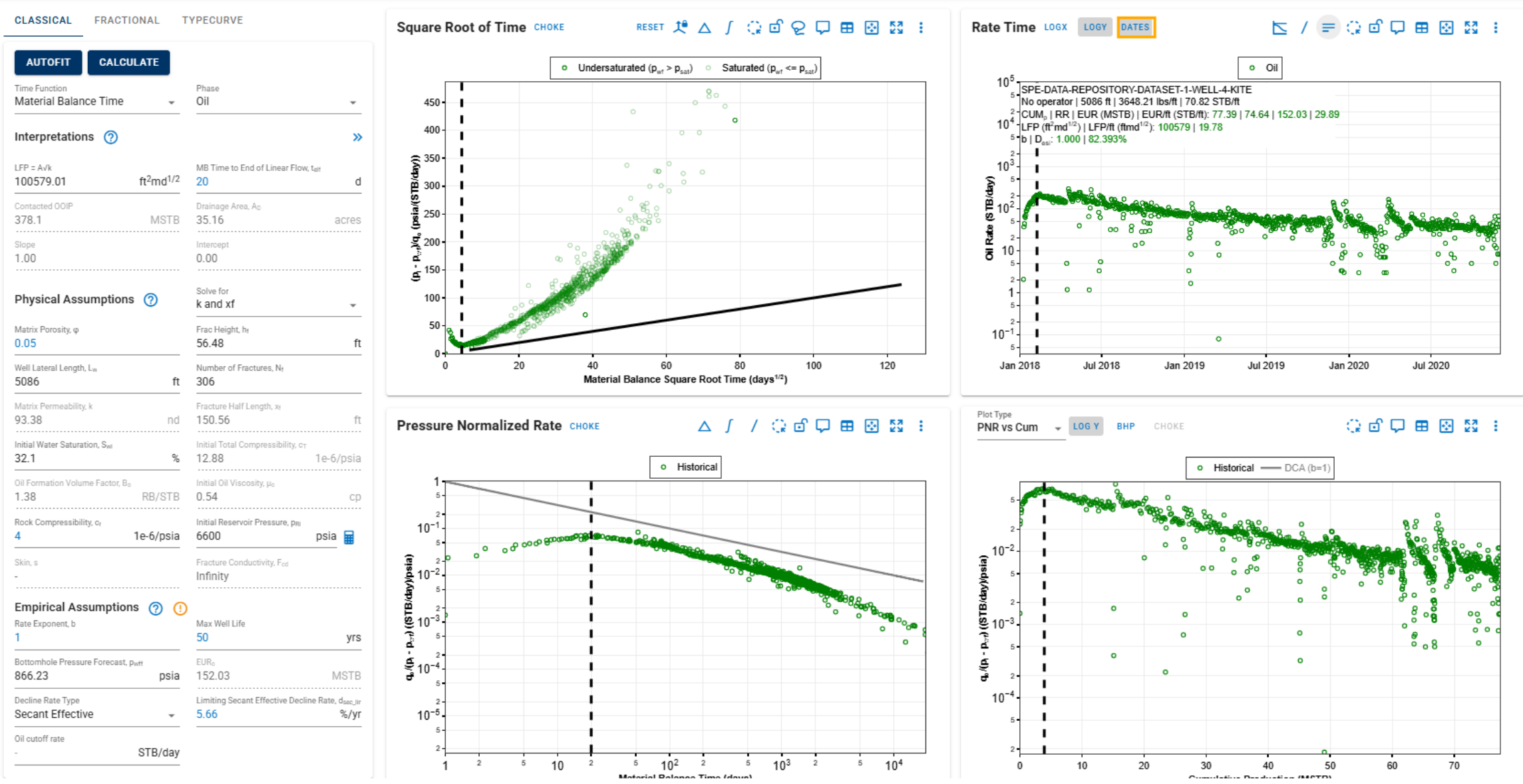
ARTA – Rate Time Plot
- Enable plotting by Date.
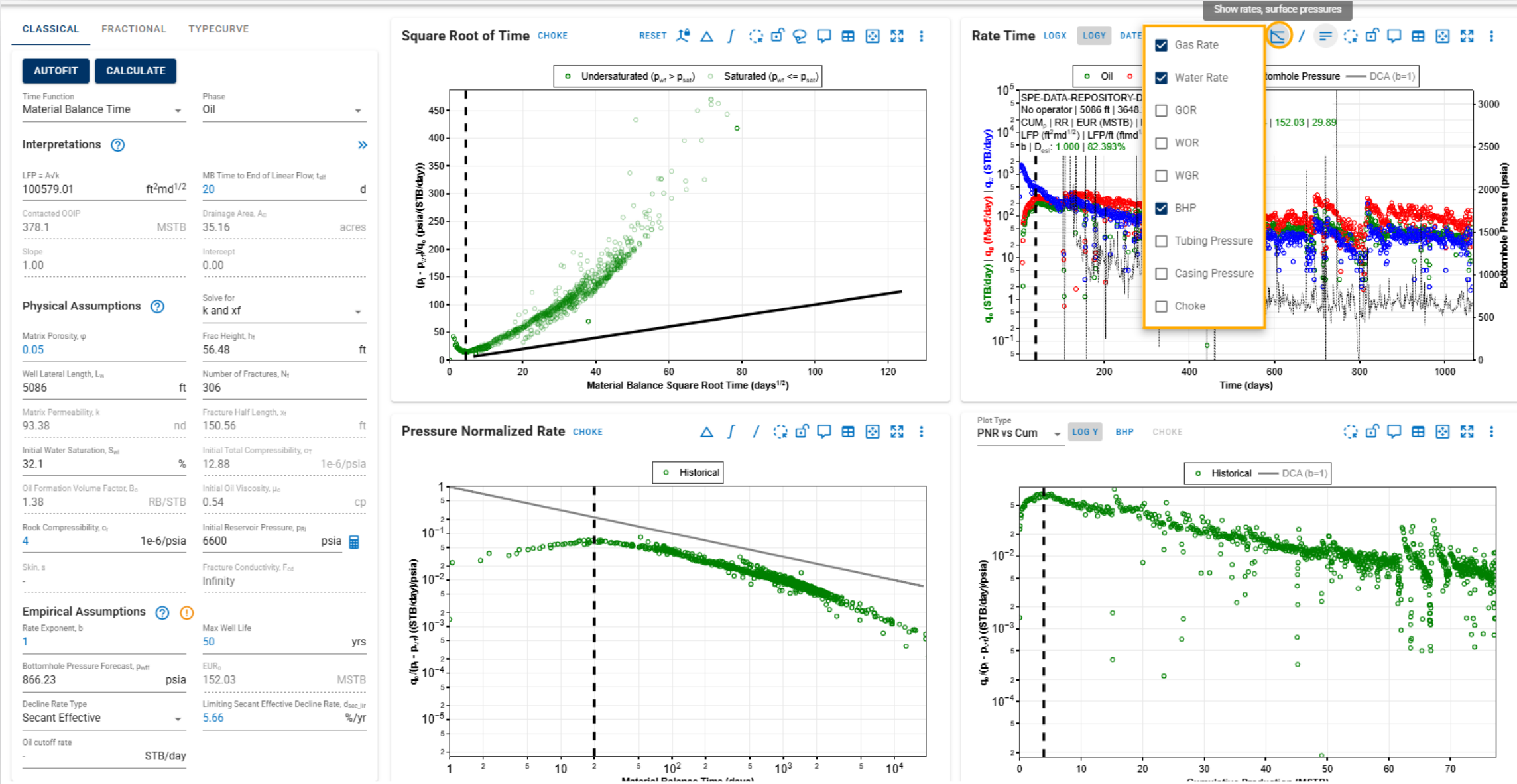
- Added the ability to plot additional data directly on the Rate Time Plot: Gas Rate, Water Rate, GOR, WOR, WGR, Bottomhole Pressure, Tubing Pressure, Casing Pressure, and Choke data.
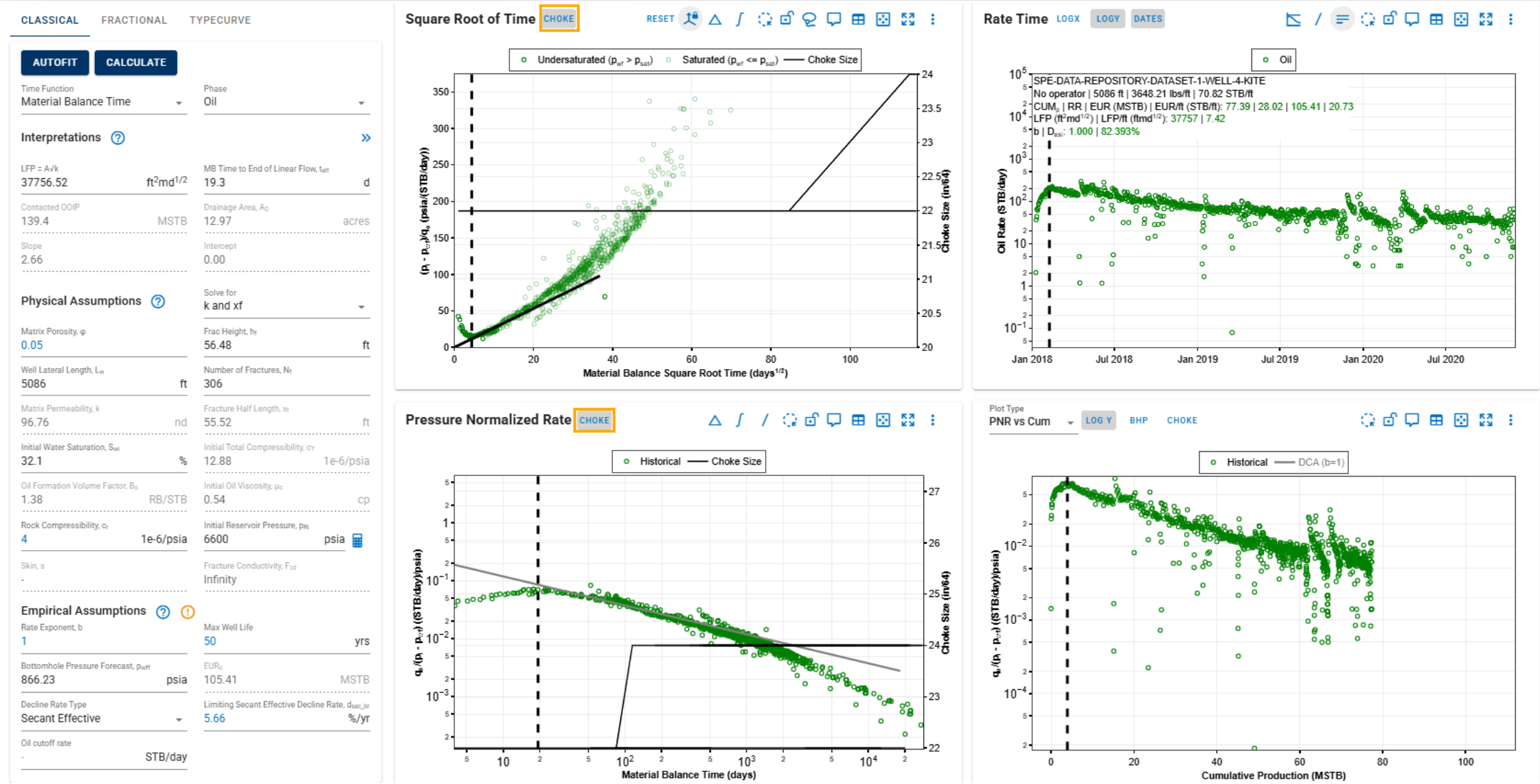
ARTA – Square Root of Time & PNR Plot
- Added the option to include Choke data in both the Square Root of Time and PNR plots for easier event detection and interpretation.
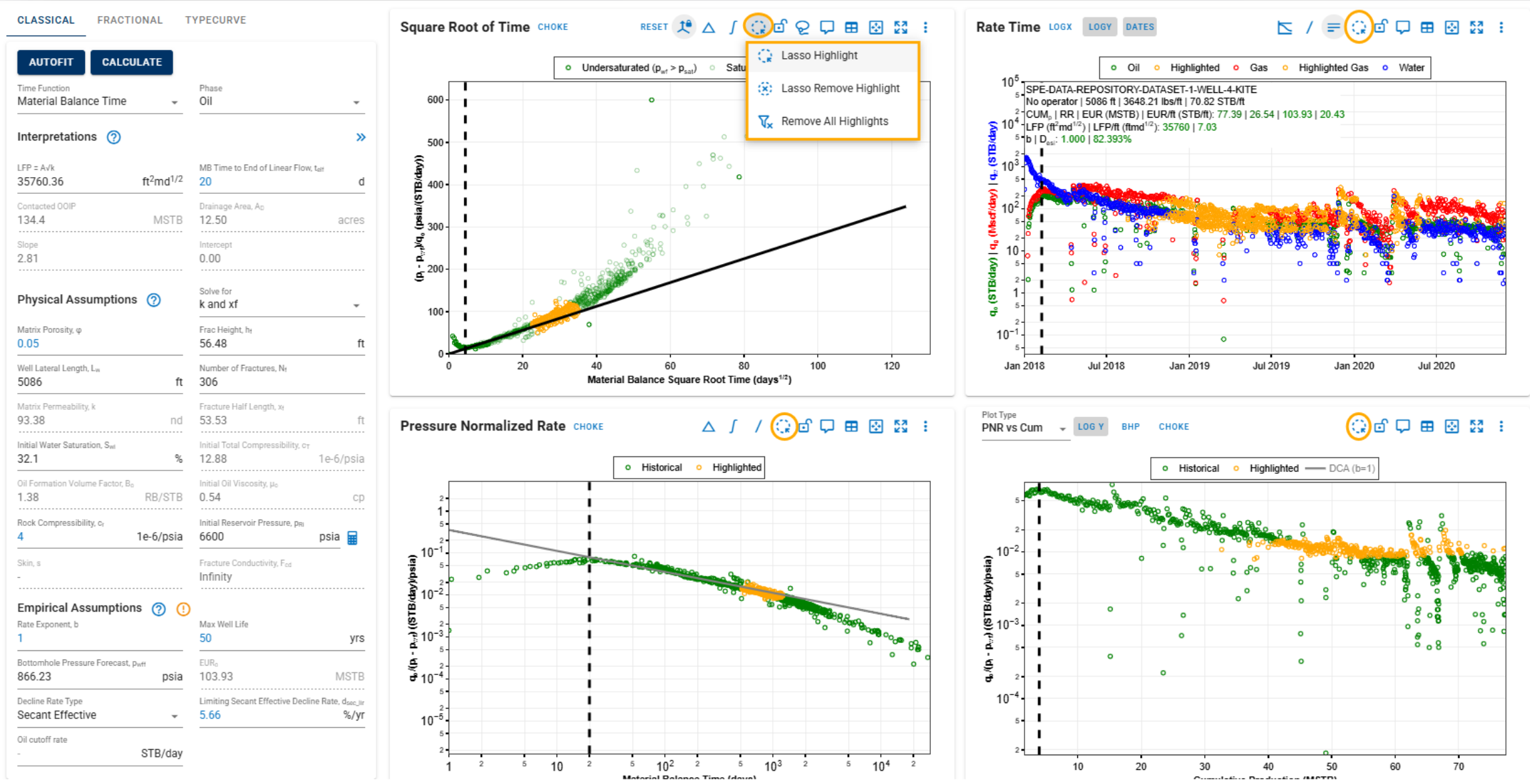
ARTA – All Plots
- Highlight Feature: New Lasso tool for diagnostics.
- Lasso highlight
- Lasso remove highlight
- Remove all highlights
- Linked Production Comments: Comments from Production Data, DCA, BHP, and PNR DCA modules are now synced with Analytical RTA plots, making it easier to track well events and relevant notes across diagnostics.