Projects
Introduction
Provides an overview of:
- All projects in a field
- Project owner
- Number of wells in project
- Key project notes
Most clients have the following projects:
- DAILY (daily, company-wide data connected to each well).
- FLOWBACK (if relevant, store of hourly flowback data).
- MONTHLY (where all the company-wide monthly data is stored for e.g. DCA & Type Well work).
Other projects than that are typically sandbox projects where you'd like to do a special project of some sort (e.g. learn the software, do the certification, do some well tests, create a multi-well numerical model etc.).
Project Types
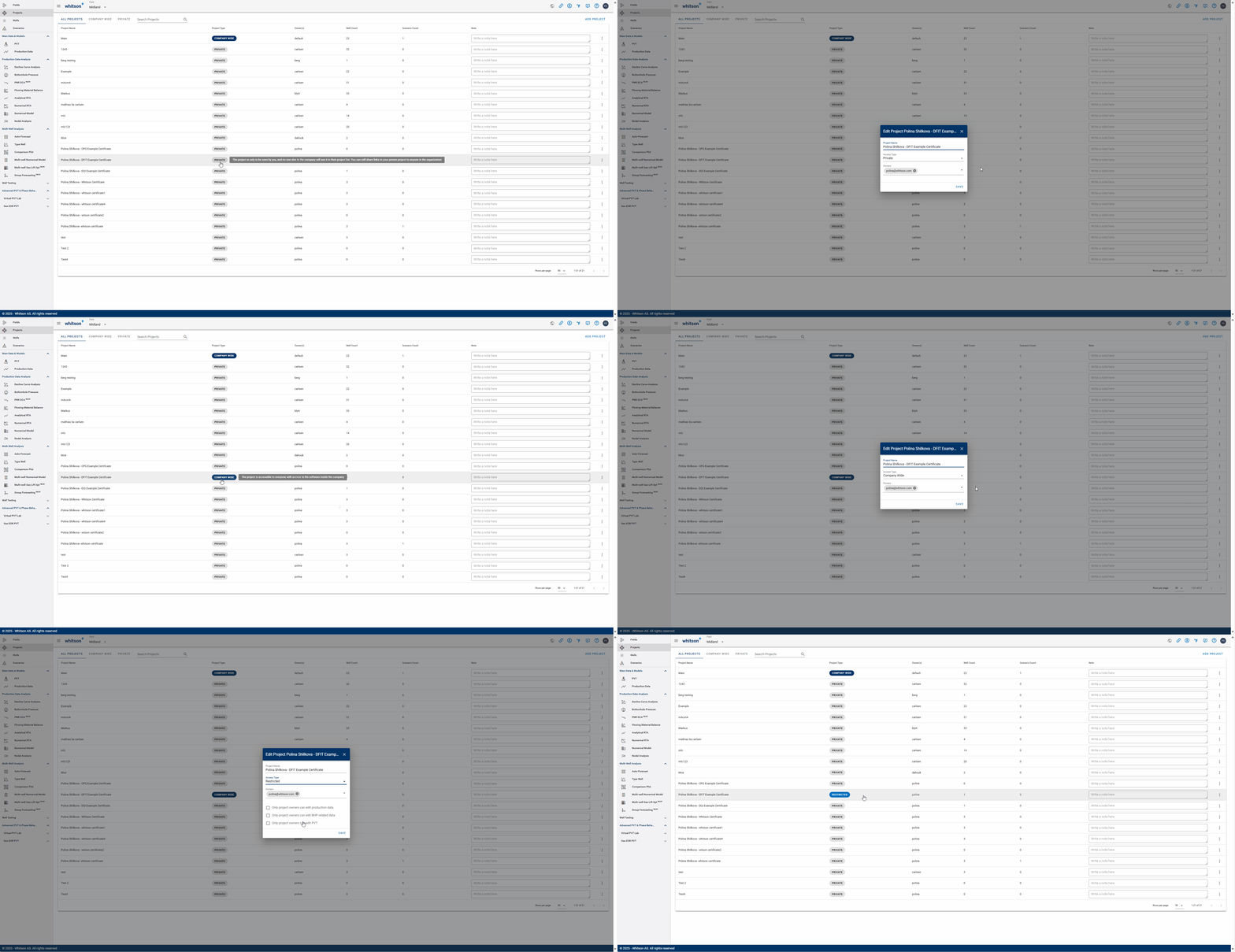
When a new project is created, the project is set to "Private" by default.
A private project can only be viewed by the project owner. Nobody else in the company will see it in their project list. However, you can still share links to your private project with anyone in your organization.
A company-wide project is accessible to everyone with access to the software within the company.
A restricted project is accessible to everyone with access to the software within the company but only the owner of the project is allowed to edit production data, wellbore configurations, BHP and PVT data (controls can be turned on/off).
Project Owners
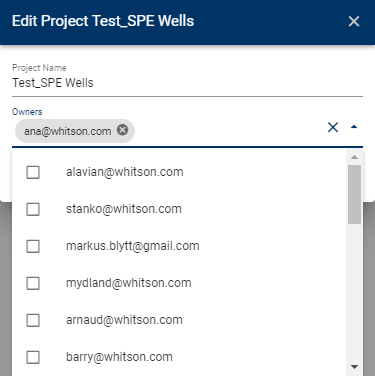
Restricted and private projects can have multiple project owners. A project owner can be added by clicking Edit Project and added to the Owners (searchable list), as shown in figure below.
Production Data Gaps
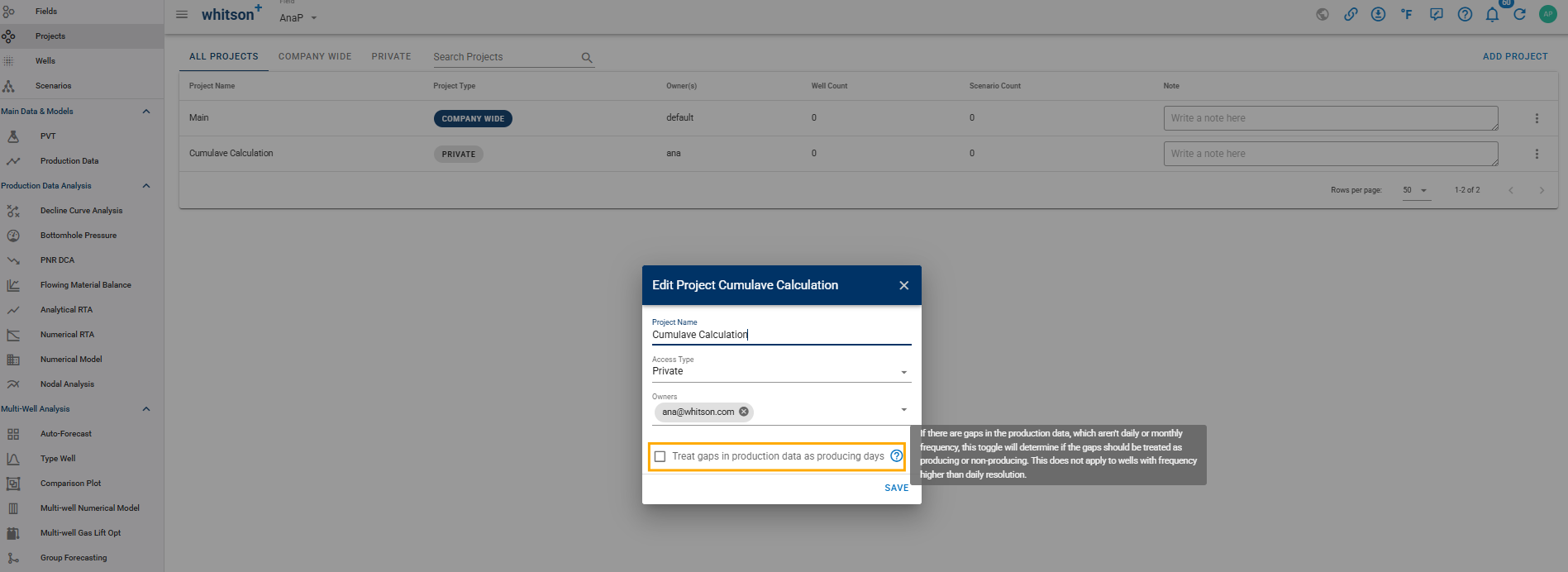
Treat Gaps in Production Data as Producing Days: This setting controls how non-reporting intervals within your production history are treated during cumulative production calculations.
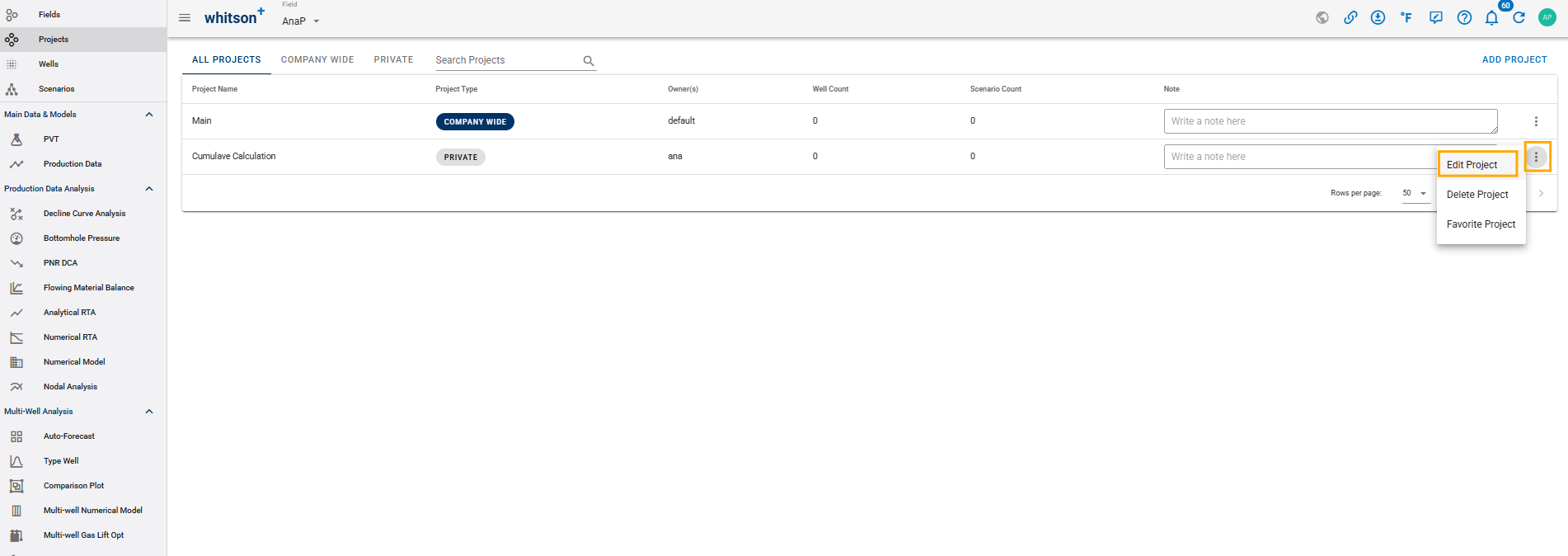
It is available at the project level and can be accessed by clicking the three dots next to the project name and selecting Edit Project.
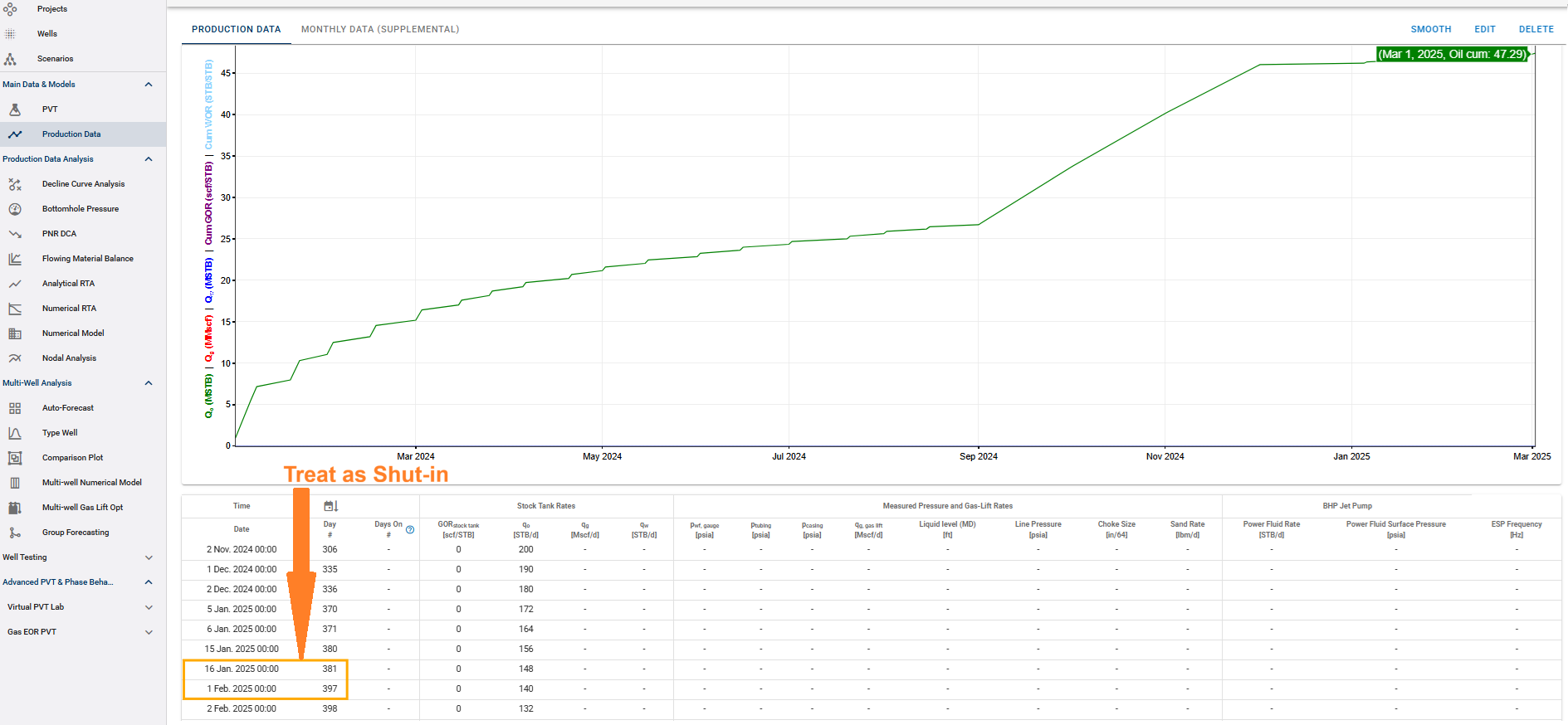
- Toggle OFF (Treat as Shut-in)
Gaps that are not daily (1 day) or monthly (28, 29, 30, 31 days) are considered periods where the well was shut-in (not producing).
Example: If there is a gap of 15 days in the production data, the median timestep frequency is used to calculate the cumulative instead of 15 days.
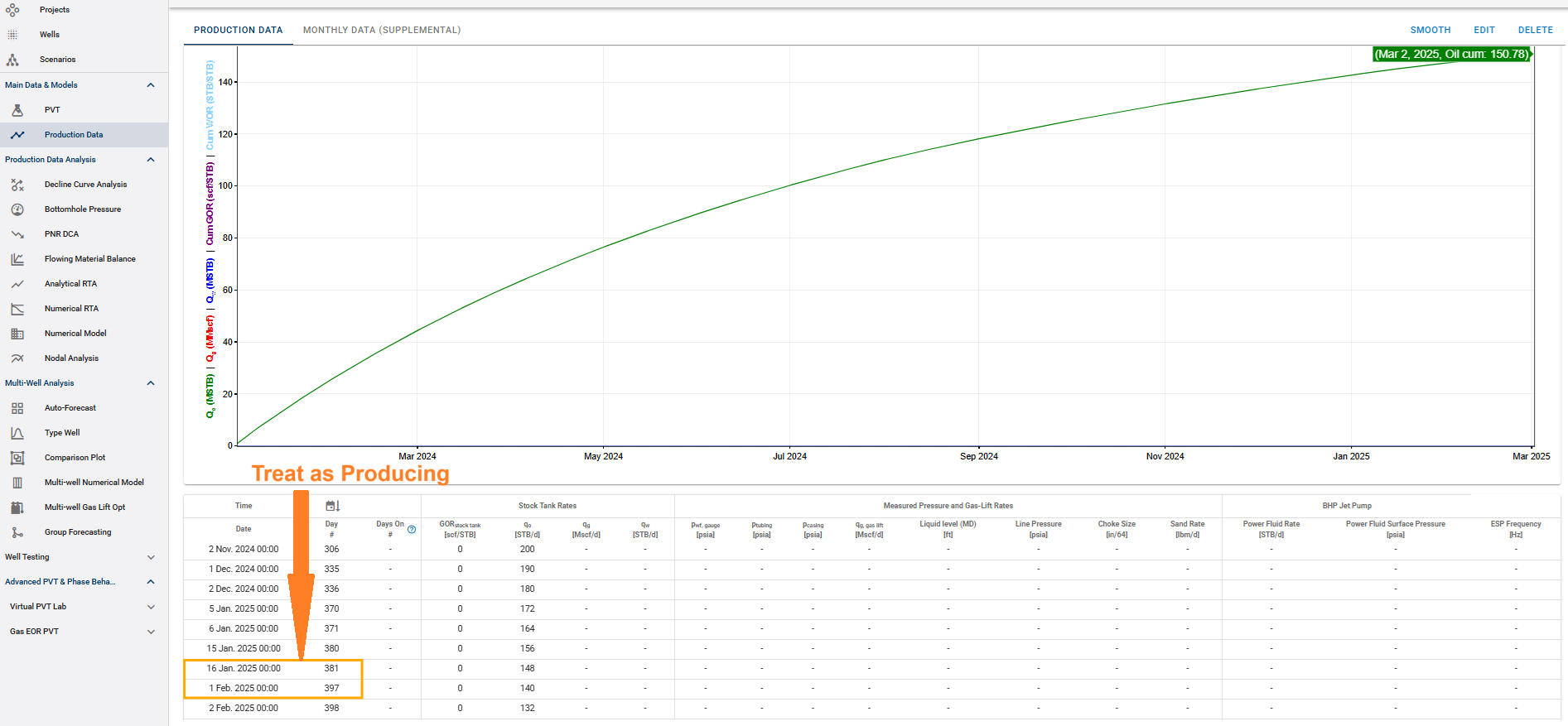
- Toggle ON (Treat as Producing)
Any gap in the production data is considered an active producing period.
Calculation Method: The software assumes the rate provided at timestep (\(i+1\)) was the rate producing from timestep (\(i\)) until timestep (\(i+1\)).
Example: If there is daily data (1 day-timesteps) and suddenly a 15 day gap, the software will assume it produced for all those 15 days.
Note!!
Production data that has a timestep of less than 1 day in its dataset, will always use the "Toggle ON" logic, even if the toggle is set to off on the project.